Best 34" Ultrawide Monitors: 15 Spec-Based Picks
As an Amazon Associate we earn from qualifying purchases. Links on this page are affiliate links.
A 34 ultrawide monitor expands your desktop workspace for everyday productivity and immersive gaming. We compared 15 displays using the specifications published on their official product listings.
The Dell 34-Inch 120Hz USB-C Monitor leads the list because it pairs a sharp 1440p VA panel with a smooth 120Hz refresh rate and convenient 65W USB-C connectivity. Every model offers different trade-offs in motion handling and hardware connectivity. This guide helps you identify the best balance of refresh rate, panel technology, and input ports for your desk setup.
Quick picks
The best fit for you
- You need single-cable USB-C connectivity for daily productivity Dell 34-Inch 120Hz USB-C Monitor It provides a 1440p resolution, 120Hz refresh rate, and 65W USB-C connectivity on a VA panel.
- You want the fastest refresh rate for competitive gaming SANSUI 34-Inch 240Hz Curved Ultrawide Monitor It features a 240Hz refresh rate paired with a 34-inch curved display.
- You prefer a flat ultrawide screen for office multitasking Samsung 34-Inch ViewFinity S50GC Flat Ultrawide This model delivers a flat 34-inch 1440p display with a 100Hz refresh rate and 3000:1 contrast.
- You want certified G-SYNC compatibility with an OLED panel AOC 34-Inch Curved QD-OLED Gaming Monitor Its QD-OLED panel features certified G-SYNC support and a 0.03ms response time.
Our 15 picks

Dell 34-Inch 120Hz USB-C Monitor
Best for: everyday productivity and moderate ultrawide gaming
- Screen Size
- 34"
- Resolution
- WQHD
- Refresh Rate
- 120Hz
- Response Time
- 0.03ms
- Sync Technology
- AMD FreeSync Premium
- Connectivity
- USB-C
This Dell 34-inch 1440p monitor balances daily productivity with smooth gaming. You get a VA panel running at up to 120Hz with AMD FreeSync Premium, paired with a 3000:1 contrast ratio and 95% DCI-P3 color coverage. Single-cable USB-C connectivity supplies up to 65W of power delivery to your laptop. It suits you if you need a versatile ultrawide display for multitasking during work hours and responsive play afterwards.
Pros
- USB-C connectivity with up to 65W power delivery
- 120Hz refresh rate with AMD FreeSync Premium
- 3000:1 contrast ratio and 95% DCI-P3 color coverage
- Built-in ComfortView Plus reduces blue light emissions to 35% or less
Cons
- 65W power delivery may not sufficiently charge high-wattage laptops
- 120Hz refresh rate is lower than 180Hz or 240Hz gaming-focused alternatives
Good fit if
- You want single-cable USB-C video and 65W laptop charging on your desk.
- You need deep black levels with a 3000:1 contrast ratio and 95% DCI-P3 color.
- You divide your screen time between general office work and 120Hz gaming.
Skip if
- You prioritize ultra-high refresh rates above 120Hz for fast-paced esports.
- You need higher than 65W power delivery for a performance laptop.
Verdict: Dell 34-Inch 120Hz USB-C Monitor balances sharp 1440p VA visuals, deep contrast, and convenient 65W USB-C connectivity. It serves as a well-rounded display for everyday multitasking and moderate gaming without excess complexity.

SANSUI 34-Inch Curved 200Hz Ultrawide Monitor
Best for: high-refresh ultrawide gaming on HDMI 2.1
- Screen Size
- 34"
- Resolution
- 3440 x 1440
- Refresh Rate
- 200Hz
- Panel Type
- Fast VA
- Aspect Ratio
- 21:9
- Response Time
- OD 1ms
View on Amazon: SANSUI 34-Inch Curved 200Hz Ultrawide Monitor
The SANSUI 34-inch curved ultrawide monitor pairs a 3440 x 1440 UWQHD resolution with a 200Hz refresh rate and a 1500R curvature. Its Fast VA panel offers 178-degree viewing angles and a 1ms overdrive response time. With two HDMI 2.1 ports and a DisplayPort 1.4 connection supporting full 200Hz input, this screen suits you if you want high-refresh ultrawide gaming and multi-source productivity via Picture-in-Picture.
Pros
- 200Hz refresh rate across DisplayPort 1.4 and two HDMI 2.1 ports
- 1500R curved 3440 x 1440 Fast VA display with 1ms OD response time
- Hardware PIP and PBP support for multi-source workflows
- Standard 100 x 100mm VESA mount compatibility
Cons
- No integrated audio speakers
- Stand adjustment limited to tilt with no height adjustment
Good fit if
- You need high refresh rates up to 200Hz for gaming over DisplayPort or HDMI 2.1.
- You run two input sources simultaneously using Picture-in-Picture or Picture-by-Picture.
- You want an immersive 1500R curved 21:9 ultrawide workspace.
Skip if
- You require built-in speakers for audio without headphones or external hardware.
- You need a stand with height or swivel adjustment out of the box.
Verdict: SANSUI 34-Inch Curved 200Hz Ultrawide Monitor delivers high-speed 200Hz gaming and sharp 1440p ultrawide visuals via modern HDMI 2.1 and DisplayPort inputs. It is a capable pick if you use external audio and do not require stand height adjustments.

Samsung 34-Inch ViewFinity S50GC Flat Ultrawide
Best for: dual-source productivity and everyday ultrawide multitasking
- Screen Size
- 34"
- Resolution
- Ultra-WQHD
- Refresh Rate
- 100Hz
- Aspect Ratio
- 21:9
- Response Time
- 5ms
- Sync Technology
- AMD FreeSync
View on Amazon: Samsung 34-Inch ViewFinity S50GC Flat Ultrawide
The Samsung ViewFinity is a 34-inch flat ultrawide monitor running at a 3440 x 1440 resolution with a 100Hz refresh rate. It delivers a 3000:1 static contrast ratio, 300 cd/m² brightness, and HDR10 support. With picture-by-picture and picture-in-picture modes fed by two HDMI ports and one DisplayPort, you can display two sources side by side. It suits your setup if you prioritize desktop multitasking and balanced media viewing over fast-paced competitive gaming.
Pros
- 3440 x 1440 Ultra-WQHD resolution with 100Hz refresh rate
- High 3000:1 static contrast ratio for deep black levels
- Integrated PBP and PIP modes for simultaneous dual-source display
- Ambient light sensor automatically adjusts display brightness
Cons
- 100Hz refresh rate is lower than dedicated 144Hz to 240Hz gaming models
- 5ms response time is slower than 1ms gaming panels
- Flat panel profile offers no curvature for peripheral immersion
Good fit if
- You want to connect two computers simultaneously using PBP or PIP
- You prefer a flat 34-inch display rather than a curved panel
- You need a 3000:1 contrast ratio for darker viewing environments
Skip if
- You need refresh rates above 100Hz for competitive gaming
- You require a 1ms response time to minimize motion blur
- You want a curved screen for an immersive field of view
Verdict: Samsung ViewFinity 34-Inch 100Hz Flat Monitor delivers reliable 1440p ultrawide workspace efficiency with strong 3000:1 contrast and dual-source inputs. It is a solid balance for daily multitasking, office work, and casual gaming.

SANSUI 34-Inch 240Hz Curved Ultrawide Monitor
Best for: high-refresh-rate competitive ultrawide gaming
- Screen Size
- 34"
- Resolution
- 3440x1440
- Refresh Rate
- 240Hz
- Panel Type
- Fast VA
- Aspect Ratio
- 21:9
- Response Time
- 1ms MRPT
View on Amazon: SANSUI 34-Inch 240Hz Curved Ultrawide Monitor
This 34-inch curved monitor gives you a 3440 x 1440 UWQHD resolution across a 21:9 Fast VA panel. Its standout feature is a 240Hz refresh rate paired with a 1ms MPRT response time and FreeSync support. Dual HDMI 2.1 and dual DisplayPort 1.4 ports deliver the full 240Hz signal. It suits you if you prioritize high frame rates and ultrawide immersion for fast-paced gaming setups.
Pros
- 240Hz refresh rate with 1ms MPRT response time
- Dual HDMI 2.1 and dual DisplayPort 1.4 video inputs
- Supports PIP and PBP multitasking display modes
- HDR400 support on a 3440 x 1440 Fast VA panel
Cons
- Stand offers tilt adjustment only with no height or swivel
- No built-in speakers
Good fit if
- You need a 240Hz refresh rate at 3440 x 1440 resolution.
- You connect multiple devices using dual HDMI 2.1 and dual DisplayPort 1.4 inputs.
- You want built-in Picture-in-Picture or Picture-by-Picture viewing.
Skip if
- You require built-in speakers for audio playback.
- You need height or swivel adjustability from the included stand.
Verdict: SANSUI 34-Inch Curved 240Hz Ultrawide Monitor delivers high-speed 1440p gaming with versatile multi-port connectivity. It trades stand ergonomics and integrated audio for high refresh rates and screen area.

MSI 34-Inch 120Hz UWQHD Ultrawide Monitor
Best for: everyday multitasking and casual 120Hz gaming
- Screen Size
- 34"
- Resolution
- 3440 x 1440
- Refresh Rate
- 120Hz
- Panel Type
- VA / IPS
- Aspect Ratio
- 21:9
- Response Time
- 1ms
This MSI 34-inch ultrawide display offers a 3440 x 1440 UWQHD resolution with a 120Hz refresh rate and a 1500:1 contrast ratio. It includes Adaptive Sync for tear-free output, plus DisplayPort 1.4a and HDMI 2.0b with HDMI-CEC inputs. The stand provides tilt adjustments between -5° and 20°, supported by VESA 100x100mm mounting. It suits you if you need expansive screen space for everyday office productivity and smooth casual gaming.
Pros
- 3440 x 1440 UWQHD resolution at a 120Hz refresh rate
- Adaptive Sync support for tear-free video output
- DisplayPort 1.4a and HDMI 2.0b with HDMI-CEC support
- TÜV Rheinland certified Flicker Free and Low Blue Light design
Cons
- Stand adjusts only for tilt with no height or swivel adjustment
- 120Hz refresh rate is lower than dedicated high-speed gaming panels
Good fit if
- You want a 3440 x 1440 ultrawide panel running at 120Hz.
- You need HDMI-CEC support to control connected devices with a single remote.
- You plan to mount the monitor using a standard VESA 100x100mm arm.
Skip if
- You need built-in height, swivel, or pivot adjustments on the stock stand.
- You require refresh rates above 120Hz for competitive gaming.
Verdict: MSI 34-Inch 120Hz UWQHD Monitor delivers solid 3440 x 1440 workspace and fluid 120Hz motion for productivity and casual gaming. Its tilt-only stand limits positioning flexibility, but VESA mounting solves ergonomic setups.

Sceptre 34-Inch Curved 240Hz Ultrawide Monitor
Best for: high-refresh competitive ultrawide gaming
- Screen Size
- 34"
- Resolution
- 3440 x 1440
- Refresh Rate
- up to 240Hz
- Response Time
- 1ms
- Connectivity
- DisplayPort x2, HDMI x2, Audio Out
- Size
- 34 Inch
View on Amazon: Sceptre 34-Inch Curved 240Hz Ultrawide Monitor
The Sceptre 34-Inch Curved 240Hz Ultrawide Monitor gives you a 3440 x 1440 resolution paired with a fast 240Hz refresh rate and a 1500R curvature. Its 1ms blur-reduction response time handles fast motion, while dual DisplayPort and dual HDMI connections let you wire multiple systems directly. This display suits you if you want high frame-rate smoothness alongside an expansive workspace for productivity.
Pros
- 240Hz refresh rate for fluid motion
- 3440 x 1440 UWQHD resolution with a 1500R curve
- Four display inputs including two DisplayPort and two HDMI ports
- Integrated speakers and audio output jack
Cons
- No USB-C connectivity or USB hub ports listed
- Color coverage tops out at standard 100% sRGB
Good fit if
- You prioritize a 240Hz refresh rate for fast-paced gaming.
- You switch between multiple sources using separate HDMI and DisplayPort inputs.
- You want an immersive 1500R curved 3440 x 1440 workspace.
Skip if
- You need a single-cable USB-C connection for a laptop.
- You require wide color gamut coverage beyond standard sRGB.
Verdict: Sceptre 34-Inch Curved 240Hz Ultrawide Monitor delivers fluid 240Hz motion and sharp 3440 x 1440 visuals across four dedicated video inputs. It gives you expansive screen area and fast gaming performance in a single curved panel.

Sceptre 34-Inch Curved 165Hz Ultrawide Monitor
Best for: fast-paced ultrawide gaming over DisplayPort
- Screen Size
- 34"
- Resolution
- 3440 x 1440
- Refresh Rate
- Up to 180Hz/165Hz
- Aspect Ratio
- 21:9
- Response Time
- 1ms MPRT
- Connectivity
- DisplayPort x2
View on Amazon: Sceptre 34-Inch Curved 165Hz Ultrawide Monitor
The Sceptre 34-Inch Curved 165Hz Ultrawide gives you a 34-inch display with a 3440 x 1440 WQHD resolution and a 21:9 aspect ratio. It features a 1500R curve, dual DisplayPort inputs, and a 165Hz refresh rate paired with a 1ms MPRT response time. This configuration suits you if you need wide horizontal screen real estate for multitasking or fast-paced gaming with integrated rear accent lighting.
Pros
- 3440 x 1440 WQHD resolution across a 21:9 aspect ratio
- 165Hz refresh rate with 1ms MPRT response time
- 1500R curved screen profile
- Dual DisplayPort video inputs
Cons
- No HDMI or USB-C ports listed in specifications
- No integrated audio speakers listed
Good fit if
- You want a 3440 x 1440 ultrawide screen with a 165Hz refresh rate for gaming.
- You connect your system primarily using DisplayPort.
- You want a deep 1500R curve with integrated rear LED lighting.
Skip if
- You require HDMI or USB-C connectivity for your devices.
- You need built-in monitor speakers for audio playback.
Verdict: Sceptre 34-Inch Curved 165Hz Ultrawide delivers high-refresh 1440p gaming and expanded desktop workspace through dual DisplayPort connections. It serves as a focused gaming option if you do not require alternative ports or integrated speakers.

Amzfast 34-Inch 240Hz Curved Ultrawide Monitor
Best for: high-refresh gaming and multi-device split-screen use
- Screen Size
- 34"
- Resolution
- 3440x1440
- Refresh Rate
- 240Hz
- Response Time
- 1ms (OD)
- Sync Technology
- Adaptive Sync, FreeSync
- Connectivity
- 2x DP 1.4, 2x HDMI 2.1
View on Amazon: Amzfast 34-Inch 240Hz Curved Ultrawide Monitor
This 34-inch curved ultrawide monitor delivers a 3440 x 1440 resolution with an expansive 1500R curvature. You get a rapid 240Hz refresh rate paired with a 1ms response time and Adaptive Sync support. It offers 450 nits of brightness, a 3000:1 contrast ratio, and dual HDMI 2.1 alongside two DisplayPort 1.4 inputs. It suits you if you want high-refresh gaming and multi-device split-screen multitasking on one display.
Pros
- 240Hz refresh rate supported across both HDMI 2.1 and DisplayPort 1.4 ports
- High 3000:1 static contrast ratio with 450 nits brightness
- Fully adjustable stand with 130mm height, swivel, tilt, and pivot support
- Hardware PIP and PBP support for multi-source display
Cons
- No USB-C or downstream USB data hub ports listed
- Uses 8-bit + FRC processing rather than native 10-bit color depth
- No integrated speakers included in the specifications
Good fit if
- You need a 240Hz refresh rate for fast-paced gaming over HDMI 2.1 or DisplayPort.
- You want picture-by-picture or picture-in-picture to view two devices at once.
- You want a fully adjustable stand that includes height, swivel, tilt, and pivot.
Skip if
- You need a single-cable USB-C connection to charge and display from a laptop.
- You require native 10-bit color without frame rate control dithering.
- You prefer a flat screen over a 1500R curved panel.
Verdict: Amzfast 34-Inch 240Hz Curved Ultrawide Monitor pairs high-speed 240Hz performance with versatile quad-port connectivity and flexible split-screen modes. It provides a fluid, deep-contrast ultrawide view for gaming setups that do not require USB-C connectivity.

Alienware 34 Curved 180Hz Gaming Monitor
Best for: smooth 180Hz ultrawide PC and console gaming
- Screen Size
- 34"
- Resolution
- WQHD
- Refresh Rate
- 180Hz
- Response Time
- 1ms GTG
- Sync Technology
- AMD FreeSync Premium, VESA AdaptiveSync
- Dimensions
- 31.7 × 9.13 × 21.8 inches
This 34-inch curved gaming display gives you a 3440 x 1440 WQHD resolution with a 1500R curve to fill your peripheral field. It features a 180Hz refresh rate, a 1ms gray-to-gray response time, and AMD FreeSync Premium for tear-free frames. With 95% DCI-P3 color coverage and DisplayHDR 400, it suits you if you want fast gaming performance paired with wide color gamut support for open-world games.
Pros
- 180Hz refresh rate with 1ms gray-to-gray response time
- 3440 x 1440 WQHD resolution with a 1500R curve
- 95% DCI-P3 color space coverage
- AMD FreeSync Premium and VESA Adaptive Sync support
Cons
- DisplayHDR 400 provides entry-level HDR luminance
- No integrated speakers listed
Good fit if
- You want a 180Hz refresh rate and 1ms response time for gaming.
- You prefer a deep 1500R curve across a 34-inch ultrawide canvas.
- You need hardware-based low blue light and dedicated console mode.
Skip if
- You want a higher HDR tier than VESA DisplayHDR 400.
- You prefer a flat ultrawide panel over a curved screen.
Verdict: Alienware 34 Curved 180Hz Gaming Monitor pairs high-speed 180Hz gaming and a 1ms response time with wide 95% DCI-P3 coverage. Its 1500R curve and adaptive sync deliver responsive ultrawide performance for PC and console setups.
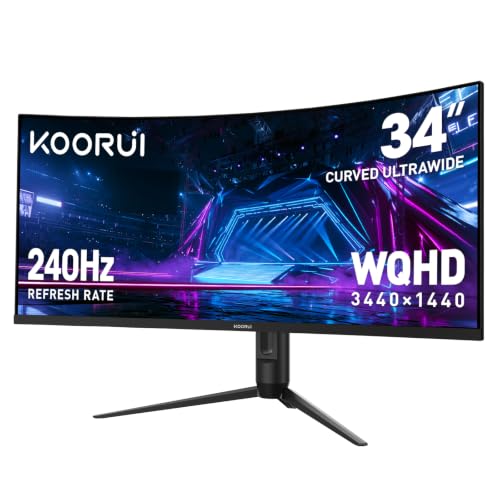
KOORUI 34-Inch 240Hz Curved Ultrawide Monitor
Best for: high-refresh competitive gaming and dual-source multitasking
- Screen Size
- 34"
- Resolution
- 3440 x 1440
- Refresh Rate
- 240Hz
- Aspect Ratio
- 21:9
- Response Time
- 1ms
- Sync Technology
- Adaptive-Sync
View on Amazon: KOORUI 34-Inch 240Hz Curved Ultrawide Monitor
The KOORUI 34-Inch 240Hz Curved Ultrawide Monitor pairs a 3440 x 1440 resolution with a fast 240Hz refresh rate across an immersive 1500R curve. With a 4000:1 contrast ratio and 98% DCI-P3 color coverage, you get deep black levels and vivid imagery for gaming or video playback. Its integrated Picture-in-Picture and Picture-by-Picture support suits you if you need to run simultaneous inputs on a single expansive screen.
Pros
- 240Hz refresh rate with 1ms response time and adaptive sync
- High 4000:1 contrast ratio with 98% DCI-P3 color gamut
- Ergonomic stand with height, tilt, and swivel adjustments
- Dual HDMI 2.1 and DisplayPort 1.4 input selection
Cons
- No USB-C connectivity listed
- Stand lacks pivot adjustment
Good fit if
- You want a high 240Hz refresh rate for fast-paced gaming.
- You need Picture-in-Picture or Picture-by-Picture support for multiple input sources.
- You want high static contrast for deeper black levels in dark scenes.
Skip if
- You need a single-cable USB-C connection for laptop docking.
- You require a flat panel rather than a curved 1500R screen.
Verdict: KOORUI 34-Inch 240Hz Curved Ultrawide Monitor delivers high-refresh 240Hz gaming and deep 4000:1 contrast on a 1500R curved panel. It is a capable choice if you want smooth motion and hardware multitasking via dual HDMI 2.1 ports.

Amzfast 34" Curved 200Hz Ultrawide Monitor
Best for: High-refresh ultrawide gaming and dual-source productivity
- Screen Size
- 34"
- Resolution
- 3440x1440
- Refresh Rate
- 200Hz
- Response Time
- 1ms (OD)
- Sync Technology
- Adaptive Sync, FreeSync
- Connectivity
- DP 1.4, HDMI 2.1
The Amzfast 34" Curved 200Hz Ultrawide Monitor pairs a 3440 x 1440 resolution with a 1500R curvature and a 200Hz refresh rate. It delivers a 3000:1 contrast ratio, 1ms overdrive response time, and dual HDMI 2.1 alongside DisplayPort 1.4. You get an ergonomic stand supporting height, swivel, and tilt adjustments. This display suits you if you want high-refresh ultrawide gaming and split-screen productivity via PIP and PBP.
Pros
- 200Hz refresh rate supported over DisplayPort 1.4 and dual HDMI 2.1
- 1500R curved 3440 x 1440 panel with 3000:1 contrast ratio
- Four-way adjustable stand with height, tilt, swivel, and pivot
- Hardware PIP and PBP support for multi-device workflows
Cons
- 8-bit color depth rather than 10-bit
- No USB Type-C connectivity or USB hub
- No integrated speakers included
Good fit if
- You want 200Hz gaming over modern HDMI 2.1 or DisplayPort connections
- You need extensive stand adjustments including height, swivel, and pivot
- You plan to view two input sources side-by-side using PIP or PBP
Skip if
- You require a USB-C port for single-cable laptop video and charging
- You need 10-bit color depth for professional color-critical workflows
Verdict: Amzfast 34" Curved 200Hz Ultrawide Monitor delivers high-speed 200Hz gameplay across modern HDMI 2.1 and DisplayPort inputs with an ergonomic stand. It provides strong contrast and split-screen capabilities without workstation features like USB-C.

AOC 34-Inch Curved QD-OLED Gaming Monitor
Best for: NVIDIA users wanting fast QD-OLED gaming
- Screen Size
- 34"
- Resolution
- 3440x1440
- Refresh Rate
- 175Hz
- Panel Type
- QD OLED
- Aspect Ratio
- 21:9
- Response Time
- 0.03ms (GtG)
You get a 34-inch curved QD-OLED panel running at a 3440x1440 resolution with this display. It pairs a 175Hz refresh rate and a 0.03ms response time with NVIDIA G-SYNC compatibility for tear-free gaming. The panel also includes HDR400 True Black certification and an adjustable stand. It suits you if you run an NVIDIA graphics setup and want fast pixel response alongside deep black levels.
Pros
- 34-inch 3440x1440 QD-OLED curved panel with HDR400 True Black
- 175Hz refresh rate and 0.03ms GtG response time
- NVIDIA G-SYNC compatible
- Stand provides 150mm height adjustment, tilt, and swivel
Cons
- Total weight exceeds 32 pounds
- 175Hz refresh rate is lower than 240Hz ultrawide options
Good fit if
- You have an NVIDIA graphics card and prioritize certified G-SYNC performance.
- You want deep QD-OLED black levels alongside a 0.03ms response time.
- You need an adjustable stand with 150mm of height travel.
Skip if
- You target 200Hz or 240Hz refresh rates for high-speed esports.
- You need a lightweight monitor to fit standard low-capacity display arms.
Verdict: AOC Agon Pro 34" Curved QD-OLED Monitor delivers true blacks, a 0.03ms response time, and certified G-SYNC performance for tear-free ultrawide gaming. Its 175Hz refresh rate and ergonomic stand make it a capable pick for NVIDIA setups.

KTC 34-Inch Curved 180Hz Ultrawide Monitor
Best for: high-contrast 180Hz gaming with versatile stand adjustments
- Screen Size
- 34"
- Resolution
- 3440X1440
- Refresh Rate
- 180Hz
- Aspect Ratio
- 21:9
- Sync Technology
- adaptive sync
- Connectivity
- HDMI 2.0 ×2, DP 1.4 ×2
The KTC 34-Inch Curved 180Hz Ultrawide Monitor gives you a 3440 x 1440 resolution across a 1500R curved screen. It pairs a fast 180Hz refresh rate with adaptive sync to keep fast gameplay smooth. With a 4000:1 contrast ratio and 98% DCI-P3 coverage, it suits gamers and desk workers who want deep contrast and full stand adjustability.
Pros
- 180Hz refresh rate with adaptive sync support
- Deep 4000:1 static contrast ratio
- Full ergonomic adjustment: tilt, swivel, height, and pivot
- Dual DisplayPort 1.4 and dual HDMI 2.0 inputs
Cons
- HDMI inputs are limited to version 2.0 bandwidth
- No USB-C connectivity or integrated USB hub
- No built-in speakers listed in specifications
Good fit if
- You want deep black levels driven by a 4000:1 contrast ratio.
- You need complete ergonomic adjustments including pivot on an ultrawide frame.
- You play fast-paced games requiring up to a 180Hz refresh rate.
Skip if
- You need single-cable USB-C video and power delivery for a laptop.
- You require HDMI 2.1 for maximum refresh rates over HDMI.
- You want built-in speakers to save desk space.
Verdict: KTC 34-Inch Curved 180Hz Ultrawide Monitor delivers high-refresh 1440p gaming backed by a high 4000:1 contrast ratio. Its standout physical feature is an ergonomic stand that includes pivot support rare for 34-inch displays.

Alienware 34-Inch Curved QD-OLED Monitor
Best for: color-accurate gaming and content creation
- Screen Size
- 34"
- Refresh Rate
- 165Hz
- Panel Type
- QD-OLED
- Aspect Ratio
- 21:9
- Response Time
- 0.1Ms
- Sync Technology
- AMD FreeSync Premium Pro
This 34-inch curved monitor features a QD-OLED panel with a 3440 x 1440 resolution, 165Hz refresh rate, and 0.1ms response time. It covers 99.3% of the DCI-P3 color space and includes AMD FreeSync Premium Pro support. An 1800R curve, Creator Mode for sRGB or DCI-P3 selection, and full stand adjustments make it a strong fit if you prioritize color precision and contrast for gaming or content creation.
Pros
- QD-OLED panel with 99.3% DCI-P3 color coverage
- 0.1ms response time and 165Hz refresh rate
- AMD FreeSync Premium Pro and VESA AdaptiveSync certification
- Stand with height, tilt, swivel, and slant adjustments
- 3-year warranty covering OLED burn-in
Cons
- Total weight reaches 20.5 pounds
- Refresh rate maxes out at 165Hz
- No integrated audio speakers listed
Good fit if
- You want true blacks and wide color coverage from a QD-OLED panel.
- You need color mode switching between sRGB and DCI-P3 for creative workflows.
- You want tear-free visuals via AMD FreeSync Premium Pro at 165Hz.
Skip if
- You need refresh rates above 165Hz for competitive titles.
- You require a lightweight display assembly under 20 pounds.
Verdict: Alienware 34 Curved QD-OLED Monitor delivers exceptional color reproduction and rapid 0.1ms pixel response for visual-heavy tasks. Its 1800R curvature, dedicated Creator Mode, and three-year burn-in coverage make it a robust ultrawide display choice.
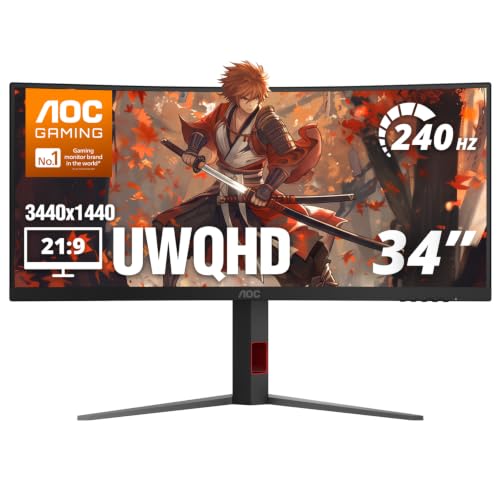
AOC 34" Curved 240Hz Ultrawide Monitor
Best for: high-refresh-rate competitive ultrawide gaming
- Screen Size
- 34"
- Resolution
- 3440x1440
- Refresh Rate
- 240Hz
- Aspect Ratio
- 21:9
- Response Time
- 0.3ms MPRT
- Sync Technology
- AMD FreeSync Premium
This 34-inch ultrawide monitor pairs a curved 1500R VA panel with an ultra-high 240Hz refresh rate. It delivers a 3440x1440 resolution at a 21:9 aspect ratio, giving you sharp detail and extra horizontal space. With 0.3ms MPRT response time, two HDMI 2.1 ports, and AMD FreeSync Premium, you get smooth frame pacing. It suits competitive gamers who prioritize fast frame rates on an ultrawide screen.
Pros
- 240Hz refresh rate supported over DisplayPort and HDMI
- 3440x1440 UWQHD resolution on a 1500R curved VA panel
- 0.3ms MPRT response time
- Dual HDMI 2.1 ports and one DisplayPort 1.4 input
Cons
- No USB-C port or integrated USB hub
- No built-in speakers included
Good fit if
- You want a 240Hz refresh rate for fast-paced gaming at 3440x1440.
- You need modern HDMI 2.1 connectivity alongside DisplayPort 1.4.
- You prefer a 1500R curved VA display for high contrast and wider viewing angles.
Skip if
- You need a USB-C port for laptop display and power delivery.
- You want integrated speakers rather than using headphones or external audio.
Verdict: AOC 34" Curved 240Hz Ultrawide Monitor combines a 1500R curve, 240Hz refresh rate, and 3440x1440 resolution for high-speed ultrawide gaming. It provides modern HDMI 2.1 and DisplayPort inputs to keep motion fluid across your systems.
Specifications side by side
| Spec | Dell 34-Inch 120Hz USB-C Monitor | SANSUI 34-Inch Curved 200Hz Ultrawide Monitor | Samsung 34-Inch ViewFinity S50GC Flat Ultrawide | SANSUI 34-Inch 240Hz Curved Ultrawide Monitor | MSI 34-Inch 120Hz UWQHD Ultrawide Monitor | Sceptre 34-Inch Curved 240Hz Ultrawide Monitor | Sceptre 34-Inch Curved 165Hz Ultrawide Monitor | Amzfast 34-Inch 240Hz Curved Ultrawide Monitor | Alienware 34 Curved 180Hz Gaming Monitor | KOORUI 34-Inch 240Hz Curved Ultrawide Monitor | Amzfast 34" Curved 200Hz Ultrawide Monitor | AOC 34-Inch Curved QD-OLED Gaming Monitor | KTC 34-Inch Curved 180Hz Ultrawide Monitor | Alienware 34-Inch Curved QD-OLED Monitor | AOC 34" Curved 240Hz Ultrawide Monitor |
|---|---|---|---|---|---|---|---|---|---|---|---|---|---|---|---|
| Screen Size | 34" | 34-Inch | 34" | 34 Inch | 34" | 34" | 34-inch | 34 Inch | 34" | 34" | 34" | 34" | 34 inch | 34-inch | 34" |
| Resolution | WQHD | 3440 x 1440 | Ultra-WQHD | 3440x1440 | 3440 x 1440 | 3440 x 1440 | 3440 x 1440 | 3440x1440 | WQHD | 3440 x 1440 | 3440x1440 | 3440x1440 | 3440X1440 | not specified | 3440x1440 |
| Refresh Rate | 120Hz | 200Hz | 100Hz | 240Hz | 120Hz | up to 240Hz | Up to 180Hz/165Hz | 240Hz | 180Hz | 240Hz | 200Hz | 175Hz | 180Hz | 165Hz | 240Hz |
| Panel Type | not specified | Fast VA | not specified | Fast VA | VA / IPS | not specified | not specified | not specified | not specified | not specified | not specified | QD OLED | not specified | QD-OLED | not specified |
| Aspect Ratio | not specified | 21:9 | 21:9 | 21:9 | 21:9 | not specified | 21:9 | not specified | not specified | 21:9 | not specified | 21:9 | 21:9 | 21:9 | 21:9 |
| Response Time | 0.03ms | OD 1ms | 5ms | 1ms MRPT | 1ms | 1ms | 1ms MPRT | 1ms (OD) | 1ms GTG | 1ms | 1ms (OD) | 0.03ms (GtG) | not specified | 0.1Ms | 0.3ms MPRT |
| Sync Technology | AMD FreeSync Premium | VRR | AMD FreeSync | FreeSync, VRR | Adaptive-Sync (FreeSync compatible) | not specified | not specified | Adaptive Sync, FreeSync | AMD FreeSync Premium, VESA AdaptiveSync | Adaptive-Sync | Adaptive Sync, FreeSync | NVIDIA G-SYNC | adaptive sync | AMD FreeSync Premium Pro | AMD FreeSync Premium |
| Connectivity | USB-C | DP 1.4, HDMI 2.1 X 2, Earphone | 2 x HDMI 2.2, 1 x DisplayPort 1.2 | HDMI 2.1 x2, DP 1.4 x2, Earphone | HDMI 2.0b, DisplayPort 1.4a | DisplayPort x2, HDMI x2, Audio Out | DisplayPort x2 | 2x DP 1.4, 2x HDMI 2.1 | not specified | 2 x HDMI 2.1, 1 x DisplayPort 1.4 | DP 1.4, HDMI 2.1 | not specified | HDMI 2.0 ×2, DP 1.4 ×2 | not specified | 1x DisplayPort 1.4, 2x HDMI 2.1 |
| Size | S3425DW | 34 Inch | 34- in Flat | 34 Inch | not specified | 34 Inch | not specified | 34 Inch | not specified | 34inch 240Hz/WQHD/Curved | 34 Inch | 34" 175Hz AGON PRO | 34 Inch | 34.0" OLED | 34" 240Hz UWQHD |
| Dimensions | 8.73 × 31.8 × 16.2 inches | 8.6 × 31.8 × 18 inches | 8.7 × 32.1 × 18 inches | 7.48 × 31.8 × 17.9 inches | 18.5 × 31.9 × 9.33 inches | 8.5 × 31.8 × 18 inches | 8.6 × 31.8 × 18 inches | 10.8 × 31.8 × 21.5 inches | 31.7 × 9.13 × 21.8 inches | 10.6 × 31.8 × 20.2 inches | 10.8 × 31.8 × 21.5 inches | 11.6 × 32 × 21.7 inches | 5.31 × 32.5 × 21.2 inches | 32.1 × 12 × 20.7 inches | 10.6 × 31.8 × 21.1 inches |
| Weight | 20.7 pounds | 15.4 pounds | 10.8 pounds | not specified | 24.5 pounds | 14 pounds | 15.3 pounds | not specified | 21 pounds | 17.6 pounds | not specified | 32.1 pounds | 21.9 pounds | 20.5 pounds | not specified |
| Color | Ash White | Black | Black | Black | Black | Machine Black | Black | Black | Black | Black | Black | Black | Black | Black | Black |
| Model | S3425DW | ES-G34C5 | FBASAMLS34C502GAN | ES-G34C5 PRO | PRO MP341CQ E12 | C345B-QU240T | C345B-QUT168 | AMZG34C8 Pro | AW3425DWM | G3441XC | AMZG34C8 | AG346UCD | H34S5 | AW3423DWF | CU34G4Z |
Is a 34-Inch Ultrawide Monitor Worth It?
A 34-inch ultrawide monitor changes your physical workspace and viewing field. With physical panel widths measuring between 31.7 and 32.5 inches, these displays span nearly three feet across your desk. The standard 3440 x 1440 resolution provides extra horizontal area without a middle bezel, letting you arrange multiple application windows side by side. Most options feature 1500R or 1800R curves to bring the display edges into view, though flat panels also exist. Stand footprints require between 5.3 and 11.6 inches of desk depth to sit stably.
Worth it if
- You have at least 32 inches of desk width to accommodate a wide single-panel setup.
- You need 3440 x 1440 horizontal screen space for viewing side-by-side applications without a center bezel.
- You prefer a 1500R or 1800R curve to view wide screen edges comfortably.
Skip it if
- You have a compact desk that cannot accommodate up to 32.5 inches of width and 11.6 inches of stand depth.
- You require a lighter setup, as several 34-inch models weigh between 20 and 32 pounds.
If you want a compact secondary screen for travel, you can compare specifications for each 100Hz portable monitor to find the right display size.
How We Picked 34-Inch Monitors
You see displays here selected strictly from published technical specifications and feature lists. Each monitor enters the guide when its listing explicitly states a 34-inch screen size in the title or spec table. The guide includes only one size or variant per product family. No products are physically handled or unboxed.
The 15 selections are ordered with products in stock first, then by Amazon sales rank, placing better-selling products first. You can compare published specifications across models, including refresh rates from 100Hz to 240Hz, VA, IPS, or QD-OLED panel types, and connectivity options like USB-C and DisplayPort to find your display for 2026.
Choosing the Right 34-Inch Ultrawide Monitor
-
Compare Panel Types
Panel technology dictates contrast and motion response. VA panels produce high contrast ratios, reaching 3000:1 or 4000:1 for deep black levels in dark environments. IPS panels focus on consistent color across wide angles, making them steady options for shared viewing. QD-OLED panels offer the fastest response times, dropping to 0.03ms for blur-free motion and per-pixel illumination. If you work on color-critical layout tasks without needing high gaming refresh rates, choose an IPS display like the Dell UltraSharp 34 Curved IPS Monitor.
-
Choose Curvature or Flat
Ultrawide screens measure over 31 inches wide. Curvature ratings like 1500R and 1800R bend the screen inward, matching your field of vision to keep side edges readable without neck strain. Lower numbers mean a tighter curve, which benefits immersive gaming. However, curved lines can distort straight technical drawings or spreadsheets. If your daily workflow involves precision grid alignment or architecture work, a flat panel provides undistorted horizontal lines. Consider the Samsung 34-Inch ViewFinity S50GC Flat Ultrawide if you prefer a traditional flat desktop layout.
-
Inspect Stand Adjustments
A 34-inch monitor occupies significant vertical and horizontal space. Basic stands offer only forward and backward tilt adjustments, forcing you to stack books or purchase an aftermarket VESA mount to adjust height. Fully adjustable stands let you change screen height, swivel side to side, and align the screen at eye level to prevent fatigue. Rare models even include portrait pivot rotation. If your setup requires extensive physical flexibility straight out of the box, inspect the KTC 34-Inch Curved 180Hz Ultrawide Monitor for its multi-directional stand support.
-
Match Video Input Versions
Check the exact ports on your computer before choosing a monitor. Standard DisplayPort connections support high-speed PC output, while dual-port configurations allow multi-system connections. For high-refresh console or modern PC output, look for HDMI 2.1 ports, which handle 3440 x 1440 resolution at high speeds. Other models feature USB-C with power delivery to transmit video and charge a laptop over a single wire. The KOORUI 34-Inch 240Hz Curved Ultrawide Monitor includes dual HDMI 2.1 inputs, ensuring support for high-bandwidth video sources without requiring display adapters.
-
Check Adaptive Sync Standard
Screen tearing occurs when your graphics card frame output desynchronizes from the monitor refresh cycle. Hardware sync technologies solve this mismatch by dynamically locking the screen refresh to your GPU output. AMD FreeSync functions over standard DisplayPort and HDMI connections on compatible hardware. Certified NVIDIA G-SYNC displays require dedicated validation to ensure tear-free frames and low latency on GeForce graphics cards. If you run a high-end NVIDIA graphics setup and want certified sync performance, look at the AOC 34-Inch Curved QD-OLED Gaming Monitor.
-
Verify Stand Footprint Dimensions
Large ultrawide stands require ample desk depth. Monitor bases in this size class reach depths between 5.3 inches and 11.6 inches. A deep stand pushes the screen forward, reducing usable desk space for keyboards and paperwork on shallow work surfaces. Weight is another factor if you plan to use an arm mount, as monitor weights range from 10.8 pounds to over 32 pounds. If your desk depth is limited, check the published stand depth on models like the SANSUI 34-Inch 240Hz Curved Ultrawide Monitor.
Frequently asked questions
Are all 34-inch ultrawide monitors curved?
No, you can find both curved and flat 34-inch ultrawide monitors. Most gaming models feature curves such as 1500R or 1800R to bring screen edges closer into your field of view. However, models like the Samsung ViewFinity S50GC offer a flat panel design. A flat screen suits straight-line graphic work and dual-source productivity without geometric distortion.
What resolution should you expect on a 34-inch ultrawide monitor?
You should expect a 3440 x 1440 resolution, commonly referred to as 1440p or UWQHD. This pixel count maintains sharp text clarity and expanded horizontal workspace across the 21:9 aspect ratio. Displays like the MSI PRO MP341CQ and Dell UltraSharp U3419W use this native 3440 x 1440 layout, giving you significantly more visual workspace than standard full-HD monitors.
Can a 34-inch ultrawide monitor charge a connected laptop?
Yes, provided you select a model featuring a powered USB-C connection. The Dell S3425DW includes USB-C connectivity with 65W power delivery. This allows you to transfer video signals, send peripheral data, and charge compatible laptops simultaneously through a single cable. Models without powered USB-C ports require a separate charger and traditional video cables like DisplayPort or HDMI.
What is the highest refresh rate available on a 34-inch ultrawide monitor?
The highest refresh rate among these 34-inch ultrawide displays reaches 240Hz. Models such as the SANSUI ES-G34C5 PRO, Sceptre C345B-QU240T, and KOORUI G3441XC deliver 240Hz refresh rates for fast motion handling in competitive games. Other options range across 100Hz, 120Hz, 165Hz, 180Hz, and 200Hz, allowing you to match display speed to your graphics hardware capabilities.
Which adaptive sync technologies do 34-inch ultrawide monitors use?
Most models utilize either AMD FreeSync or NVIDIA G-SYNC to eliminate screen tearing during gaming. FreeSync is common across displays like the Alienware AW3425DWM, Alienware AW3423DWF, and Dell S3425DW. If you prioritize official NVIDIA hardware matching, the AOC AG346UCD features certified G-SYNC support. Both technologies synchronize display refresh rates with your GPU frame output to produce tear-free gaming visuals.
How fast are response times on QD-OLED 34-inch ultrawide monitors?
QD-OLED 34-inch displays offer near-instantaneous response times well below 1 millisecond. The AOC AG346UCD specifies a 0.03ms response time, while the Alienware AW3423DWF lists a 0.1ms rating. These speeds virtually eliminate pixel ghosting and motion smearing behind fast-moving objects. By comparison, fast gaming VA panels like the Alienware AW3425DWM typically list 1ms response speeds.
Do 34-inch ultrawide monitors support split-screen multitasking from two PCs?
Yes, several 34-inch ultrawide displays include multi-input split-screen hardware capabilities. Monitors such as the Samsung ViewFinity S50GC, Amzfast AMZG34C8 Pro, and KOORUI G3441XC feature dual-source viewing modes. This hardware setup lets you connect two separate video inputs simultaneously, such as a desktop and a laptop, and arrange them side by side across the 34-inch panel without needing dual monitors.