Best 5120 X 1440 Ultrawide Monitors in 2026: 15 Picks Ranked by Specs
As an Amazon Associate we earn from qualifying purchases. Links on this page are affiliate links.
Finding the best 5120 x 1440 ultrawide monitors requires balancing screen size, refresh rate, and connectivity. This ranking compares 15 displays strictly using the specifications published on their listings.
The Amzfast 49-Inch 120Hz DQHD Curved Monitor takes the top spot because its 49-inch curved panel combines a 120Hz refresh rate with DisplayPort and HDMI connectivity for multitasking. This guide helps you choose the right panel dimensions, refresh speed, and port selection for your workstation or gaming setup.
Quick picks
The best fit for you
- You want a balanced display for work and gaming Amzfast 49-Inch 120Hz DQHD Curved Monitor This 49-inch monitor features a 5120 x 1440 resolution and a 120Hz refresh rate for versatile performance.
- You need single-cable laptop docking at your desk Samsung 49-Inch Curved DQHD 120Hz Monitor It includes USB-C connectivity with 90W power delivery on a curved 5120 x 1440 screen.
- You want maximum contrast and fast response times Samsung 49-Inch Odyssey QD-OLED Gaming Monitor The QD-OLED panel delivers deep black levels and a 0.03ms response time at 5120 x 1440.
- You demand ultra-high refresh rates for fast gaming Samsung 49-Inch Odyssey G9 1000R Curved Monitor Its 240Hz refresh rate and tight 1000R curve provide fluid motion across the 5120 x 1440 screen.
Our 15 picks

Amzfast 49-Inch 120Hz DQHD Curved Monitor
Best for: dual-source multitasking and immersive ultrawide gaming
- Resolution
- 5120 x 1440 (what this guide is about)
- Screen Size
- 49"
- Refresh Rate
- 120Hz
- Response Time
- 1ms MPRT
- Sync Technology
- Adaptive Sync
- Connectivity
- 2 x HDMI 2.0, 2 x DP 1.4
The Amzfast 49-Inch 120Hz Curved Ultrawide Monitor gives you a 32:9 Dual QHD display with a 5120 x 1440 resolution. It features a 1500R curved VA panel, a 120Hz refresh rate over DisplayPort, and a 3000:1 contrast ratio. Built-in PIP and PBP modes allow you to view two video inputs at once. This monitor suits you if you want expansive desk workspace and smooth visuals without multi-monitor screen borders.
Pros
- Dual QHD 5120 x 1440 resolution across a 49-inch 32:9 panel
- 120Hz refresh rate paired with Adaptive Sync support
- 1500R curvature with high 3000:1 static contrast ratio
- Hardware PIP and PBP split-screen support for dual inputs
- Ergonomic stand with height, tilt, and swivel adjustments
Cons
- Peak 120Hz refresh rate operates only via DisplayPort 1.4
- No USB-C connectivity included
- Uses a 75x75mm VESA mount pattern instead of 100x100mm
Good fit if
- You want a single continuous screen to replace a dual 1440p setup.
- You plan to run two separate device inputs simultaneously via PIP or PBP.
- You connect your system via DisplayPort 1.4 for full 120Hz output.
Skip if
- You need USB-C video input and laptop power delivery.
- You want refresh rates above 120Hz for high-speed esports.
- You use a monitor arm that only supports 100x100mm VESA plates without adapters.
Verdict: Amzfast 49-Inch 120Hz Curved Ultrawide Monitor delivers full 5120 x 1440 productivity and 120Hz playback on a curved 32:9 panel. It offers a solid mix of dual-source display modes and ergonomic stand adjustments for multi-window workflows.

Samsung Odyssey G9 49-Inch 144Hz Curved Monitor
Best for: 144Hz dual QHD gaming and multitasking
- Resolution
- 5120 x 1440 (what this guide is about)
- Screen Size
- 49"
- Refresh Rate
- 144Hz
- Aspect Ratio
- 32:9
- Response Time
- 1ms
- Sync Technology
- AMD FreeSync Premium Pro
View on Amazon: Samsung Odyssey G9 49-Inch 144Hz Curved Monitor
The Samsung Odyssey G9 gives you a 49-inch screen with a 5120 x 1440 dual QHD resolution and an aggressive 1000R curve. Its 144Hz refresh rate, 1ms response time, and AMD FreeSync Premium Pro keep fast gaming motion fluid. Picture-in-Picture and split-screen capabilities let you manage multiple inputs across the 32:9 aspect ratio. It suits you if you want expansive desktop real estate matched with high-refresh gaming performance.
Pros
- 5120 x 1440 DQHD resolution across a 32:9 panel
- 144Hz refresh rate with 1ms response time
- AMD FreeSync Premium Pro and VRR support
- DisplayHDR 600 contrast capabilities
- Deep 1000R wraparound curvature
Cons
- Large 45.2-inch width and 34.4-pound weight require substantial desk space
- Only tilt adjustment is specified for the included stand
Good fit if
- You want a 49-inch 5120 x 1440 screen running at 144Hz with 1ms response time.
- You require Picture-in-Picture or split-screen support for simultaneous sources.
- You prefer a deep 1000R curvature for a wrap-around viewing angle.
Skip if
- You have a shallow or lightweight desk that cannot support a 34.4-pound monitor.
- You require factory-specified height and swivel adjustments out of the box.
Verdict: Samsung 49-Inch Odyssey G9 144Hz Curved Monitor combines a sharp 5120 x 1440 resolution with balanced 144Hz speed and a prominent 1000R curve. It stands out as an expansive, seamless dual-screen replacement for gaming and multitasking.

Samsung 49-Inch Curved DQHD 120Hz Monitor
Best for: laptop multitasking and single-cable docking workstations
- Resolution
- 5120 x 1440 (what this guide is about)
- Screen Size
- 49"
- Refresh Rate
- 120Hz
- Aspect Ratio
- 32:9
- Connectivity
- DisplayPort, HDMI, USB, USB Type-C
- Size
- 49 Inch
This 49-inch Samsung display gives you a 5120 x 1440 Dual QHD panel with a deep 1000R curvature and a 32:9 aspect ratio. It features a 120Hz refresh rate, integrated speakers, and a USB-C connection providing 90W power delivery alongside DisplayPort and HDMI inputs. It suits you if you need expansive screen space for multitasking and single-cable docking for a laptop.
Pros
- USB-C port with 90W power delivery
- Tight 1000R curvature matches field of view
- 120Hz refresh rate for smooth motion
- Built-in speakers eliminate extra desk peripherals
- VESA DisplayHDR 400 support
Cons
- 120Hz ceiling is lower than 144Hz or 240Hz models
- DisplayHDR 400 provides entry-level dynamic range
- Heavy chassis weighs 32.2 pounds
Good fit if
- You want a single USB-C cable to power and display a laptop.
- You prefer an aggressive 1000R curve across a 32:9 screen.
- You need built-in speakers to clear physical desk space.
Skip if
- You require refresh rates above 120Hz for fast-paced gaming.
- You need high-peak brightness beyond DisplayHDR 400.
Verdict: Samsung 49-Inch Curved Business Ultrawide pairs 5120 x 1440 resolution with 90W USB-C docking and a tight 1000R curve for organized desk setups. Its 120Hz panel balances desktop productivity with smooth everyday visuals.

CRUA 49-Inch 165Hz Curved Ultrawide Monitor
Best for: high-refresh 32:9 gaming and multi-window productivity
- Resolution
- 5120 x 1440 (what this guide is about)
- Screen Size
- 49"
- Refresh Rate
- 144Hz/165Hz
- Aspect Ratio
- 32:9
- Sync Technology
- AMD FreeSync
- Connectivity
- HDMI 2.1, DP 1.4, 3.5mm audio
The CRUA 49-Inch 165Hz Curved Ultrawide Monitor gives you a 5120x1440 Dual QHD panel with a 32:9 aspect ratio and a 1500R curve. It pairs a fast 165Hz refresh rate with AMD FreeSync for tear-free gaming, alongside a 3000:1 contrast ratio and 330 cd/m² brightness. This screen suits you if you want expansive desk real estate for multitasking or high-refresh simulation and widescreen gaming via DisplayPort 1.4 or HDMI 2.1.
Pros
- Up to 165Hz refresh rate with AMD FreeSync support
- Modern connectivity with HDMI 2.1 and DisplayPort 1.4
- High 3000:1 contrast ratio with 120% sRGB color coverage
- Height and tilt adjustable stand with wall mount support
Cons
- No built-in speakers
- No USB-C connectivity or integrated USB hub listed
- Moderate peak brightness of 330 cd/m²
Good fit if
- You need a 165Hz refresh rate and FreeSync for fluid 5120x1440 gaming.
- You connect modern graphics cards using HDMI 2.1 or DisplayPort 1.4.
- You want an ergonomic stand that provides both height and tilt adjustment.
Skip if
- You need integrated speakers for your desk setup.
- You require single-cable USB-C video input and laptop charging.
Verdict: CRUA 49-Inch 165Hz Curved Ultrawide Monitor delivers a fluid 165Hz refresh rate and sharp 5120x1440 visuals with modern HDMI 2.1 connectivity. It is a solid widescreen choice if you already use dedicated external speakers or headphones.

Samsung 49-Inch Odyssey QD-OLED Gaming Monitor
Best for: ultrawide gaming with deep OLED contrast
- Resolution
- 5120 x 1440 (what this guide is about)
- Screen Size
- 49"
- Refresh Rate
- 144Hz
- Panel Type
- QD-OLED
- Aspect Ratio
- 32:9
- Response Time
- 0.03ms
View on Amazon: Samsung 49-Inch Odyssey QD-OLED Gaming Monitor
The Samsung 49-Inch Odyssey QD-OLED Monitor provides a 5120 x 1440 Dual QHD resolution across a 32:9 curved display. It pairs a QD-OLED panel with a 0.03ms response time and a 144Hz refresh rate for fast motion. You get true black levels and variable refresh support via G-Sync compatibility and AMD FreeSync Premium Pro. It suits you if you need wide-format gaming with high pixel responsiveness.
Pros
- 0.03ms response time paired with 144Hz refresh rate
- QD-OLED panel delivering true blacks and 110 PPI clarity
- Both G-Sync Compatible and AMD FreeSync Premium Pro support
- Built-in thermal modulation, logo detection, and auto-dimming screen saver
Cons
- 144Hz refresh rate is lower than 240Hz alternatives
- Heavy total weight at 28.4 pounds
Good fit if
- You want deep black levels and rapid 0.03ms pixel response times.
- You use both AMD and Nvidia adaptive sync platforms.
- You need a 32:9 5120 x 1440 display with static-image burn-in mitigation.
Skip if
- You require a refresh rate higher than 144Hz.
- You need a lightweight display for low-capacity desk mounts.
Verdict: Samsung 49-Inch Odyssey QD-OLED Monitor gives you a 5120 x 1440 ultrawide panel with near-instant 0.03ms response times and deep black levels. It serves gamers who prioritize OLED contrast and dual adaptive sync over higher refresh rates.
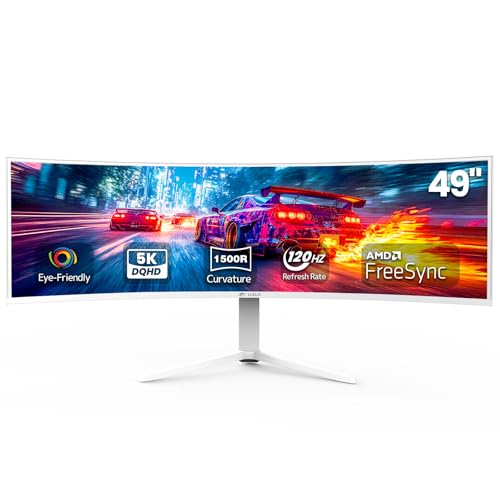
CRUA 49-Inch 120Hz DQHD Curved Monitor
Best for: everyday 32:9 multitasking and 120Hz gaming
- Resolution
- 5120 x 1440 (what this guide is about)
- Screen Size
- 49"
- Refresh Rate
- 120Hz
- Aspect Ratio
- 32:9
- Sync Technology
- AMD FreeSync
- Connectivity
- HDMI 2.1, DP 1.4, 3.5mm audio
This 49-inch curved ultrawide monitor gives you a 5120 x 1440 Dual QHD resolution across an expansive 32:9 panel with a 1500R curve. It runs at a 120Hz refresh rate with AMD FreeSync support, delivering smooth frame transitions for games and multitasking. With 120% sRGB coverage, a 3000:1 contrast ratio, and modern HDMI 2.1 and DisplayPort 1.4 inputs, it suits you if you want wide desktop space in a white chassis.
Pros
- 5120 x 1440 Dual QHD resolution on a 32:9 1500R curved display
- HDMI 2.1 and DisplayPort 1.4 video inputs
- 120% sRGB color gamut with 3000:1 contrast ratio
- Height and tilt adjustable stand with wall mount support
Cons
- No built-in speakers
- 120Hz ceiling sits below higher-refresh alternatives
Good fit if
- You need 5120 x 1440 resolution for side-by-side multitasking or wide-angle gaming.
- You want HDMI 2.1 connectivity for modern graphics hardware.
- You prefer a white monitor enclosure with height adjustment.
Skip if
- You require integrated speakers for audio output.
- You want refresh rates above 120Hz for fast-paced competitive gaming.
Verdict: CRUA 49-Inch 120Hz Curved Ultrawide Monitor provides sharp 5120 x 1440 desktop space with current HDMI 2.1 connectivity and high contrast. It is a capable dual-QHD option if you use external audio.

Gawfolk 49-Inch 120Hz Curved DQHD Monitor
Best for: dual-QHD multitasking and entry 120Hz ultrawide gaming
- Resolution
- 5120 x 1440 (what this guide is about)
- Screen Size
- 49 inch
- Refresh Rate
- 120Hz
- Aspect Ratio
- 32:9
- Response Time
- 1ms MPRT
- Sync Technology
- Adaptive-Sync / FreeSync Premium
The Gawfolk 49-Inch 120Hz Curved Ultrawide Monitor gives you a 5120x1440 resolution across an expansive 32:9 panel with a 1500R curve. It pairs a 120Hz refresh rate and 1ms MPRT response time with FreeSync Premium support for smooth frames. Built-in PIP and PBP modes let you manage multiple inputs at once. If you need a wide dual-QHD workspace for everyday multitasking and balanced gaming without complex features, this display fits your desk.
Pros
- 5120x1440 DQHD resolution across a 32:9 49-inch screen
- 120Hz refresh rate with FreeSync Premium and 1ms MPRT
- Hardware PIP and PBP split-screen support
- Height- and tilt-adjustable stand with 100x100mm VESA compatibility
Cons
- Uses HDMI 2.0 rather than HDMI 2.1
- No USB-C connectivity or integrated USB hub
- 85% NTSC color gamut is modest for color-critical work
Good fit if
- You want 5120x1440 screen space with side-by-side PIP/PBP viewing.
- You need a 120Hz refresh rate with FreeSync Premium for gaming.
- You prefer a stand with built-in height and tilt adjustments.
Skip if
- You require a USB-C port to connect and charge a laptop.
- You want refresh rates above 120Hz for fast competitive gaming.
- You need HDMI 2.1 bandwidth for newer high-bandwidth devices.
Verdict: Gawfolk 49-Inch 120Hz Curved Ultrawide Monitor delivers 5120x1440 resolution, 120Hz gaming support, and practical PIP/PBP multitasking on an adjustable stand. It provides standard dual-QHD workspace without extra connectivity like USB-C.

Gawfolk 45-Inch 200Hz Curved Ultrawide Monitor
Best for: high-refresh gaming on a 45-inch screen
- Resolution
- 5120 x 1440 (what this guide is about)
- Screen Size
- 45"
- Refresh Rate
- 200Hz
- Aspect Ratio
- 32:9
- Sync Technology
- AMD FreeSync, NVIDIA G-Sync
- Connectivity
- 2 x HDMI 2.1, 2 x DisplayPort 1.4
View on Amazon: Gawfolk 45-Inch 200Hz Curved Ultrawide Monitor
The Gawfolk 45-Inch 200Hz Curved Ultrawide Monitor provides a 5120x1440 resolution on a 45-inch VA panel with a 1500R curve. You get a fast 200Hz refresh rate alongside AMD FreeSync and NVIDIA G-Sync support for gaming. With dual HDMI 2.1 and DisplayPort 1.4 ports, PIP and PBP capabilities, and built-in speakers, this display suits you if you need a high-refresh 32:9 workspace slightly more compact than standard 49-inch models.
Pros
- 200Hz refresh rate with FreeSync and G-Sync compatibility
- Two HDMI 2.1 and two DisplayPort 1.4 video inputs
- 3000:1 static contrast ratio on a 1500R curved VA panel
- Integrated hardware PIP and PBP multitasking modes
Cons
- Stand provides tilt adjustment only without height adjustment
- No USB-C connectivity or USB hub ports listed
Good fit if
- You want a 200Hz refresh rate at 5120x1440 resolution.
- You prefer a 45-inch screen footprint rather than a 49-inch display.
- You connect multiple devices using HDMI 2.1 or DisplayPort 1.4.
Skip if
- You need ergonomic height adjustment out of the box.
- You rely on single-cable USB-C video and power delivery.
Verdict: Gawfolk 45-Inch 200Hz Curved Ultrawide Monitor delivers high-speed 200Hz motion and extensive video inputs in a 45-inch 32:9 form factor. It gives you fluid frame rates and flexible multitasking if you do not need height adjustment or USB-C connectivity.

Deco Gear 49-Inch 240Hz Curved Ultrawide Monitor
Best for: high-refresh gaming and dual-source productivity setups
- Resolution
- 5120 x 1440 (what this guide is about)
- Screen Size
- 49"
- Refresh Rate
- 240Hz
- Panel Type
- Fast LCD
- Aspect Ratio
- 32:9
- Response Time
- 2.3ms OD
View on Amazon: Deco Gear 49-Inch 240Hz Curved Ultrawide Monitor
The Deco Gear 49-Inch 240Hz Curved Ultrawide gives you a 5120x1440 Dual QHD screen with an aggressive 1000R curvature. Its 240Hz refresh rate and Adaptive-Sync support smooth high-frame-rate playback, while the 3000:1 contrast ratio delivers deep black levels. With two HDMI 2.1 ports, DisplayPort 1.4, and built-in PIP/PBP modes, it suits multitaskers and gamers running multiple devices on one seamless 32:9 desktop.
Pros
- 240Hz refresh rate with Adaptive Sync support
- Two HDMI 2.1 ports and one DisplayPort 1.4 input
- Tight 1000R curvature with 3000:1 contrast ratio
- Built-in PIP and PBP multi-device viewing modes
Cons
- No USB-C input or built-in USB hub
- Limited to 85% NTSC color gamut coverage
- 2.3ms overdrive response time rather than 1ms
Good fit if
- You want a deep 1000R curve and a 240Hz refresh rate for fast-paced gaming.
- You need dual HDMI 2.1 ports to connect modern consoles or high-output GPUs.
- You run two separate systems simultaneously using side-by-side PBP or PIP.
Skip if
- You need a USB-C port to power and connect a laptop with a single cable.
- You require wide professional color spaces beyond 85% NTSC for critical media work.
Verdict: Deco Gear 49-Inch 240Hz Curved Ultrawide pairs high-refresh 5120x1440 motion with modern HDMI 2.1 connectivity on an immersive 1000R panel. It is a solid pick if you want expansive screen space without sacrificing speed.

Z-Edge 49-Inch 165Hz Curved Ultrawide Monitor
Best for: Dual-PC multitasking and high-refresh ultrawide gaming
- Resolution
- 5120 x 1440 (what this guide is about)
- Screen Size
- 49"
- Refresh Rate
- 165Hz
- Aspect Ratio
- 32:9
- Response Time
- 1ms MPRT
- Sync Technology
- FreeSync
View on Amazon: Z-Edge 49-Inch 165Hz Curved Ultrawide Monitor
This 49-inch curved monitor gives you a 5120 x 1440 Dual QHD panel with a 32:9 aspect ratio and a 1500R curve. It runs at a 165Hz refresh rate over HDMI 2.1 and DisplayPort 1.4, backed by FreeSync and a 1ms MPRT response time. With built-in KVM switching, PBP, and PIP modes, you can easily control and view two separate systems on one wide screen.
Pros
- 165Hz refresh rate supported over both HDMI 2.1 and DisplayPort 1.4
- Built-in KVM switch and PIP/PBP support for dual-system control
- 1500R curvature wraps the 32:9 Dual QHD panel
- Includes integrated dual speakers and an ergonomic tilt- and height-adjustable stand
Cons
- No USB-C port listed for single-cable display or laptop charging
- Stand provides height and tilt adjustment but lacks swivel
- Response time is rated at 1ms MPRT rather than native GtG
Good fit if
- You need a built-in KVM switch to control two PCs with one keyboard and mouse.
- You want a 165Hz refresh rate across a 5120 x 1440 display via HDMI 2.1 or DP 1.4.
- You multitask across inputs using Picture-by-Picture or Picture-in-Picture modes.
Skip if
- You require a USB-C connection to transmit video and charge your laptop.
- You want a stand that includes horizontal swivel adjustment.
- You demand a higher 240Hz refresh rate for competitive gaming.
Verdict: Z-Edge 49-Inch 165Hz Curved Ultrawide Monitor pairs a 5120 x 1440 panel with high-bandwidth video inputs and an integrated KVM switch. It delivers solid multi-device management and high-refresh gaming on a single desk footprint.

Samsung 49-Inch Odyssey G9 240Hz Curved Monitor
Best for: high-refresh competitive ultrawide gaming
- Resolution
- 5120 x 1440 (what this guide is about)
- Screen Size
- 49"
- Refresh Rate
- 240Hz
- Response Time
- 1ms
- Sync Technology
- AMD FreeSync Premium Pro
View on Amazon: Samsung 49-Inch Odyssey G9 240Hz Curved Monitor
This renewed Samsung 49-inch display pairs a 5120 x 1440 Dual QHD resolution with an aggressive 1000R curve. You get a rapid 240Hz refresh rate and a 1ms response time paired with AMD FreeSync Premium Pro to reduce motion blur and screen tearing. With VESA DisplayHDR 1000 reaching 1,000 nits peak brightness, it suits gamers and multitaskers who demand high frame rates and a wraparound field of view.
Pros
- 240Hz refresh rate with 1ms response time
- VESA DisplayHDR 1000 with 1,000 nits peak brightness
- Aggressive 1000R curvature
- AMD FreeSync Premium Pro support
- Ergonomic adjustable stand
Cons
- Sold as a renewed unit
- No built-in speakers listed
- No USB-C connectivity specified
Good fit if
- You need a fast 240Hz refresh rate for competitive gaming.
- You prefer a deep 1000R curve to fill your peripheral vision.
- You want high HDR brightness reaching 1,000 nits peak.
Skip if
- You prefer a brand-new factory-sealed screen over a renewed unit.
- You require single-cable USB-C connectivity for a laptop.
- You prefer a flatter curvature such as 1500R or 1800R.
Verdict: Samsung 49-Inch Odyssey G9 240Hz Curved Monitor delivers high-tier motion clarity and deep 1000R immersion at 5120 x 1440 resolution. It provides 1,000-nit peak HDR brightness for setups ready to accept a renewed model.

INNOCN 49-Inch 120Hz Curved Ultrawide Monitor
Best for: laptop multitasking and wired network connectivity
- Resolution
- 5120 x 1440 (what this guide is about)
- Screen Size
- 49"
- Refresh Rate
- 120Hz
- Aspect Ratio
- 32:9
- Sync Technology
- Adaptive-Sync
- Connectivity
- DP 1.4, USB-C 65W, HDMI 2.1, RJ45
View on Amazon: INNOCN 49-Inch 120Hz Curved Ultrawide Monitor
This 49-inch curved ultrawide monitor delivers a 5120 x 1440 resolution across a 32:9 VA panel with an 1800R curve. You get a 120Hz refresh rate alongside Adaptive-Sync support for smooth visuals. A built-in USB-C port provides 65W power delivery, while integrated RJ45 ethernet and picture-by-picture modes expand your workspace options. It suits you if you want expansive dual-QHD desktop space with single-cable docking for compatible laptops.
Pros
- USB-C port with 65W power delivery and integrated RJ45 Ethernet
- VA panel with 3000:1 contrast ratio and 99% sRGB coverage
- Picture-in-Picture (PIP) and Picture-by-Picture (PBP) hardware modes
- Stand includes tilt, swivel, and height adjustments
Cons
- 120Hz refresh rate is lower than 144Hz or 240Hz alternatives
- DisplayHDR 400 tier provides entry-level HDR brightness
- Gentler 1800R curve provides less wrap-around than 1000R designs
Good fit if
- You need 65W USB-C laptop power delivery and wired Ethernet on the display.
- You run two computers simultaneously via hardware split-screen PIP or PBP.
- You want deep 3000:1 contrast on a dual-QHD desktop layout.
Skip if
- You require refresh rates above 120Hz for fast-paced gaming.
- You prefer a tight 1000R curve to fill your peripheral vision.
Verdict: INNOCN 49-Inch 120Hz Curved Ultrawide Monitor balances 5120 x 1440 resolution with practical productivity tools like 65W USB-C charging, RJ45 networking, and split-screen support. It delivers reliable 120Hz dual-source multitasking for everyday productivity.
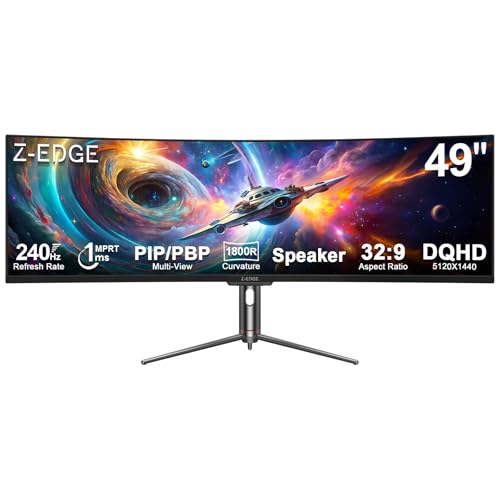
Z-Edge 49-Inch 240Hz Curved Ultrawide Monitor
Best for: high-framerate gaming and dual-source productivity
- Resolution
- 5120 x 1440 (what this guide is about)
- Screen Size
- 49 Inch
- Refresh Rate
- 240Hz
- Response Time
- 1ms
- Sync Technology
- FreeSync
- Connectivity
- 1x HDMI 2.1, 2x DP 1.4, 1x USB-C
View on Amazon: Z-Edge 49-Inch 240Hz Curved Ultrawide Monitor
The Z-Edge 49-Inch 240Hz Curved Ultrawide Monitor gives you a 5120x1440 Dual QHD panel with an 1800R curve. It pairs a fast 240Hz refresh rate and 1ms response time with FreeSync support for smooth gameplay. You also get HDMI 2.1, dual DisplayPort 1.4, USB-C video, and picture-by-picture modes. This suits you if you need competitive speed alongside dual-source multitasking.
Pros
- 240Hz refresh rate and 1ms response time with FreeSync support
- 3000:1 contrast ratio with 99% sRGB color gamut
- HDMI 2.1, dual DisplayPort 1.4, and USB-C connectivity
- Built-in speakers and PIP/PBP multi-source display modes
Cons
- 1800R curvature is flatter than tighter 1000R designs
- USB-C port lists video support without rated power delivery
- 11.4-inch stand depth requires substantial desktop surface
Good fit if
- You want a 240Hz refresh rate for fast-paced gaming at 5120x1440.
- You run two computers simultaneously using hardware PIP or PBP.
- You need modern video input options including HDMI 2.1 and DisplayPort 1.4.
Skip if
- You prefer an aggressive 1000R curve to wrap closely around your field of view.
- You need a USB-C connection that charges your laptop over the same cable.
Verdict: Z-Edge 49-Inch 240Hz Curved Ultrawide Monitor pairs high-refresh 240Hz performance with versatile display connectivity across a 32:9 workspace. It provides the speed needed for fast gaming along with dedicated split-screen tools for dual-system workflows.

Deco Gear 49-Inch 165Hz Curved Ultrawide Monitor
Best for: hybrid gaming and dual-computer desktop setups
- Resolution
- 5120 x 1440 (what this guide is about)
- Screen Size
- 49"
- Refresh Rate
- 165Hz
- Aspect Ratio
- 32:9
- Response Time
- 1ms MPRT
- Sync Technology
- Adaptive-Sync
View on Amazon: Deco Gear 49-Inch 165Hz Curved Ultrawide Monitor
This Deco Gear monitor pairs a 49-inch curved screen with a 5120 x 1440 resolution and a 165Hz refresh rate. It uses a 1500R VA panel featuring a 3000:1 contrast ratio, Adaptive-Sync, and a 1ms MPRT response time. With built-in KVM switching and 65W USB-C power delivery, you can control two systems seamlessly, making it well suited if you juggle work laptops and gaming setups on one desk.
Pros
- 165Hz refresh rate with Adaptive-Sync and 1ms MPRT
- USB-C port supplies video, data, and up to 65W power delivery
- Integrated KVM switch and PIP/PBP modes for dual-source management
- Adjustable stand with 130mm height travel, tilt, and swivel
Cons
- 65W USB-C power delivery may not charge high-draw laptops quickly
- 1500R curve is less pronounced than tighter 1000R displays
- Response time is specified as 1ms MPRT rather than GtG
Good fit if
- You need a dual-system setup managed by an integrated KVM switch.
- You want a 165Hz 5120x1440 panel for both gaming and multi-window productivity.
- You connect a laptop using a single USB-C cable for power and display.
Skip if
- You require more than 65W of USB-C power delivery for your computer.
- You prefer an aggressive 1000R curve to wrap closely around your field of view.
Verdict: Deco Gear 49-Inch 165Hz Curved Ultrawide Monitor delivers balanced 5120x1440 performance alongside practical workstation tools like KVM switching and 65W USB-C. It offers a capable mix of gaming speed and desktop productivity across an expansive 32:9 screen.

Samsung 49-Inch Odyssey G9 1000R Curved Monitor
Best for: High-refresh-rate sim racing and panoramic gaming
- Resolution
- 5120 x 1440 (what this guide is about)
- Screen Size
- 49”
- Refresh Rate
- 240Hz
- Response Time
- 1ms(GtG)
- Sync Technology
- AMD FreeSync Premium Pro
- Connectivity
- DisplayPort, HDMI
View on Amazon: Samsung 49-Inch Odyssey G9 1000R Curved Monitor
The Samsung Odyssey G9 is a 49-inch curved ultrawide monitor built with a 5120 x 1440 Dual QHD resolution. It features a fast 240Hz refresh rate, a 1ms gray-to-gray response time, and a tight 1000R screen curve. With AMD FreeSync Premium Pro and DisplayHDR 1000 support, it reaches 1000 nits peak brightness. This display suits you if you want high-speed gaming performance and extensive multitasking capabilities.
Pros
- 240Hz refresh rate with 1ms GtG response time
- Deep 1000R curvature for panoramic visibility
- VESA DisplayHDR 1000 with 1000 nit peak brightness
- AMD FreeSync Premium Pro tear-free synchronization
- Picture-by-Picture and Picture-in-Picture viewing modes
Cons
- Large footprint requiring 16.6 inches of desk depth
- Heavy total weight at 34.4 pounds
- No USB-C connectivity included
Good fit if
- You want a high 240Hz refresh rate for fast-paced gaming.
- You prefer an aggressive 1000R curve to wrap your field of view.
- You plan to display two system inputs at once via Picture-by-Picture.
Skip if
- You have a shallow desk that cannot accommodate a 16.6-inch depth.
- You require single-cable USB-C video input and device charging.
Verdict: Samsung 49-Inch Odyssey G9 240Hz Curved Monitor delivers top-tier 240Hz speed and a deep 1000R curve for immersive Dual QHD gaming. It offers strong peak brightness and dual-source display tools if your desk can handle its substantial size.
Specifications side by side
| Spec | Amzfast 49-Inch 120Hz DQHD Curved Monitor | Samsung Odyssey G9 49-Inch 144Hz Curved Monitor | Samsung 49-Inch Curved DQHD 120Hz Monitor | CRUA 49-Inch 165Hz Curved Ultrawide Monitor | Samsung 49-Inch Odyssey QD-OLED Gaming Monitor | CRUA 49-Inch 120Hz DQHD Curved Monitor | Gawfolk 49-Inch 120Hz Curved DQHD Monitor | Gawfolk 45-Inch 200Hz Curved Ultrawide Monitor | Deco Gear 49-Inch 240Hz Curved Ultrawide Monitor | Z-Edge 49-Inch 165Hz Curved Ultrawide Monitor | Samsung 49-Inch Odyssey G9 240Hz Curved Monitor | INNOCN 49-Inch 120Hz Curved Ultrawide Monitor | Z-Edge 49-Inch 240Hz Curved Ultrawide Monitor | Deco Gear 49-Inch 165Hz Curved Ultrawide Monitor | Samsung 49-Inch Odyssey G9 1000R Curved Monitor |
|---|---|---|---|---|---|---|---|---|---|---|---|---|---|---|---|
| Screen Size | 49" | 49" | 49" | 49" | 49" | 49" | 49 inch | 45" | 49" | 49" | 49" | 49" | 49 Inch | 49" | 49” |
| Resolution | 5120 x 1440 | DQHD | Dual QHD | 5120x1440 | 5120 x 1440 | 5120x1440 | 5120x1440 | 5120x1440 | 5120x1440 | 5120x1440 | 5120 x 1440 | 5120 x 1440P | 5120x1440 | 5120x1440 | Dual QHD |
| Refresh Rate | 120Hz | 144Hz | 120Hz | 144Hz/165Hz | 144Hz | 120Hz | 120Hz | 200Hz | 240Hz | 165Hz | 240Hz | 120Hz | 240Hz | 165Hz | 240Hz |
| Panel Type | not specified | not specified | not specified | not specified | QD-OLED | not specified | not specified | not specified | Fast LCD | not specified | not specified | not specified | not specified | not specified | not specified |
| Aspect Ratio | not specified | 32:9 | 32:9 | 32:9 | 32:9 | 32:9 | 32:9 | 32:9 | 32:9 | 32:9 | not specified | 32:9 | not specified | 32:9 | not specified |
| Response Time | 1ms MPRT | 1ms | not specified | not specified | 0.03ms | not specified | 1ms MPRT | not specified | 2.3ms OD | 1ms MPRT | 1ms | not specified | 1ms | 1ms MPRT | 1ms(GtG) |
| Sync Technology | Adaptive Sync | AMD FreeSync Premium Pro | not specified | AMD FreeSync | G-Sync Compatible, AMD FreeSync Premium | AMD FreeSync | Adaptive-Sync / FreeSync Premium | AMD FreeSync, NVIDIA G-Sync | Adaptive Sync | FreeSync | AMD FreeSync Premium Pro | Adaptive-Sync | FreeSync | Adaptive-Sync | AMD FreeSync Premium Pro |
| Connectivity | 2 x HDMI 2.0, 2 x DP 1.4 | not specified | DisplayPort, HDMI, USB, USB Type-C | HDMI 2.1, DP 1.4, 3.5mm audio | not specified | HDMI 2.1, DP 1.4, 3.5mm audio | HDMI 2.0, DisplayPort 1.4 | 2 x HDMI 2.1, 2 x DisplayPort 1.4 | 2 HDMI 2.1, DP 1.4 | HDMI 2.1, DP 1.4 | not specified | DP 1.4, USB-C 65W, HDMI 2.1, RJ45 | 1x HDMI 2.1, 2x DP 1.4, 1x USB-C | 2x HDMI 2.1, DP 1.4, USB-C | not specified |
| Size | 49 Inch | 144Hz Refresh Rate | 49 Inch | 49 Inch | 144Hz Refresh Rate | 49Inch | 49 in | 45 Inch | 49 inch-144 | 49 Inch | not specified | 49 Inch | 49 Inch | 49 Inch-165 | 240Hz Refresh Rate |
| Dimensions | 11.6 × 46.7 × 22.3 inches | 16.6 × 45.2 × 22.4 inches | 22.4 × 45.2 × 16.6 inches | 1.9 × 46 × 16 inches | 11.2 × 47 × 20.8 inches | 1.9 × 46 × 16 inches | 1.9 × 46 × 19 inches | 26 × 17 × 7 inches | 15.6 × 45.3 × 22.5 inches | 10.9 × 46.8 × 21.4 inches | not specified | 6.28 × 45.5 × 14.6 inches | 11.4 × 47.2 × 22.3 inches | 11.7 × 47 × 20.2 inches | 16.6 × 45.2 × 22.4 inches |
| Weight | 24.1 pounds | 34.4 pounds | 32.2 pounds | not specified | 28.4 pounds | not specified | 17 pounds | not specified | 25.4 pounds | not specified | not specified | not specified | not specified | 19.4 pounds | 34.4 pounds |
| Color | Black | Aluminum Silver | 0 | Black | Aluminum Silver | White | black | black | Black | Black | not specified | black | Black | Black | Black |
| Model | AMZG49C7U | LS49FG910ENXZA | LS49C954UANXZA | CR490QB | LS49DG910SNXZA | CR490QC | GF490E | GFTY993 | FBADGSKY49HL | UG49W | LS49CG95DENXZA | H3CQR-P | UG49P | WKDGEVOLUTION495K | FBASAMLS49CG954E |
Is a 5120 x 1440 Ultrawide Resolution Worth It?
A 5120 x 1440 resolution delivers a dual-QHD workspace across a single 32:9 curved panel. Measuring between 45 and 49 inches diagonally, this layout matches two 2560 x 1440 displays placed side by side without a middle frame. In daily use, it gives you uninterrupted horizontal space to tile multiple full-height software windows. It also enables panoramic views in ultrawide gaming and supports side-by-side viewing from two separate computer inputs using picture-by-picture modes.
Worth it if
- You want the desktop area of two standard 1440p displays combined into one seamless 32:9 screen.
- You plan to run multi-window workflows or view two separate PC inputs on a single panel.
- You want an expansive horizontal field of view for panoramic ultrawide gaming.
Skip it if
- You have a compact desk setup that cannot support a display spanning 45 to 47 inches wide.
- You only view one standard 16:9 application at a time and do not need extra horizontal space.
How We Chose These Monitors
You find 15 ultrawide monitors selected for this 2026 guide using published specifications. Every qualifying model lists a native 5120 x 1440 resolution in its product title or feature table. Only one size or variant per product family appears on the list. We rely strictly on manufacturer specifications without physical testing.
Products appear with in-stock models first, followed by Amazon sales rank, placing better-selling displays higher. You can compare published metrics such as refresh rate, panel type, and video connectivity to find the right match for your daily workflow or gaming setup.
How to Choose the Right Ultrawide Monitor
-
Screen Diagonal and Desk Fit
Most 5120 x 1440 panels measure 49 inches diagonally, but compact 45-inch variants also exist. A 49-inch display provides the exact width of two 27-inch monitors set edge to edge. If your physical workspace is tighter, a 45-inch option like the Gawfolk 45-Inch 200Hz Curved Ultrawide Monitor reduces overall footprint while preserving the full 5120 x 1440 desktop canvas. Check your desk surface dimensions before choosing, because these wide displays span up to 47 inches in total cabinet width.
-
Panel Type and Response Speed
Evaluate whether your priority is visual contrast or standard desktop work. Panels with QD-OLED technology offer deep black levels and exceptionally fast pixel response times down to 0.03ms. This responsiveness eliminates motion blur during fast gameplay. The Samsung 49-Inch Odyssey QD-OLED Gaming Monitor showcases this panel spec for users who require high image depth and rapid pixel transitions. If your daily routine consists mainly of static spreadsheets and text editing, standard panels deliver ample clarity without specialized pixel technologies.
-
Refresh Rate and Motion
Refresh rates across this category range from 120Hz up to 240Hz. A 120Hz display delivers smooth window management and reliable casual gaming. Fast competitive titles benefit from higher ceilings such as 165Hz, 200Hz, or 240Hz. The Deco Gear 49-Inch 240Hz Curved Ultrawide Monitor provides a top-tier 240Hz refresh rate. Check that your computer graphics card can output 5120 x 1440 resolution at these extreme refresh rates over DisplayPort or HDMI before opting for a 240Hz model.
-
Weight and Stand Depth
Large curved ultrawide monitors demand substantial physical support. Weight specifications range from 17 pounds up to 34.4 pounds on heavier stands. Stand depths also vary widely, with deep stands requiring up to 16.6 inches of desktop clearance. For example, the Samsung Odyssey G9 49-Inch 144Hz Curved Monitor weighs 34.4 pounds and measures 16.6 inches deep. Verify that your desk surface is sturdy and deep enough to position the screen at a comfortable viewing distance without crowding your keyboard.
-
USB-C and Docking Needs
If you plan to connect a modern laptop, examine the USB-C capabilities. Certain models support USB-C connectivity with power delivery alongside video input, allowing you to charge your laptop using a single cable. The INNOCN 49-Inch 120Hz Curved Ultrawide Monitor includes 65W USB-C charging and an integrated RJ45 network port for wired internet. If you use a desktop PC with standard DisplayPort and HDMI cables, you do not need to prioritize USB-C docking specifications on your monitor.
-
KVM and Dual-Source Switching
Managing two computers on one 32:9 screen requires checking for dedicated multi-device hardware. A built-in KVM switch lets you control two separate systems using a single keyboard and mouse set. The Z-Edge 49-Inch 165Hz Curved Ultrawide Monitor includes an integrated KVM switch to streamline switching between work and personal machines. If you only plan to run a single computer, you do not need integrated KVM functionality and can focus solely on panel performance and input ports.
Frequently asked questions
What panel types are available on 5120 x 1440 ultrawide monitors?
Most models in this category feature curved VA or standard LCD panels, but you can also select QD-OLED options. The Samsung Odyssey QD-OLED provides self-lit pixels that deliver deep black levels and an ultra-fast 0.03ms response time. If you prioritize rapid pixel transitions and contrast for gaming, QD-OLED gives you distinct visual performance compared to traditional dual-QHD panels.
What is the highest refresh rate you can get on a 5120 x 1440 monitor?
The highest refresh rate currently available in this resolution class is 240Hz. Displays like the Samsung Odyssey G9 and Z-Edge 49-inch models reach 240Hz for rapid motion clarity. Other competitive high-speed alternatives include the Gawfolk 45-inch panel at 200Hz and CRUA models at 165Hz, letting you match display performance directly to your graphics hardware output.
Can you charge a laptop using a 5120 x 1440 ultrawide monitor?
Yes, several models include integrated USB-C connectivity that delivers video, data, and power over a single cable. For instance, the Samsung 49-Inch Curved Business Ultrawide provides up to 90W power delivery. The INNOCN 49-Inch and Deco Gear 165Hz monitors support 65W charging. This feature allows you to power compatible notebooks while expanding your display across the full dual-QHD workspace.
What does a 1000R curve mean on a 49-inch ultrawide monitor?
A 1000R curve means the monitor screen forms the arc of a circle with a radius of 1,000 millimeters. This prominent curvature brings the outer edges of an expansive 49-inch panel closer to your peripheral vision. Models like the Samsung Odyssey G9 and Deco Gear 240Hz utilize a 1000R arc to reduce the head turning needed to view edges.
Can you display two different computers on one 5120 x 1440 screen?
Yes, these monitors frequently support picture-by-picture (PBP) and picture-in-picture (PIP) modes to view two source devices simultaneously. Units like the Z-Edge UG49W and Deco Gear 165Hz also incorporate built-in KVM switches. A KVM switch enables you to control both connected systems using a single keyboard and mouse, simplifying dual-workstation setups without extra hardware.
How heavy are 5120 x 1440 ultrawide monitors for desk mounting?
Display weight varies significantly across models, ranging from around 17 pounds up to 34.4 pounds. For example, the Gawfolk GF490E weighs 17 pounds, while Samsung Odyssey G9 variants reach 34.4 pounds. If you plan to install an aftermarket monitor arm, verify that the mount's specified load capacity exceeds the weight of your chosen display.
Which cable connections support 5120 x 1440 resolution?
You can drive a 5120 x 1440 display using DisplayPort, HDMI, or USB-C depending on the monitor. Modern models such as the CRUA 165Hz and Deco Gear 240Hz feature HDMI 2.1 ports alongside DisplayPort inputs. To achieve maximum refresh rates at this dual-QHD resolution, you must verify your computer output ports match the monitor bandwidth requirements.