Best 3440 X 1440 Ultrawide Monitors: 15 Spec-Based Picks
As an Amazon Associate we earn from qualifying purchases. Links on this page are affiliate links.
A 3440 x 1440 ultrawide monitor expands your visual workspace with extra horizontal screen real estate for multitasking and gaming. This guide evaluates 15 displays based strictly on the specifications published on their listings.
The MSI 34-Inch 120Hz UWQHD Ultrawide Monitor earns the top spot by combining a 120Hz refresh rate with a 34-inch VA panel for fluid everyday work and play. Comparing key specifications like refresh rates, panel types, and connectivity options helps you decide which display matches your specific desktop workflow.
Quick picks
The best fit for you
- You need a balanced ultrawide for daily productivity. MSI 34-Inch 120Hz UWQHD Ultrawide Monitor It combines a 3440 x 1440 VA panel with a 120Hz refresh rate and DisplayPort connectivity.
- You want the highest refresh rate for competitive gaming. Sceptre 34-Inch Curved 240Hz Ultrawide Monitor It delivers a 240Hz refresh rate at 3440 x 1440 resolution across DisplayPort and HDMI.
- You want a QD-OLED panel for color-critical work. Alienware 34-Inch Curved QD-OLED Monitor Its QD-OLED display provides high-contrast visuals paired with a 165Hz refresh rate.
- You need direct USB-C laptop connectivity for multitasking. LG 34-Inch Curved Ultrawide USB-C Monitor It includes integrated USB-C alongside DisplayPort and HDMI connections at 100Hz.
Our 15 picks

MSI 34-Inch 120Hz UWQHD Ultrawide Monitor
Best for: everyday productivity and smooth 120Hz ultrawide gaming
- Resolution
- 3440 x 1440 (what this guide is about)
- Screen Size
- 34"
- Refresh Rate
- 120Hz
- Panel Type
- VA / IPS
- Aspect Ratio
- 21:9
- Response Time
- 1ms
This 34-inch ultrawide monitor gives you a 3440 x 1440 resolution across a 21:9 aspect ratio. It features a 120Hz refresh rate, Adaptive Sync support, and a 1500:1 contrast ratio. For connectivity, you get DisplayPort 1.4a and HDMI 2.0b inputs. It suits you if you need expansive screen real estate for multitasking, daily work, and fluid 120Hz gaming without complicated extras.
Pros
- 3440 x 1440 UWQHD resolution at 120Hz
- Adaptive Sync dynamic refresh rate support
- DisplayPort 1.4a and HDMI 2.0b with HDMI-CEC
- TÜV Rheinland certified flicker-free and low blue light
Cons
- Stand supports tilt only, lacking height adjustment
- 120Hz refresh rate is lower than 180Hz or 240Hz alternatives
- No built-in USB hub or USB-C connectivity
Good fit if
- You want 3440 x 1440 desktop space with smooth 120Hz motion.
- You use DisplayPort 1.4a or HDMI 2.0b video outputs.
- You already use a 100x100mm VESA monitor arm for full positioning.
Skip if
- You need a stand with native height, swivel, or pivot adjustments.
- You require refresh rates above 120Hz for competitive gaming.
- You want single-cable USB-C display and laptop charging support.
Verdict: MSI 34-Inch 120Hz Ultrawide Monitor balances 3440 x 1440 resolution, 120Hz output, and Adaptive Sync for dependable daily productivity and gaming. Its basic tilt-only stand means you may prefer adding a VESA mount for ergonomic adjustability.

Sceptre 34-Inch Curved 240Hz Ultrawide Monitor
Best for: high-refresh competitive gaming on an ultrawide canvas
- Resolution
- 3440 x 1440 (what this guide is about)
- Screen Size
- 34"
- Refresh Rate
- up to 240Hz
- Response Time
- 1ms
- Connectivity
- DisplayPort x2, HDMI x2, Audio Out
- Size
- 34 Inch
View on Amazon: Sceptre 34-Inch Curved 240Hz Ultrawide Monitor
The Sceptre 34-Inch Curved 240Hz Ultrawide Monitor gives you a 3440 x 1440 resolution paired with a fast 240Hz refresh rate and a 1500R curve. You get two DisplayPort and two HDMI connections, along with a 1ms response time and 100% sRGB coverage. This display suits you if you need high-speed motion clarity for competitive gaming alongside ample desktop screen real estate for everyday work tasks.
Pros
- 240Hz refresh rate with 1ms blur-reduction response time
- Four display inputs including two DisplayPort and two HDMI ports
- Deep 1500R curved screen curvature
- Integrated stereo speakers and audio output jack
- 100% sRGB color gamut coverage
Cons
- No USB-C or downstream USB ports included
- Stand adjustment ranges are not specified in the data
Good fit if
- You prioritize high frame rates and fast motion response in games.
- You switch between multiple computers using several DisplayPort and HDMI ports.
- You want built-in speakers to keep your desktop workspace clear.
Skip if
- You require USB-C connectivity with laptop power delivery.
- You need extended color spaces beyond standard 100% sRGB.
Verdict: Sceptre 34-Inch Curved 240Hz Ultrawide Monitor delivers high-refresh-rate 3440 x 1440 gaming with four video inputs and built-in audio. It provides strong motion specs and deep curvature for your ultrawide desk setup.
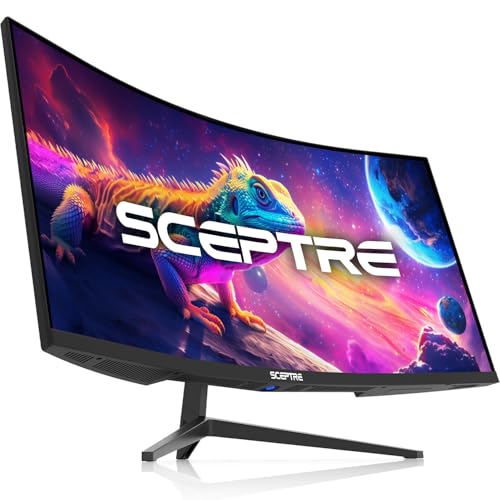
Sceptre 34-Inch 165Hz Curved Ultrawide
Best for: Everyday ultrawide gaming and split-screen multitasking
- Resolution
- 3440 x 1440 (what this guide is about)
- Screen Size
- 34"
- Refresh Rate
- Up to 180Hz/165Hz
- Aspect Ratio
- 21:9
- Response Time
- 1ms MPRT
- Connectivity
- DisplayPort x2
This 34-inch ultrawide display gives you a 3440 x 1440 resolution with a 1500R curve and a 165Hz refresh rate. It includes a 1ms MPRT response time for fast-paced gaming, alongside Picture-in-Picture and Picture-by-Picture multitasking tools. With dual DisplayPort inputs and built-in rear ambient lighting, this monitor suits you if you need a high-refresh widescreen display for work and gaming without extra hardware complexity.
Pros
- 3440 x 1440 UWQHD resolution across a 21:9 curved panel
- 165Hz refresh rate with 1ms MPRT response time
- Picture-by-Picture (PBP) and Picture-in-Picture (PIP) multitasking support
- Dual DisplayPort connections
Cons
- No USB-C or HDMI ports listed
- No integrated speakers specified
Good fit if
- You want a 1500R curved 3440 x 1440 panel running at 165Hz.
- You need PIP or PBP display modes to monitor two inputs simultaneously.
Skip if
- You require USB-C display connectivity or power delivery.
- You need built-in speakers.
Verdict: Sceptre 34-Inch 165Hz Curved Ultrawide pairs a 3440 x 1440 curved screen with high-refresh gaming performance and practical split-screen productivity modes. It delivers essential ultrawide capabilities with dual DisplayPort connections.

Alienware 34 Curved 180Hz Gaming Monitor
Best for: high-framerate ultrawide PC and console gaming
- Resolution
- 3440 x 1440 (what this guide is about)
- Screen Size
- 34"
- Refresh Rate
- 180Hz
- Response Time
- 1ms GTG
- Sync Technology
- AMD FreeSync Premium, VESA AdaptiveSync
- Dimensions
- 31.7 × 9.13 × 21.8 inches
This 34-inch curved ultrawide monitor gives you a 3440 x 1440 resolution paired with a 180Hz refresh rate. It features a 1500R curvature, 1ms gray-to-gray response time, and AMD FreeSync Premium support to eliminate screen tearing during fast motion. With 95% DCI-P3 coverage and DisplayHDR 400 certification, it suits you if you want responsive gaming visuals alongside wide color accuracy.
Pros
- 180Hz refresh rate with 1ms gray-to-gray response time
- AMD FreeSync Premium and VESA AdaptiveSync support
- 95% DCI-P3 color gamut coverage
- 1500R curve with 3440 x 1440 ultrawide resolution
Cons
- VESA DisplayHDR 400 provides entry-level peak luminance
- Heavy total weight of 20.97 pounds
Good fit if
- You want 180Hz motion clarity and AMD FreeSync Premium for tear-free gaming.
- You prefer a curved 1500R ultrawide panel with 95% DCI-P3 color coverage.
Skip if
- You require high-tier HDR performance beyond the DisplayHDR 400 baseline.
- You need a lightweight display for an arm or shallow desk setup.
Verdict: Alienware 34-Inch Curved 180Hz Monitor delivers fast 180Hz frame delivery, low latency, and broad color coverage on a curved 1500R panel. It is a capable 3440 x 1440 display for both PC and console setups.
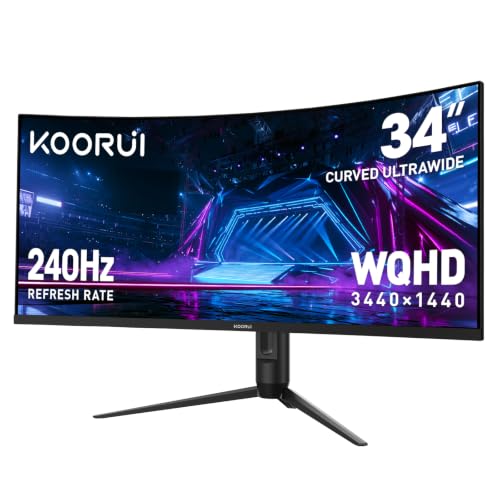
KOORUI 34-Inch 240Hz Curved Ultrawide Monitor
Best for: high-refresh competitive gaming and split-screen productivity
- Resolution
- 3440 x 1440 (what this guide is about)
- Screen Size
- 34"
- Refresh Rate
- 240Hz
- Aspect Ratio
- 21:9
- Response Time
- 1ms
- Sync Technology
- Adaptive-Sync
View on Amazon: KOORUI 34-Inch 240Hz Curved Ultrawide Monitor
This KOORUI display is a 34-inch curved ultrawide monitor with a 3440 x 1440 resolution and a 1500R curve. It pairs a fast 240Hz refresh rate and 1ms response time with a 4000:1 contrast ratio and 98% DCI-P3 color coverage. It suits you if you want high-frame-rate gaming, deep contrast for cinematic scenes, and support for picture-in-picture multitasking across two video inputs.
Pros
- 240Hz refresh rate and 1ms response time with adaptive sync support
- High 4000:1 contrast ratio with 98% DCI-P3 color gamut
- Equipped with two HDMI 2.1 ports and one DisplayPort 1.4
- Adjustable stand with 110mm height, tilt, and swivel support
- Integrated PIP and PBP modes for multitasking across two devices
Cons
- No USB-C connectivity or USB hub ports listed
- No built-in speakers included in the specifications
- High dynamic range limited to basic HDR400
Good fit if
- You need a fast 240Hz refresh rate for competitive gaming.
- You want deep black levels provided by a 4000:1 contrast ratio.
- You plan to display two devices at once using PIP or PBP.
Skip if
- You require a USB-C port for single-cable laptop connection.
- You prefer integrated speakers rather than external audio equipment.
Verdict: KOORUI 34-Inch 240Hz Curved Ultrawide Monitor delivers fluid high-refresh gameplay and high 4000:1 contrast for 3440 x 1440 setups. It offers modern HDMI 2.1 inputs and versatile PIP/PBP modes, though it lacks USB-C connectivity and onboard speakers.

Amzfast 34" Curved 200Hz Ultrawide Monitor
Best for: 200Hz multi-device curved gaming setups
- Resolution
- 3440 x 1440 (what this guide is about)
- Screen Size
- 34"
- Refresh Rate
- 200Hz
- Response Time
- 1ms (OD)
- Sync Technology
- Adaptive Sync, FreeSync
- Connectivity
- DP 1.4, HDMI 2.1
This 34-inch ultrawide display features a 3440 x 1440 resolution, a 1500R curve, and a 200Hz refresh rate across both its DisplayPort 1.4 and dual HDMI 2.1 ports. It delivers a 3000:1 contrast ratio, 1ms overdrive response time, and 96% DCI-P3 color coverage. It suits you if you want high-refresh ultrawide gaming across multiple connected devices alongside hardware split-screen support and adjustable stand ergonomics.
Pros
- 200Hz refresh rate supported over DisplayPort 1.4 and dual HDMI 2.1 ports
- 3000:1 static contrast ratio with 96% DCI-P3 and 131% sRGB coverage
- Adjustable stand with 130mm height adjustment, swivel, tilt, and slight pivot
- Hardware PIP and PBP split-screen support for dual signal sources
Cons
- Color depth limited to 8-bit
- Stand pivot range restricted to -5 to 5 degrees instead of full vertical orientation
- No USB-C connectivity or integrated USB hub listed
Good fit if
- You need a 200Hz refresh rate on HDMI 2.1 as well as DisplayPort.
- You want deep contrast from a 3000:1 panel for gaming and movies.
- You display two system inputs at once using hardware PIP or PBP modes.
Skip if
- You require 10-bit color depth for critical color work.
- You need a single-cable USB-C connection to power a laptop.
Verdict: Amzfast 34-Inch Curved 200Hz Ultrawide pairs 3440 x 1440 visuals with a fast 200Hz refresh rate across three modern video inputs. It provides strong contrast and flexible ergonomics for high-frame-rate ultrawide setups.

KTC 34-Inch Curved 180Hz Ultrawide Monitor
Best for: High-refresh gaming with full stand adjustability
- Resolution
- 3440 x 1440 (what this guide is about)
- Screen Size
- 34 inch
- Refresh Rate
- 180Hz
- Aspect Ratio
- 21:9
- Sync Technology
- adaptive sync
- Connectivity
- HDMI 2.0 ×2, DP 1.4 ×2
The KTC 34-Inch 180Hz Curved Ultrawide Monitor delivers a 3440 x 1440 resolution on a 1500R curved panel with a 21:9 aspect ratio. It features a 180Hz refresh rate with adaptive sync support and a 4000:1 contrast ratio. Color coverage includes 98% DCI-P3 and 123% sRGB. It suits you if you need high-refresh gaming and fully adjustable ergonomics including height and pivot.
Pros
- 180Hz refresh rate with adaptive sync to minimize motion blur
- High 4000:1 static contrast ratio
- Broad color gamut with 98% DCI-P3 and 123% sRGB
- Versatile stand supporting tilt, swivel, height, and pivot adjustment
Cons
- HDMI connectivity limited to HDMI 2.0 spec
- No USB-C or integrated USB hub ports listed
Good fit if
- You want a fast 180Hz refresh rate paired with adaptive sync for smooth gameplay.
- You require extensive stand ergonomics including height adjustment and pivot.
- You prefer high contrast performance with 4000:1 depth for dark room viewing.
Skip if
- You need modern HDMI 2.1 bandwidth for high-bandwidth video sources.
- You rely on a single USB-C cable for monitor video input and power delivery.
Verdict: KTC 34-Inch 180Hz Curved Ultrawide Monitor delivers a 180Hz refresh rate and a 4000:1 contrast ratio alongside full tilt, swivel, height, and pivot adjustments. It is a capable pick if you prioritize stand mobility and fast gameplay over USB-C connectivity.

Alienware 34-Inch Curved QD-OLED Monitor
Best for: color-accurate work and high-contrast gaming
- Resolution
- 3440 x 1440 (what this guide is about)
- Screen Size
- 34-inch
- Refresh Rate
- 165Hz
- Panel Type
- QD-OLED
- Aspect Ratio
- 21:9
- Response Time
- 0.1Ms
This 34-inch ultrawide monitor combines a 3440 x 1440 resolution with a Quantum Dot OLED panel. You get a 165Hz refresh rate, a 0.1ms response time, and AMD FreeSync Premium Pro support for smooth gaming. Its Creator Mode allows you to toggle between sRGB and 99.3% DCI-P3 color profiles with adjustable gamma. It suits you if you need accurate colors for visual work alongside responsive gameplay.
Pros
- 0.1ms response time and 165Hz refresh rate
- QD-OLED panel covering 99.3% of the DCI-P3 color space
- Creator Mode with switchable DCI-P3 and sRGB color profiles
- AMD FreeSync Premium Pro and VESA AdaptiveSync support
- Stand includes height, tilt, swivel, and slant adjustments
Cons
- 165Hz refresh rate is lower than the 200Hz and 240Hz monitors on this list
- Total weight of 20.5 pounds makes it relatively heavy
- 1800R curvature provides a shallower curve than 1500R options
Good fit if
- You want deep black levels and wide color coverage from a QD-OLED display.
- You need dedicated Creator Mode settings to switch between DCI-P3 and sRGB spaces.
- You want full ergonomic adjustability including height, tilt, swivel, and slant.
Skip if
- You want a competitive gaming refresh rate higher than 165Hz.
- You prefer a tighter curvature like 1500R for a more aggressive wrap-around view.
Verdict: Alienware 34-Inch Curved QD-OLED Monitor delivers exceptional contrast and color precision via its Quantum Dot OLED panel and dedicated Creator Mode. It is an outstanding choice if you balance color-critical editing with high-frame-rate ultrawide gaming.

KTC 34-Inch Curved 180Hz Ultrawide
Best for: high-contrast gaming and ergonomic multitasking
- Resolution
- 3440 x 1440 (what this guide is about)
- Screen Size
- 34 Inch
- Refresh Rate
- 180Hz
- Panel Type
- HVA
- Aspect Ratio
- 21:9
- Response Time
- 1ms MPRT
The KTC 34-Inch Curved 180Hz Ultrawide gives you a 3440 x 1440 HVA panel with a tight 1500R curvature and high 4000:1 contrast ratio. You get smooth motion at up to 180Hz over DisplayPort, along with PIP and PBP modes for multitasking across multiple inputs. Its included stand offers complete tilt, swivel, pivot, and height adjustments, making it a flexible display if you want high-contrast gaming and versatile desktop ergonomics.
Pros
- 180Hz refresh rate via DisplayPort 1.4 connections
- High 4000:1 static contrast ratio on an HVA panel
- Full ergonomic adjustment: height, tilt, swivel, and pivot
- Hardware support for Picture-in-Picture and Picture-by-Picture
Cons
- HDMI 2.0 ports cap 3440 x 1440 resolution at 100Hz
- 300 cd/m² brightness level is modest for HDR content
- No USB-C connectivity included
Good fit if
- You connect primarily via DisplayPort to utilize the full 180Hz refresh rate.
- You want deep black levels provided by a 4000:1 contrast ratio.
- You need extensive stand adjustments to fit your desk posture.
Skip if
- You rely on HDMI inputs and require refresh rates higher than 100Hz.
- You need single-cable USB-C video input and laptop charging.
Verdict: KTC 34-Inch Curved 180Hz Ultrawide delivers responsive high-contrast visuals alongside a fully adjustable ergonomic stand. It suits users who prioritize deep contrast and DisplayPort performance over HDMI bandwidth.

Dell UltraSharp 34 Curved IPS Monitor
Best for: Curved ultrawide productivity with USB-C connectivity
- Resolution
- 3440 x 1440 (what this guide is about)
- Screen Size
- 34"
- Panel Type
- IPS
- Connectivity
- USB-C
- Dimensions
- 32 × 8.91 × 20.9 inches
This Dell UltraSharp display delivers a 3440 x 1440 ultrawide resolution across a curved 34-inch screen. Its IPS panel provides consistent visual clarity, while integrated USB-C connectivity streamlines your cable routing to compatible devices. The package includes a stand, power cable, and USB-C cord. It suits you if you want an expansive, high-resolution curved display tailored for multitasking and clean desk arrangements without requiring separate display adapters.
Pros
- 3440 x 1440 resolution on a 34-inch curved screen
- IPS panel technology
- USB-C connectivity
- Includes stand, power cord, and USB-C cable
Cons
- Refresh rate is not specified in published data
- Renewed unit rather than brand new
Good fit if
- You want a 3440 x 1440 curved IPS monitor
- You need direct USB-C connectivity
- You want bundled stand and connection cables
Skip if
- You want a brand-new monitor rather than a renewed unit
- You require verified high-refresh-rate gaming specifications
Verdict: Dell UltraSharp 34-Inch Curved IPS USB-C Monitor combines a 3440 x 1440 IPS panel with direct USB-C connectivity. It provides expansive curved screen space with essential connection cables included in the box.

LG 34-Inch Curved Smart Ultrawide Monitor
Best for: PC-free streaming and home office multitasking
- Resolution
- 3440 x 1440 (what this guide is about)
- Screen Size
- 34"
- Refresh Rate
- 100Hz
- Aspect Ratio
- 21:9
- Connectivity
- HDMI, USB
- Dimensions
- 8.79 × 31.9 × 19 inches
This 34-inch ultrawide display gives you a 3440 x 1440 resolution with an 1800R curvature and a 100Hz refresh rate. It integrates LG webOS23, letting you stream media and access cloud productivity tools without an attached computer. Featuring 99% sRGB color gamut coverage and two HDMI ports, it suits you if you want an ultrawide productivity workstation that doubles as an independent streaming entertainment hub.
Pros
- Built-in webOS23 provides streaming apps and cloud PC access without an external computer
- Supports Apple AirPlay 2 and HomeKit for wireless casting and control
- 3440 x 1440 UWQHD resolution with an immersive 1800R curvature
- 99% sRGB color gamut coverage with HDR10 support
Cons
- 100Hz refresh rate is lower than dedicated gaming monitors
- No DisplayPort input listed in specifications
- No USB-C connectivity included
Good fit if
- You want built-in smart TV streaming and cloud apps without powering on a PC
- You need a 3440 x 1440 ultrawide screen with Apple AirPlay 2 and HomeKit support
Skip if
- You need refresh rates above 100Hz for high-frame-rate competitive gaming
- You require a DisplayPort or USB-C connection for your computer setup
Verdict: LG 34-Inch Curved Smart Ultrawide Monitor delivers 3440 x 1440 resolution alongside standalone webOS functionality. It serves as a balanced hybrid for daily multitasking and PC-free streaming.
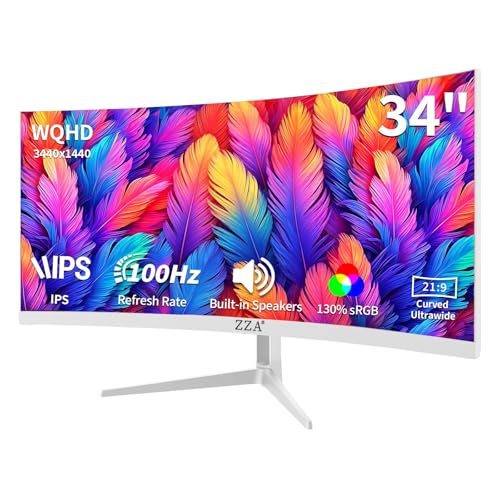
ZZA 34-Inch Curved IPS Ultrawide Monitor
Best for: Multitasking setups needing multiple video inputs
- Resolution
- 3440 x 1440 (what this guide is about)
- Screen Size
- 34"
- Refresh Rate
- 100Hz
- Panel Type
- IPS
- Aspect Ratio
- 21:9
- Sync Technology
- AMD FreeSync Premium
This 34-inch ultrawide display pairs a 3440 x 1440 resolution with an IPS panel and a gentle 3800R curve. You get a 100Hz refresh rate backed by AMD FreeSync for smooth everyday visuals, alongside four video inputs featuring two HDMI 2.0 and two DisplayPort 1.2 connections. It fits your workspace well if you want wide viewing angles, built-in speakers, and enough ports to run multiple systems simultaneously.
Pros
- IPS panel with 3440 x 1440 resolution
- Four video inputs with two HDMI 2.0 and two DisplayPort 1.2 ports
- 100Hz refresh rate with AMD FreeSync support
- Integrated built-in audio speakers
Cons
- Maximum brightness rated at ≥280 cd/m²
- Subtle 3800R curve provides less immersion than tighter radii
- Stand adjustment limited to tilt without height adjustments listed
Good fit if
- You need to connect up to four devices across dual HDMI and DisplayPort inputs.
- You prefer the color accuracy and viewing angles of an IPS panel.
- You want an ultrawide workspace with built-in speakers and standard VESA mounting.
Skip if
- You want a competitive gaming refresh rate higher than 100Hz.
- You prefer a tight curvature instead of a gentle 3800R bend.
- You require high peak brightness for bright work environments.
Verdict: ZZA 34-Inch Curved IPS Ultrawide Monitor delivers reliable multitasking utility with its 3440 x 1440 IPS panel, quad video inputs, and smooth 100Hz refresh rate. It serves as a balanced desk centerpiece if you value versatile connectivity over extreme gaming speeds.

LG 34-Inch Curved Ultrawide USB-C Monitor
Best for: multitasking productivity setups requiring laptop charging
- Resolution
- 3440 x 1440 (what this guide is about)
- Screen Size
- 34"
- Refresh Rate
- 100Hz
- Aspect Ratio
- 21:9
- Response Time
- 5ms
- Connectivity
- HDMI, DisplayPort, USB Type-C, USB
This 34-inch curved display gives you a 3440 x 1440 resolution at a 100Hz refresh rate. It includes a USB-C port supporting 65W power delivery alongside dual HDMI and DisplayPort inputs. Built-in Picture-by-Picture allows you to view two devices simultaneously, while the stand provides height and tilt adjustments. It suits productivity setups where you want laptop charging, dual-source workflows, and 99% sRGB color coverage on one wide curved screen.
Pros
- USB-C port with 65W power delivery
- Picture-by-Picture support for two input sources
- Height and tilt adjustable stand
- Up to 99% sRGB color gamut coverage
Cons
- 100Hz refresh rate is lower than high-refresh alternatives
- 5ms response time
- Stand lacks swivel or pivot adjustments
Good fit if
- You need USB-C connectivity with 65W power delivery for your laptop.
- You want to display two separate input sources simultaneously using Picture-by-Picture.
- You require height and tilt adjustments directly from the included stand.
Skip if
- You prioritize refresh rates higher than 100Hz for fast-paced gaming.
- You need a faster response time than 5ms.
Verdict: LG 34-Inch Curved Ultrawide USB-C Monitor balances 3440 x 1440 workspace utility with 65W USB-C charging and dual-source Picture-by-Picture multitasking. Its 100Hz refresh rate and 5ms response time lean toward daily productivity rather than high-speed competitive gaming.
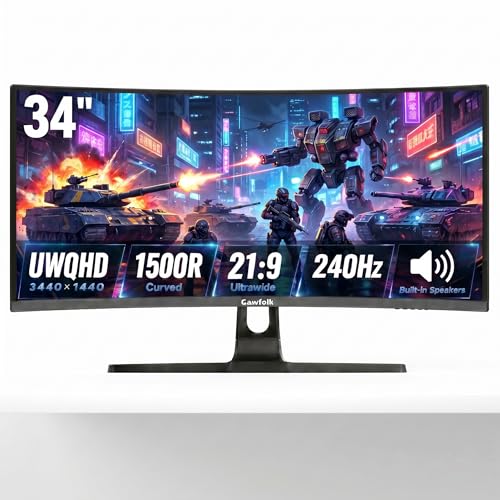
Gawfolk 34-Inch 240Hz Curved Ultrawide Monitor
Best for: High-refresh competitive gaming and dual-source multitasking
- Resolution
- 3440 x 1440 (what this guide is about)
- Screen Size
- 34"
- Refresh Rate
- 240Hz
- Aspect Ratio
- 21:9
- Response Time
- 1ms MPRT
- Connectivity
- HDMI, DisplayPort
View on Amazon: Gawfolk 34-Inch 240Hz Curved Ultrawide Monitor
The Gawfolk 34-Inch 240Hz Curved Ultrawide Monitor pairs a 3440 x 1440 UWQHD resolution with a fast 240Hz refresh rate across a 1500R curved panel. You get a 1ms MPRT response time, 127% sRGB color gamut coverage, and built-in Picture-in-Picture and Picture-by-Picture multitasking support. It suits you if you want high-frame-rate ultrawide gaming alongside multi-device productivity, using both DisplayPort and HDMI video connections.
Pros
- 240Hz refresh rate paired with 1ms MPRT response time
- 1500R curvature on a 21:9 UWQHD panel
- 127% sRGB color gamut coverage
- Built-in PIP and PBP multitasking display modes
- Integrated speakers with HDMI and DisplayPort inputs
Cons
- Stand only supports tilt adjustments, lacking height or swivel
- Response time rating is 1ms MPRT rather than GtG
- No USB-C connectivity or USB hub ports listed
Good fit if
- You want a 240Hz refresh rate for fast-paced gaming at 3440 x 1440 resolution.
- You plan to display two system sources simultaneously using PIP or PBP modes.
- You prefer a 1500R curve to wrap your field of vision.
Skip if
- You need full ergonomic adjustments including height and swivel.
- You require a single-cable USB-C connection to power and display a laptop.
Verdict: Gawfolk 34-Inch 240Hz Curved Ultrawide Monitor delivers high-refresh 240Hz performance and dual-input multitasking at 3440 x 1440 resolution. It works well if you want fluid motion and dual-device workflows with basic tilt adjustability.

Gawfolk 34-Inch Curved 165Hz Ultrawide Monitor
Best for: Multi-device gaming setups using DisplayPort
- Resolution
- 3440 x 1440 (what this guide is about)
- Screen Size
- 34 Inch
- Refresh Rate
- 165 Hz
- Aspect Ratio
- 21:9
- Sync Technology
- Adaptive Sync (AMD FreeSync)
- Connectivity
- HDMI 2.0, DP 1.4
View on Amazon: Gawfolk 34-Inch Curved 165Hz Ultrawide Monitor
The Gawfolk 34-Inch Curved 165Hz Ultrawide Monitor gives you a 3440 x 1440 resolution screen with a 1500R curvature for wide viewing angles. It provides a 165 Hz refresh rate over DisplayPort alongside AMD FreeSync support for smooth motion. With four display inputs and a height-adjustable stand, it suits multi-device desktop setups where you alternate between gaming and general productivity.
Pros
- 165 Hz refresh rate via DisplayPort 1.4 with AMD FreeSync
- Four total display inputs including two DisplayPort and two HDMI ports
- Stand provides height adjustment from 2.8 to 7.4 inches plus tilt
- 1500R curvature with 99% sRGB color coverage and 300 cd/m² brightness
Cons
- HDMI 2.0 ports cap refresh rate at 120 Hz
- Uses a 75 x 75 mm VESA pattern rather than standard 100 x 100 mm
Good fit if
- You want a 165 Hz ultrawide display driven through DisplayPort.
- You need multiple HDMI and DisplayPort inputs for several devices.
Skip if
- You want to achieve 165 Hz refresh rates over HDMI connections.
- You need integrated USB hub ports or built-in audio.
Verdict: Gawfolk 34-Inch Curved 165Hz Ultrawide Monitor delivers fluid 1440p visuals and broad multi-device connectivity. Its ergonomic stand and FreeSync support make it an effective choice when connected via DisplayPort.
Specifications side by side
| Spec | MSI 34-Inch 120Hz UWQHD Ultrawide Monitor | Sceptre 34-Inch Curved 240Hz Ultrawide Monitor | Sceptre 34-Inch 165Hz Curved Ultrawide | Alienware 34 Curved 180Hz Gaming Monitor | KOORUI 34-Inch 240Hz Curved Ultrawide Monitor | Amzfast 34" Curved 200Hz Ultrawide Monitor | KTC 34-Inch Curved 180Hz Ultrawide Monitor | Alienware 34-Inch Curved QD-OLED Monitor | KTC 34-Inch Curved 180Hz Ultrawide | Dell UltraSharp 34 Curved IPS Monitor | LG 34-Inch Curved Smart Ultrawide Monitor | ZZA 34-Inch Curved IPS Ultrawide Monitor | LG 34-Inch Curved Ultrawide USB-C Monitor | Gawfolk 34-Inch 240Hz Curved Ultrawide Monitor | Gawfolk 34-Inch Curved 165Hz Ultrawide Monitor |
|---|---|---|---|---|---|---|---|---|---|---|---|---|---|---|---|
| Screen Size | 34" | 34" | 34" | 34" | 34" | 34" | 34 inch | 34-inch | 34 Inch | 34" | 34" | 34" | 34" | 34" | 34 Inch |
| Resolution | 3440 x 1440 | 3440 x 1440 | 3440 x 1440 | WQHD | 3440 x 1440 | 3440x1440 | 3440X1440 | not specified | 3440x1440 | 3440x1440 | 3440x1440 | 3440x1440 | 3440 x 1440 | 3440x1440 | 3440 x 1440 |
| Refresh Rate | 120Hz | up to 240Hz | Up to 180Hz/165Hz | 180Hz | 240Hz | 200Hz | 180Hz | 165Hz | 180Hz | not specified | 100Hz | 100Hz | 100Hz | 240Hz | 165 Hz |
| Panel Type | VA / IPS | not specified | not specified | not specified | not specified | not specified | not specified | QD-OLED | HVA | IPS | not specified | IPS | not specified | not specified | not specified |
| Aspect Ratio | 21:9 | not specified | 21:9 | not specified | 21:9 | not specified | 21:9 | 21:9 | 21:9 | not specified | 21:9 | 21:9 | 21:9 | 21:9 | 21:9 |
| Response Time | 1ms | 1ms | 1ms MPRT | 1ms GTG | 1ms | 1ms (OD) | not specified | 0.1Ms | 1ms MPRT | not specified | not specified | not specified | 5ms | 1ms MPRT | not specified |
| Sync Technology | Adaptive-Sync (FreeSync compatible) | not specified | not specified | AMD FreeSync Premium, VESA AdaptiveSync | Adaptive-Sync | Adaptive Sync, FreeSync | adaptive sync | AMD FreeSync Premium Pro | adaptive sync | not specified | not specified | AMD FreeSync Premium | not specified | not specified | Adaptive Sync (AMD FreeSync) |
| Connectivity | HDMI 2.0b, DisplayPort 1.4a | DisplayPort x2, HDMI x2, Audio Out | DisplayPort x2 | not specified | 2 x HDMI 2.1, 1 x DisplayPort 1.4 | DP 1.4, HDMI 2.1 | HDMI 2.0 ×2, DP 1.4 ×2 | not specified | HDMI 2.0 x 2, DP 1.4 x 2 | USB-C | HDMI, USB | 2x HDMI 2.0, 2x DisplayPort 1.2 | HDMI, DisplayPort, USB Type-C, USB | HDMI, DisplayPort | HDMI 2.0, DP 1.4 |
| Size | not specified | 34 Inch | 34 | not specified | 34inch 240Hz/WQHD/Curved | 34 Inch | 34 Inch | 34.0" OLED | 34 Inch | not specified | not specified | 34 INCH-2 | not specified | 34" | 34 Inch |
| Dimensions | 18.5 × 31.9 × 9.33 inches | 8.5 × 31.8 × 18 inches | 8 × 31 × 17 inches | 31.7 × 9.13 × 21.8 inches | 10.6 × 31.8 × 20.2 inches | 10.8 × 31.8 × 21.5 inches | 5.31 × 32.5 × 21.2 inches | 32.1 × 12 × 20.7 inches | 6.22 × 27.9 × 20.4 inches | 32 × 8.91 × 20.9 inches | 8.79 × 31.9 × 19 inches | 3.83 × 32.2 × 14.6 inches | 10.2 × 31.9 × 22.4 inches | 26 × 17 × 7 inches | 5.5 × 17.7 × 36 inches |
| Weight | 24.5 pounds | 14 pounds | 20.2 pounds | 21 pounds | 17.6 pounds | not specified | 21.9 pounds | 20.5 pounds | 16.8 pounds | not specified | 13.5 pounds | 13.1 pounds | 15.2 pounds | not specified | not specified |
| Color | Black | Machine Black | Machine Black | Black | Black | Black | Black | Black | Black | Black | White | White | Black | black | Black |
| Model | PRO MP341CQ E12 | C345B-QU240T | C345B-QUT168.A1 | AW3425DWM | G3441XC | AMZG34C8 | H34S5 | AW3423DWF | H34S5 | U3419W | 34SR60QC-W.AUS | Z34A | 34WR55QK-B.AUS | GFTY985 | GF340C |
Is a 3440 x 1440 Resolution Worth It?
Choosing a 3440 x 1440 resolution provides wider horizontal viewing on a 34-inch display. In daily productivity, this resolution supports hardware multitasking features such as Picture-by-Picture (PBP) and Picture-in-Picture (PIP) to view two connected devices simultaneously. In games, 3440 x 1440 output pairs with refresh rates from 100Hz up to 240Hz on VA, IPS, or QD-OLED panels. Driving this resolution requires DisplayPort or HDMI connections capable of handling high bandwidth, alongside graphics hardware that can sustain fluid frame delivery across the wide canvas.
Worth it if
- You want to view two video inputs simultaneously using Picture-by-Picture or split-screen modes.
- You want high-refresh gaming between 100Hz and 240Hz on an ultrawide 34-inch screen.
Skip it if
- You have desk space that cannot fit a 34-inch monitor measuring roughly 31 to 32 inches wide.
- You use older source devices that lack DisplayPort or HDMI connections capable of driving 3440 x 1440 resolution.
How We Picked These Monitors
You see monitors chosen strictly by their published specifications. A display qualifies for this guide when its Amazon listing states a 3440 x 1440 resolution in the title or feature list. Details come entirely from published manufacturer data rather than physical handling. In addition, you see only one size or variant per product family to keep options distinct.
The 15 selections are arranged to help you navigate options quickly. Listings are ordered with products in stock first, then by Amazon sales rank (better-selling products first). This spec-focused layout lets you compare refresh rates, panel types, and ports across the lineup with ease.
How to Choose the Right Ultrawide Monitor
-
Compare Panel Display Technologies
Panel technology affects viewing angles, contrast, and color reproduction. An IPS panel offers wide viewing angles for visual work. A VA panel provides deep black levels with high contrast ratios reaching 4000:1, which benefits viewing in dark rooms. If you need ultimate contrast and color accuracy, choose a QD-OLED option like the Alienware 34-Inch Curved QD-OLED Monitor. Check the panel spec to match your primary task, whether you focus on color precision, contrast depth, or general viewing.
-
Match Refresh Rates to Hardware
Refresh rate dictates motion smoothness and requires sufficient graphics processing power. A 100Hz or 120Hz display suits office work, media playback, and casual gaming without stressing mid-tier hardware. Fast-paced competitive gaming benefits from higher refresh rates reaching 165Hz, 180Hz, 200Hz, or 240Hz. Displays such as the Sceptre 34-Inch Curved 240Hz Ultrawide Monitor provide fluid frame delivery for fast motion. Verify your graphics card can drive 3440 x 1440 pixels at your target frame rate before selecting a high-refresh model.
-
Check Stand Ergonomics and Adjustments
A 34-inch ultrawide screen occupies considerable desk depth and width. Look closely at stand adjustment specifications to ensure comfortable posture. Some monitors only offer basic tilt adjustments, requiring an aftermarket monitor arm if you need height positioning. Other models include height, tilt, swivel, and pivot adjustments. The KTC 34-Inch Curved 180Hz Ultrawide Monitor provides multi-directional adjustment on its factory stand. Review your desk space and determine whether you need built-in height adjustment or a standard VESA mount interface.
-
Verify Video Connection Types
Check the specific video ports on the monitor to match your source devices. DisplayPort is standard for reaching maximum refresh rates on PC graphics cards. HDMI ports handle consoles and secondary computers, with modern standards like HDMI 2.1 delivering higher bandwidth for high frame rates. Models like the KOORUI 34-Inch 240Hz Curved Ultrawide Monitor include HDMI 2.1 alongside DisplayPort connections. Count how many source machines you plan to attach simultaneously and verify the display has adequate ports for your setup.
-
Evaluate Adaptive Sync Support
Variable refresh rate technology prevents screen tearing and stuttering during gaming. Look for synchronization specifications such as FreeSync or Adaptive Sync in the monitor data. These protocols synchronize the display refresh rate with the output frame rate of your graphics card. The Alienware 34 Curved 180Hz Gaming Monitor includes FreeSync to keep fast gameplay smooth during sudden frame rate drops. Confirm that the display supports adaptive synchronization over your preferred connection cable, whether you connect via DisplayPort or HDMI.
-
Measure Desk Dimensions and Weight
A 34-inch ultrawide monitor requires significant horizontal desk real estate. Widths typically span around 31 to 32 inches, with stand depths extending over 10 inches on some models. Weight is also an essential specification if you mount the screen on a monitor arm. For example, the MSI 34-Inch 120Hz UWQHD Ultrawide Monitor lists a weight of 24.5 pounds. Measure your workspace depth and verify the weight capacity of your desk or mounting arm before you choose.
Frequently asked questions
What graphics card output do you need to run a 3440 x 1440 monitor?
You need a graphics card with DisplayPort 1.4 or HDMI 2.0 or higher outputs. Modern 3440 x 1440 monitors require sufficient bandwidth to drive their high pixel counts, especially when paired with elevated refresh rates like 180Hz on the Alienware AW3425DWM or 240Hz on the Sceptre C345B-QU240T. Check your GPU ports and specifications to confirm support for ultrawide resolutions.
Can a 3440 x 1440 ultrawide monitor display two computers simultaneously?
Yes, models with Picture-in-Picture or Picture-by-Picture modes can display video from two separate computers at once. Displays like the KOORUI 34-Inch Curved Ultrawide Monitor and the LG 34-Inch Curved Ultrawide USB-C Monitor feature hardware splitting functions. You connect multiple devices across separate inputs like HDMI, DisplayPort, or USB-C, letting you split the wide horizontal workspace across two machines.
What is the difference between QD-OLED and VA panels at 3440 x 1440?
QD-OLED panels use self-lit pixels for precise color accuracy and infinite contrast, whereas VA panels rely on backlights to deliver high native contrast ratios like 4000:1. The Alienware AW3423DWF features a QD-OLED panel designed for color-critical work and high-contrast visuals. In contrast, VA displays like the MSI PRO MP341CQ E12 provide strong dark levels and dependable everyday performance at lower refresh tiers.
Do you need a monitor arm or VESA mount for a 34-inch ultrawide?
You only need a VESA mount if your monitor comes with a basic stand or lacks height and swivel adjustments. For example, the MSI PRO MP341CQ E12 includes a tilt-only stand, making a third-party arm helpful for posture. In contrast, models like the KTC H34S5 come equipped with built-in tilt, swivel, height, and pivot mobility directly out of the box.
Can you connect a laptop to a 3440 x 1440 ultrawide monitor with a single cable?
Yes, but only if the monitor includes a USB-C port that supports display input and power delivery. The LG 34WR55QK-B.AUS provides 65W charging and video transmission over a single USB-C cable, and the Dell UltraSharp U3419W includes dedicated USB-C connectivity. Monitors that rely solely on standard HDMI and DisplayPort connections require separate power and video cables for your laptop.
What refresh rate should you choose for a 3440 x 1440 ultrawide monitor?
Your ideal refresh rate depends on whether your priority is office productivity or fast gaming. Standard productivity works smoothly at 100Hz on monitors like the ZZA Z34A, while everyday tasks and casual play balance well at 120Hz on the MSI PRO MP341CQ E12. For competitive gaming, monitors like the Amzfast AMZG34C8 Pro and Sceptre C345B-QU240T reach 240Hz to deliver maximum frame delivery.