Best 5K2K Ultrawide Monitors: 12 Spec-Based Picks
As an Amazon Associate we earn from qualifying purchases. Links on this page are affiliate links.
Finding the best 5K2K ultrawide monitors requires looking closely at how each panel handles resolution and speed. We compared 12 options based strictly on the specifications published on their listings. The LG 45-Inch 5K2K Curved OLED Gaming Monitor leads this list because it combines 165Hz refresh rates with FreeSync Premium Pro for responsive gameplay. This guide helps you decide which display fits your desk by comparing panel types, connectivity, and size.
Quick picks
The best fit for you
- You need the fastest OLED response for gaming LG 45-Inch 5K2K Curved OLED Gaming Monitor It features a 165Hz OLED panel with FreeSync Premium Pro and DisplayPort 2.1.
- You want the most compact 5K2K display available KTC 27-Inch 5K Dual-Mode Monitor This 27-inch model offers 99% DCI-P3 color coverage and 65W USB-C power delivery.
- You require high brightness for bright workspaces Dell 40-Inch 5K2K Curved Ultrawide Monitor It delivers 600 nits of brightness on a 40-inch curved 5K2K screen.
- You need dual-PC management with KVM switching Deco Gear 40-Inch 5K2K Curved Ultrawide Monitor It includes a built-in KVM switch and 90W laptop charging at 75Hz.
- You want flexible high-refresh gaming at a lower cost Sceptre 39.7-Inch Curved 5K2K Gaming Monitor It provides 180Hz mode for esports and 5K2K detail for multitasking.
Our 12 picks

LG 45-Inch 5K2K Curved OLED Gaming Monitor
Best for: Ultra-responsive FreeSync gaming at 5K2K resolution
- Resolution
- 5K2K (what this guide is about)
- Screen Size
- 45"
- Refresh Rate
- 165Hz, 330Hz
- Panel Type
- OLED
- Aspect Ratio
- 21:9
- Response Time
- 0.03ms (GtG)
This 45-inch curved OLED monitor gives you a 5120 x 2160 resolution with FreeSync Premium Pro and G-SYNC compatibility. It features a dual-mode display that switches between 5K2K at 165Hz and Wide Full HD at 330Hz, alongside a 0.03ms response time. With DisplayPort 2.1, HDMI 2.1, and 90W USB-C charging, it suits you if you prioritize high-refresh competitive gaming alongside ultra-wide screen real estate.
Pros
- Dual-mode refresh rates: 5K2K at 165Hz or WFHD at 330Hz
- AMD FreeSync Premium Pro and NVIDIA G-SYNC compatibility
- Fast 0.03ms response time with 1,500,000:1 contrast ratio
- DisplayPort 2.1, two HDMI 2.1 ports, and 90W USB-C power delivery
Cons
- Substantial weight at 30.86 pounds
- Requires a deep desk to accommodate its 13.46-inch depth
- 125 PPI pixel density is lower than smaller 40-inch 5K2K screens
Good fit if
- You want tear-free variable refresh rate gaming with AMD FreeSync Premium Pro.
- You need the flexibility to toggle between high-resolution 5K2K and ultra-fast 330Hz WFHD.
- You use modern graphics cards supporting DisplayPort 2.1 or need 90W USB-C charging.
Skip if
- You have a shallow workspace that cannot support a 13.46-inch stand depth.
- You need a lightweight monitor that weighs under 30 pounds.
Verdict: LG UltraGear 45-Inch Curved OLED Gaming Monitor combines 5K2K visual detail with high-speed dual-mode refresh rates and FreeSync Premium Pro. It delivers fast OLED response times and modern DisplayPort 2.1 connectivity for demanding gaming setups.

KTC 27-Inch 5K Dual-Mode Monitor
Best for: color-critical creative work needing laptop charging
- Resolution
- 5K2K (what this guide is about)
- Screen Size
- 27"
- Refresh Rate
- 60Hz / 120Hz
- Connectivity
- DisplayPort 1.4, HDMI 2.0, USB-C, USB-A
- Dimensions
- 3 × 24.1 × 17.8 inches
This 27-inch display features a dual-mode system that runs at 5120x2880 at 60Hz or drops to 2560x1440 at 120Hz. You get 500 cd/m² brightness, HDR400 support, and color coverage spanning 99% DCI-P3 and 100% sRGB with Delta E under 2. Equipped with a 65W USB-C port, it suits creative professionals who need sharp detail alongside single-cable power delivery.
Pros
- Dual-mode operation supporting 5K at 60Hz and 2K at 120Hz
- 99% DCI-P3 and 100% sRGB coverage with Delta E under 2
- USB-C connectivity with 65W Power Delivery
- 500 cd/m² brightness with HDR400 support
Cons
- HDMI 2.0 port is limited to 4K at 60Hz
- Full 5K resolution cannot exceed a 60Hz refresh rate
Good fit if
- You need 99% DCI-P3 color accuracy for photo or video editing.
- You want single-cable 65W power delivery for your laptop.
- You switch between 5K resolution for detail and 1440p at 120Hz for smoother motion.
Skip if
- You need to run full 5K resolution over an HDMI cable.
- You require refresh rates higher than 60Hz at maximum resolution.
Verdict: KTC 27-Inch 5K2K Dual-Mode Monitor offers flexible dual-resolution output and 99% DCI-P3 color precision for detail-oriented desks. Its 65W USB-C power delivery makes it an efficient workstation anchor if you can work within a 60Hz ceiling at full resolution.

Dell 40-Inch 5K2K Curved Ultrawide Monitor
Best for: bright workspaces needing 5K2K screen real estate
- Resolution
- 5K2K (what this guide is about)
- Screen Size
- 39.7"
- Aspect Ratio
- 21:9
- Response Time
- 5 ms
- Connectivity
- USB Type-C
- Dimensions
- 4.3 × 37.3 × 16.5 inches
The Dell 40-Inch Curved 5K2K Monitor is an ultrawide display designed for detailed productivity setups. You get a 39.7-inch viewable curved screen with 5K2K resolution and a 21:9 aspect ratio. The panel reaches 600 nits of brightness for well-lit rooms and includes USB Type-C for data transfer. With its 5 ms response time, this display suits you if you need expansive desktop space and high brightness for daily tasks.
Pros
- 5K2K resolution on a 39.7-inch viewable curved panel
- 600 nit brightness rating for bright environments
- USB Type-C connectivity for data transfer
- 5 ms response time
Cons
- Heavy total weight at 41.93 pounds
- Refresh rate is not listed in the specifications
- Color specification is listed as not available
Good fit if
- You work in a well-lit room and need 600 nit brightness.
- You want a 39.7-inch curved workspace with 5K2K resolution.
- You use USB Type-C for transferring data to your display.
Skip if
- You need a lightweight screen that weighs under 40 pounds.
- You require verified refresh rate figures before purchasing.
Verdict: Dell 40-Inch Curved 5K2K Monitor delivers a wide 39.7-inch viewable workspace backed by 600 nits of brightness and USB Type-C connectivity. It is a capable choice if you need expansive resolution and high brightness on a curved ultrawide frame.
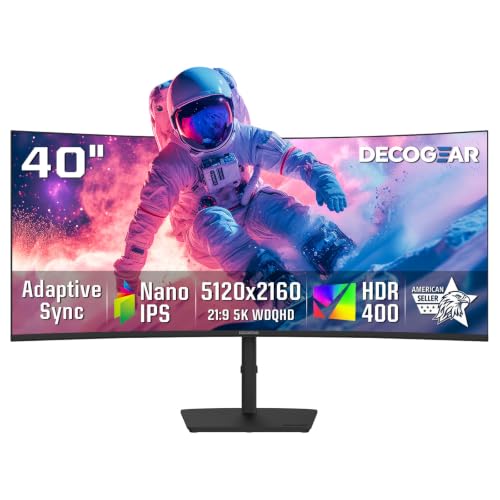
Deco Gear 40-Inch 5K2K Curved Ultrawide Monitor
Best for: multitasking productivity and dual-PC desktop setups
- Resolution
- 5K2K (what this guide is about)
- Screen Size
- 40"
- Refresh Rate
- 75Hz
- Panel Type
- IPS
- Aspect Ratio
- 21:9
- Response Time
- 1ms MPRT
View on Amazon: Deco Gear 40-Inch 5K2K Curved Ultrawide Monitor
The Deco Gear 40-Inch 75Hz Curved 5K2K Monitor is a 21:9 ultrawide display built for multitasking and creative tasks. You get a 5120x2160 IPS panel featuring a gentle R2500 curvature, a 75Hz refresh rate, and 96% DCI-P3 color coverage. An integrated KVM switch paired with 90W USB-C power delivery allows you to run multiple computers easily. It suits content creators, analysts, and home-office professionals seeking high horizontal screen space.
Pros
- 5120x2160 resolution across a curved 40-inch IPS panel
- USB-C port with up to 90W power delivery
- Built-in KVM switch with PIP and PBP support
- Color coverage rated at 96% DCI-P3 and 100% sRGB
- Stand provides height, tilt, and swivel adjustments
Cons
- Refresh rate tops out at 75Hz
- Downstream USB hub ports use USB 2.0 speeds
- HDMI connectivity is restricted to HDMI 2.0
Good fit if
- You want a 40-inch 5K2K workspace with KVM switching and 90W USB-C laptop power.
- You do color-sensitive creative work that benefits from 96% DCI-P3 coverage.
- You prefer a 75Hz refresh rate for smoother everyday desktop productivity.
Skip if
- You require high refresh rates above 75Hz for fast-paced gaming.
- You need fast USB 3.0 or Thunderbolt data transfer speeds through the integrated hub.
Verdict: Deco Gear 40-Inch 75Hz Curved 5K2K Monitor delivers extensive 5120x2160 desktop space paired with 90W laptop charging and an integrated KVM switch. It is a solid widescreen choice for everyday workflow multitasking and color-accurate design work.
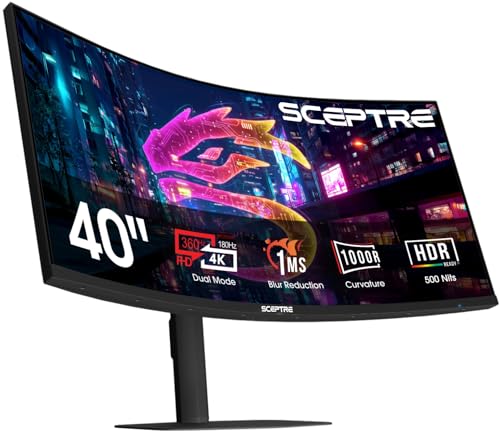
Sceptre 39.7-Inch Curved 5K2K Gaming Monitor
Best for: flexible high-refresh gaming and ultrawide multitasking
- Resolution
- 5K2K (what this guide is about)
- Screen Size
- 39.7"
- Refresh Rate
- 180Hz, 360Hz
- Aspect Ratio
- 21:9
- Response Time
- 1ms
- Connectivity
- DisplayPort, HDMI
View on Amazon: Sceptre 39.7-Inch Curved 5K2K Gaming Monitor
This Sceptre 39.7-inch curved ultrawide monitor delivers a 5120 x 2160 native resolution with a 180Hz refresh rate and a tight 1000R curve. Its dual-mode capability lets you switch between 5K2K at 180Hz and 1080p at 360Hz with 1ms response. It suits you if you need both high-pixel-density productivity and fast esports refresh rates on a single display.
Pros
- Dual-mode toggle between 5K2K at 180Hz and 1080p at 360Hz
- Deep 1000R curve on a 39.7-inch 21:9 screen
- Fast 1ms response time
- Integrated speakers and wall mount support
Cons
- No USB-C or laptop charging connection listed
- Peak 360Hz refresh rate requires lowering resolution to 1080p
Good fit if
- You want to switch between sharp 5K2K visuals and competitive 360Hz frame rates.
- You prefer a wrap-around view from an aggressive 1000R screen curve.
Skip if
- You require a USB-C port to connect and charge a laptop.
- You prefer a flat display profile for your workspace.
Verdict: Sceptre 39.7-Inch Curved 180Hz Dual-Mode Monitor gives you the flexibility of 5K2K detail alongside a specialized high-speed 360Hz esports mode.

LG 39-inch UltraGear 5K2K Curved OLED
Best for: gamers wanting OLED contrast and dual-mode speed
- Resolution
- 5K2K (what this guide is about)
- Screen Size
- 39"
- Refresh Rate
- 165Hz
- Panel Type
- OLED
- Aspect Ratio
- 21:9
- Response Time
- 0.03ms (GtG)
This 39-inch curved ultrawide monitor pairs a 5120x2160 resolution with an OLED panel and a 1500R curvature. You get a dense 143 PPI pixel layout alongside a 165Hz refresh rate for sharp, fluid visuals. It also features a dual-mode option to switch down to Wide Full HD at 330Hz. It suits you if you need crisp detail for high-resolution gaming and creative editing workflows on a single seamless screen.
Pros
- Dual-mode switching between 5K2K at 165Hz and WFHD at 330Hz
- OLED panel with 1.85M:1 contrast ratio and DisplayHDR True Black 500
- High pixel density of 143 PPI across a 21:9 curved workspace
- Color coverage of 99.5% DCI-P3 with Delta E≤2 accuracy
Cons
- Typical brightness of 335 nits is lower than standard backlit panels
- Curved 1500R profile is not suited for users needing a flat screen
- No built-in speakers or USB power delivery specifications listed
Good fit if
- You want an OLED display combining 5120x2160 clarity with a 165Hz refresh rate.
- You play competitive games and want the flexibility of 330Hz at Wide Full HD.
- You require accurate colors with 99.5% DCI-P3 coverage and deep black levels.
Skip if
- You work in a brightly lit room and need higher typical brightness than 335 nits.
- You prefer a flat monitor surface for straight-line CAD or drafting tasks.
Verdict: LG 39-Inch 5K2K OLED Curved Gaming Monitor delivers pixel-dense 5120x2160 visuals and true blacks, paired with a dual-mode option for high-frame-rate gaming. It provides an ideal blend of fine detail and speed on an expansive 1500R curved screen.

LG 40-Inch Curved 5K2K Ultrawide Monitor
Best for: creative professionals needing Thunderbolt 5 connectivity
- Resolution
- 5K2K (what this guide is about)
- Screen Size
- 40"
- Refresh Rate
- 120Hz
- Panel Type
- Nano IPS Black
- Connectivity
- Thunderbolt 5, HDMI 2.1, DP 2.1, USB-C
- Dimensions
- 10.2 × 37.3 × 24.2 inches
This 40-inch curved display pairs a 5120 x 2160 resolution with a Nano IPS Black panel and a 120Hz refresh rate. You get Thunderbolt 5 connectivity with 96W power delivery, daisy-chain support, and a 2000:1 contrast ratio alongside 99% DCI-P3 coverage. If you need expansive desktop space, precise color output, and single-cable laptop docking for video editing, creative workflows, or multitasking, this display fits your workstation needs directly.
Pros
- Thunderbolt 5 port with 96W power delivery and daisy-chain support
- 5120 x 2160 resolution with 120Hz refresh rate
- Nano IPS Black panel with 2000:1 contrast ratio
- 99% DCI-P3 color gamut and VESA DisplayHDR 600
Cons
- Heavy total weight of 31.1 pounds
- Gentle 2500R curvature provides less immersion than tighter curves
Good fit if
- You need Thunderbolt 5 bandwidth for high-speed data transfer and daisy chaining.
- You require 99% DCI-P3 color coverage and deep 2000:1 IPS contrast for creative work.
- You want a sharp 5120 x 2160 resolution with a 120Hz refresh rate.
Skip if
- You prefer an aggressive curve rather than a subtle 2500R radius.
- You have a small desk or monitor arm unable to hold 31.1 pounds.
Verdict: LG 40-Inch UltraFine 5K2K Monitor pairs cutting-edge Thunderbolt 5 bandwidth with a high-contrast Nano IPS Black panel. It delivers exceptional color accuracy, sharp detail, and robust single-cable connectivity for demanding creative workflows.

LG 52-Inch UltraGear 240Hz Curved 5K2K Monitor
Best for: ultra-large high-refresh-rate gaming setups
- Resolution
- 5K2K (what this guide is about)
- Screen Size
- 52-inch
- Refresh Rate
- 240Hz
- Aspect Ratio
- 21:9
- Response Time
- 1ms (GtG)
- Sync Technology
- AMD FreeSync Premium
View on Amazon: LG 52-Inch UltraGear 240Hz Curved 5K2K Monitor
The LG 52-Inch UltraGear 240Hz Curved 5K2K Monitor pairs a massive 52-inch ultrawide canvas with a sharp 5120x2160 resolution and a rapid 240Hz refresh rate. Its steep 1000R curvature keeps the expansive edges in view, while DisplayPort 2.1, HDMI 2.1, and 90W USB-C power delivery offer versatile connectivity. It suits you if you need maximum screen real estate alongside high-frame-rate performance for fast-paced gaming and productivity.
Pros
- Fast 240Hz refresh rate with 1ms GtG response time
- DisplayPort 2.1 and HDMI 2.1 video inputs
- USB-C port with video, data, and 90W power delivery
- VESA DisplayHDR 600 with 95% DCI-P3 color gamut coverage
Cons
- Substantial desk footprint requiring 46.2 inches of width and 13.8 inches of depth
- Heavy total weight of 37 pounds demands a sturdy desktop
Good fit if
- You want an expansive 52-inch curved display running at 240Hz.
- You need modern DisplayPort 2.1 bandwidth or 90W USB-C laptop charging.
- You want a deep 1000R curvature to wrap the ultrawide screen around your field of view.
Skip if
- You have limited desk depth or space for a 46.2-inch wide, 37-pound chassis.
- You prefer a flat display profile over an aggressive 1000R curve.
Verdict: LG 52-Inch UltraGear 240Hz Curved 5K2K Monitor delivers unprecedented screen scale combined with fast 240Hz motion handling and modern DisplayPort 2.1 connectivity. It represents an imposing centerpiece display if you have the dedicated desk space to house it.
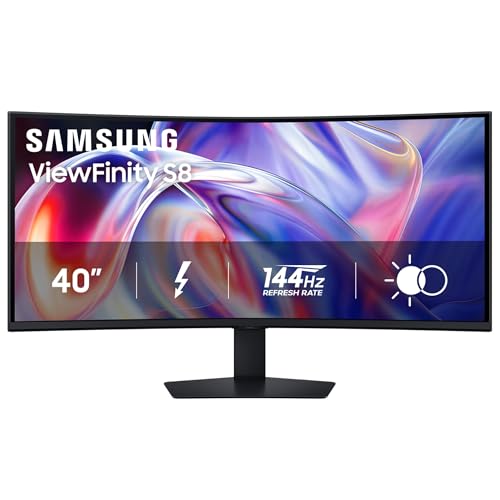
Samsung 40-Inch ViewFinity 5K2K Curved Monitor
Best for: high-power Thunderbolt 5 dual-system workflows
- Resolution
- 5K2K (what this guide is about)
- Screen Size
- 40 inch
- Refresh Rate
- 144Hz
- Sync Technology
- AMD FreeSync Premium
- Connectivity
- Thunderbolt 5, LAN
- Dimensions
- 14.3 × 36.6 × 23.6 inches
View on Amazon: Samsung 40-Inch ViewFinity 5K2K Curved Monitor
The Samsung 40" ViewFinity S8 144Hz Curved Monitor gives you a 40-inch curved display with a 5120 x 2160 resolution. It pairs sharp pixel density with a 144Hz refresh rate and AMD FreeSync Premium support for smooth motion. Connectivity includes Thunderbolt 5 delivering up to 140W of charging power, plus a built-in Ethernet port and a hardware KVM switch. This setup suits professionals who need multi-device management alongside fluid gaming performance.
Pros
- Thunderbolt 5 port with up to 140W power delivery
- 144Hz refresh rate with AMD FreeSync Premium
- Built-in KVM switch, Ethernet port, and PiP/PbP support
- Ergonomic stand with height, tilt, and swivel adjustment
Cons
- Base requires 14.25 inches of desk depth
- No integrated speakers listed in specifications
Good fit if
- You need high-wattage single-cable laptop charging up to 140W.
- You want 144Hz motion clarity on a 5120 x 2160 ultrawide panel.
- You manage two systems simultaneously with an integrated KVM switch.
Skip if
- You have a shallow desk unable to fit a 14.25-inch footprint.
- You prefer a flat monitor over a curved panel.
Verdict: Samsung 40" ViewFinity S8 144Hz Curved Monitor delivers 5K2K clarity paired with a 144Hz refresh speed and 140W Thunderbolt 5 power delivery. It serves as a comprehensive workstation hub for demanding multi-system desks.

Deco Gear 40" 120Hz 5K2K Curved Monitor
Best for: high-resolution productivity and smooth 120Hz gaming
- Resolution
- 5K2K (what this guide is about)
- Screen Size
- 40"
- Refresh Rate
- 120 Hz
- Panel Type
- Nano IPS
- Aspect Ratio
- 21:9
- Sync Technology
- Adaptive Sync
This 40-inch ultrawide display gives you a 5120x2160 resolution across a 21:9 Nano IPS panel. It features a 120Hz refresh rate paired with Adaptive Sync for smoother motion than standard 60Hz or 75Hz ultrawides. The integrated USB-C port supplies 65W power delivery alongside four USB-A data ports. It suits you if you want high-resolution desktop workspace combined with faster screen refresh for gaming or video workflows.
Pros
- 5120x2160 resolution on a 40-inch 21:9 screen
- 120Hz refresh rate with Adaptive Sync
- Nano IPS panel with 99% DCI-P3 coverage
- USB-C connectivity with 65W power delivery and four USB-A ports
Cons
- Stand specifies tilt and swivel without height adjustment
- 65W USB-C output provides limited power for power-demanding laptops
- Subtle 2500R curve offers less immersion than tighter radii
Good fit if
- You need 5K2K resolution paired with a fluid 120Hz refresh rate.
- You require wide color coverage with 99% DCI-P3 on a Nano IPS panel.
- You want built-in peripheral connectivity via four USB-A ports.
Skip if
- You need more than 65W USB-C power delivery to charge your laptop.
- You require factory stand height adjustment for your desk setup.
Verdict: Deco Gear 40" 120Hz 5K2K Curved Monitor delivers sharp 5120x2160 clarity alongside a 120Hz refresh rate and wide color coverage. It is a capable choice if you split your time between detail-heavy desktop tasks and fast-motion content.

INNOCN 49-Inch 240Hz QD-OLED Curved Monitor
Best for: dual-source multitasking and high-refresh ultrawide gaming
- Resolution
- 5K2K (what this guide is about)
- Screen Size
- 49"
- Refresh Rate
- 240Hz
- Panel Type
- QD-OLED
- Aspect Ratio
- 32:9
- Response Time
- 0.03ms
This 49-inch curved display pairs an ultrawide 32:9 QD-OLED panel with a 240Hz refresh rate and a rapid 0.03ms response time. You get a 5120x1440 resolution, an 1800R curve, and built-in PIP and PBP modes for multitasking across two separate input devices. With 90W USB-C power delivery, HDMI 2.1, and an integrated RJ45 port, it suits you if you need expansive screen real estate for fast gaming and multi-source workflows.
Pros
- 240Hz refresh rate with 0.03ms response time
- 90W USB-C power delivery alongside an RJ45 Ethernet port
- QD-OLED panel with 1,000,000:1 contrast ratio
- Integrated PIP and PBP modes for dual-source viewing
Cons
- 5120x1440 resolution offers less vertical workspace than 5120x2160 panels
- Color coverage is specified at 99% sRGB
- HDR performance is capped at DisplayHDR 400
Good fit if
- You want a 240Hz 32:9 QD-OLED display for fast-paced gaming.
- You need 90W USB-C laptop charging alongside wired RJ45 network access.
- You plan to display two system inputs side by side via PIP or PBP.
Skip if
- You want 2160 vertical pixels instead of dual-QHD 1440p resolution.
- You need wider color coverage beyond 99% sRGB for specialized creative work.
Verdict: INNOCN 49-Inch QD-OLED Curved Monitor delivers super-ultrawide 32:9 viewing with a 240Hz refresh rate and 90W USB-C connectivity. It provides expansive dual-QHD workspace and low latency for multi-device desktop setups.

M² Vision 40-Inch 120Hz 5K2K Monitor
Best for: high-resolution productivity needing smooth 120Hz motion
- Resolution
- 5K2K (what this guide is about)
- Screen Size
- 40"
- Refresh Rate
- 120Hz
- Panel Type
- IPS Black
- Sync Technology
- Adaptive Sync (FreeSync-compatible)
- Connectivity
- USB-C 65W
This 40-inch curved ultrawide monitor pairs a 5120x2160 resolution with an IPS Black panel and a 120Hz refresh rate. It delivers HDR600 brightness and includes FreeSync-compatible Adaptive Sync. You get single-cable laptop connectivity via a 65W USB-C port alongside a height-adjustable stand. It suits you if you need a high-density workspace for coding, content creation, or mixed productivity with smoother motion than standard 60Hz displays.
Pros
- 5120x2160 resolution at 120Hz refresh rate
- IPS Black panel with HDR600 support
- Single-cable USB-C with 65W power delivery
- FreeSync-compatible Adaptive Sync support
- Height-adjustable stand included
Cons
- 65W USB-C power delivery is low for high-draw laptops
- No integrated audio speakers specified in specs
Good fit if
- You need 5120x2160 desktop space with a 120Hz refresh rate.
- You want an IPS Black panel for contrast in creative or coding work.
- You use a laptop that charges at 65W over USB-C.
Skip if
- You require higher USB-C charging capacity than 65W.
- You need dedicated gaming panel tech like OLED.
Verdict: M² Vision 40-Inch 120Hz 5K2K Monitor pairs expansive 5120x2160 resolution with an IPS Black panel and fluid 120Hz motion. It gives you 65W USB-C laptop charging and HDR600 contrast in a single curved workspace.
Specifications side by side
| Spec | LG 45-Inch 5K2K Curved OLED Gaming Monitor | KTC 27-Inch 5K Dual-Mode Monitor | Dell 40-Inch 5K2K Curved Ultrawide Monitor | Deco Gear 40-Inch 5K2K Curved Ultrawide Monitor | Sceptre 39.7-Inch Curved 5K2K Gaming Monitor | LG 39-inch UltraGear 5K2K Curved OLED | LG 40-Inch Curved 5K2K Ultrawide Monitor | LG 52-Inch UltraGear 240Hz Curved 5K2K Monitor | Samsung 40-Inch ViewFinity 5K2K Curved Monitor | Deco Gear 40" 120Hz 5K2K Curved Monitor | INNOCN 49-Inch 240Hz QD-OLED Curved Monitor | M² Vision 40-Inch 120Hz 5K2K Monitor |
|---|---|---|---|---|---|---|---|---|---|---|---|---|
| Screen Size | 45" | 27" | 39.7" | 40" | 39.7" | 39" | 40" | 52-inch | 40 inch | 40" | 49" | 40" |
| Resolution | 5120 x 2160 | 5120x2880 | 5K2K WUHD | 5120x2160 | 5120 x 2160 | 5120x2160 | 5120 x 2160 | 5K2K | 5120 x 2160 | 5120x2160 | 5120*1440 | 5120x2160 |
| Refresh Rate | 165Hz, 330Hz | 60Hz / 120Hz | not specified | 75Hz | 180Hz, 360Hz | 165Hz | 120Hz | 240Hz | 144Hz | 120 Hz | 240Hz | 120Hz |
| Panel Type | OLED | not specified | not specified | IPS | not specified | OLED | Nano IPS Black | not specified | not specified | Nano IPS | QD-OLED | IPS Black |
| Aspect Ratio | 21:9 | not specified | 21:9 | 21:9 | 21:9 | 21:9 | not specified | 21:9 | not specified | 21:9 | 32:9 | not specified |
| Response Time | 0.03ms (GtG) | not specified | 5 ms | 1ms MPRT | 1ms | 0.03ms (GtG) | not specified | 1ms (GtG) | not specified | not specified | 0.03ms | not specified |
| Sync Technology | FreeSync Premium Pro, G-SYNC Compatible | not specified | not specified | Adaptive Sync | not specified | G-SYNC Compatible, FreeSync Premium Pro | not specified | AMD FreeSync Premium | AMD FreeSync Premium | Adaptive Sync | Adaptive-Sync | Adaptive Sync (FreeSync-compatible) |
| Connectivity | DisplayPort 2.1, HDMI 2.1, USB Type-C | DisplayPort 1.4, HDMI 2.0, USB-C, USB-A | USB Type-C | HDMI 2.0, DP 1.4, USB-C, USB Hub | DisplayPort, HDMI | not specified | Thunderbolt 5, HDMI 2.1, DP 2.1, USB-C | DisplayPort 2.1, HDMI 2.1, USB Type-C | Thunderbolt 5, LAN | USB-C, USB-A | DP 1.4, USB-C, HDMI 2.1, USB, RJ45 | USB-C 65W |
| Size | 45 Inch | 27" 5K2K | 16.5" x 37.3" x 4.3" | 40 Inch | 39.7 inches | not specified | 40 | not specified | 40 Inch | 40 Inch-120 | 49 Inch | 40" | 5120 x 2160 |
| Dimensions | 13.5 × 39 × 26.2 inches | 3 × 24.1 × 17.8 inches | 4.3 × 37.3 × 16.5 inches | 9.57 × 37.3 × 23.7 inches | 9 × 36 × 25 inches | 12.7 × 36.3 × 23.8 inches | 10.2 × 37.3 × 24.2 inches | 13.8 × 46.2 × 28.1 inches | 14.3 × 36.6 × 23.6 inches | 9.6 × 37.3 × 9.6 inches | 6.7 × 47.2 × 14.4 inches | 3.5 × 37.3 × 16.6 inches |
| Weight | 30.9 pounds | not specified | 41.9 pounds | 17.8 pounds | not specified | 23.6 pounds | 31.1 pounds | 37 pounds | 39 pounds | 17.8 pounds | not specified | 21 pounds |
| Color | Black | black | Information Not Available | Black | Machine Black | Black | White | Black | Black | Black | Black | Black |
| Model | 45GX950A-B.AUS | H27P3 | U4025QW | WKDGEDGE401 | C415B-UUS360 | 39GX950B-B.AUS | 40U990A-W.AUS | 52G930B-B.AUS | LS40H850TANXZA | PRO40 | 49Q1S | M2-40UW5K2K-120 |
Is 5K2K resolution worth the upgrade?
5K2K delivers 5120x2160 pixels, offering significantly more desktop space than standard 1440p or 4K displays. You gain finer text clarity and room for multiple windows without scaling issues. The 32:9 aspect ratio creates a seamless ultrawide view, ideal for multitasking or immersive gaming. However, this pixel density demands powerful graphics hardware to drive high refresh rates. If your GPU cannot sustain the frame rates listed in the specs, you may need to lower resolution or settings.
Worth it if
- You need extensive horizontal screen real estate for multitasking
- You want sharp text and detailed visuals without upscaling
- Your GPU can drive the target refresh rate at this resolution
Skip it if
- You primarily play competitive shooters at maximum settings
- Your desk cannot accommodate displays over 40 inches
- You only need a single large window for media
If you need dedicated display hardware for nursery tracking, you can compare specifications for the best 720p baby monitors.
How We Picked 5K2K Picks
We found these monitors by scanning Amazon listings for the 5K2K resolution feature. Only products explicitly stating this resolution in their title or feature list were considered. We selected a single size or variant for each product family to keep the list focused. All details come directly from the specifications published on those listings. We did not handle any units or conduct independent tests.
The products are ordered by availability first, then by listing rating weighted by count, and finally by how many guide criteria the specs meet. This approach ensures you see the most relevant 5K2K options. The list includes twelve models ranging from 27-inch to 52-inch screens. Each entry reflects the published data for resolution, panel type, and refresh rate.
Choosing Your 5K2K Monitor Specs
-
Match Size to Desk Depth
Screen width dictates how far you must sit. A 27-inch model like the KTC H27P3 fits compact desks, while 40-inch options such as the Dell U4025QW need more room. Measure your space carefully. Larger panels like the 49-inch INNOCN 49Q1S require significant desk depth to maintain comfortable viewing angles. Ensure your desk can physically support the monitor’s width and weight without straining the stand or arm.
-
Select Refresh Rate for Use
Your activity determines the necessary speed. Gamers benefit from 165Hz or 240Hz panels, such as the LG 52G930B-B or the Sceptre C415B-UUS360. Office workers and creatives can stick to 60Hz or 75Hz models like the Deco Gear WKDGEDGE401. Higher refresh rates reduce motion blur in fast-paced games. Static productivity tasks do not require high speeds, allowing you to save on other specs if speed is not a priority.
-
Check Connectivity Standards
Modern monitors use USB-C or Thunderbolt for single-cable setups. The LG 40U990A-W offers Thunderbolt 5 for high bandwidth. The KTC H27P3 provides 65W USB-C power delivery. Older models may rely on DisplayPort and HDMI. Verify your computer has the correct ports. USB-C allows you to charge your laptop while transmitting video and data. This reduces cable clutter on your desk significantly.
-
Choose Panel Technology Wisely
Panel type affects contrast and color. OLED panels, like those in the LG 45GX950A-B, offer true blacks and instant response times. IPS Black panels, found in the M² Vision M2-40UW5K2K-120, provide high contrast and accurate colors. QD-OLED panels, such as the INNOCN 49Q1S, deliver vibrant hues. Standard IPS panels are common and cost-effective. Select the technology that best matches your visual preferences for gaming or creative work.
-
Verify Sync Technology Support
Adaptive sync prevents screen tearing. Look for FreeSync Premium Pro or G-SYNC compatibility. The LG 45GX950A-B supports both FreeSync and G-SYNC. This ensures smooth gameplay across different graphics cards. Check your GPU specifications to confirm support. Without adaptive sync, fast-moving scenes may stutter. This feature is essential for competitive gaming and smooth visual experiences in supported titles.
-
Consider Brightness for Lighting
Room lighting impacts visibility. The Dell U4025QW offers 600 nits of brightness, suitable for bright workspaces. Other models may have lower peak brightness. Higher nits help combat glare in well-lit offices. If you work in a dark room, lower brightness may be sufficient. Check the peak brightness specification in the data. This ensures the screen remains readable and comfortable during long sessions without eye strain.
Frequently asked questions
Do 5K2K ultrawide monitors support dual-mode refresh rates?
Yes, several models offer dual-mode capabilities. The Sceptre 39.7-Inch monitor provides 180Hz at 5K2K resolution and switches to 360Hz for esports. The LG 39-Inch OLED also features dual-mode speed options. This allows you to balance detail with high frame rates depending on your current task.
Which 5K2K monitor has the highest refresh rate?
The LG 52-Inch UltraGear offers the highest speed at 240Hz. The INNOCN 49-Inch QD-OLED also reaches 240Hz. Most other options on this list sit between 60Hz and 165Hz. Higher refresh rates provide smoother motion for fast-paced gaming sessions.
Are there 5K2K monitors with OLED panels?
Yes, OLED technology is available in this category. The LG 45-Inch Curved OLED and the LG 39-Inch UltraGear OLED both use OLED panels. The INNOCN 49-Inch model utilizes QD-OLED technology. These panels deliver true blacks and high contrast for visual fidelity.
Which 5K2K monitor is best for laptop charging?
Several models include USB-C power delivery for laptops. The Deco Gear 40-Inch monitor provides 90W charging. The Samsung 40-Inch ViewFinity delivers up to 140W via Thunderbolt 5. The KTC 27-Inch offers 65W. These options reduce cable clutter by combining video and power in one connection.
Is 5K2K resolution suitable for creative work?
5K2K resolution is excellent for creative tasks. It provides 5120x2160 pixels for precise detail. The KTC 27-Inch monitor covers 99% of the DCI-P3 color gamut. The LG 40-Inch UltraFine uses a Nano IPS Black panel for color accuracy. These specs support professional design workflows.
Do any 5K2K monitors include a KVM switch?
Yes, the Deco Gear 40-Inch Curved Ultrawide Monitor includes an integrated KVM switch. This feature allows you to control multiple computers with a single keyboard and mouse. It simplifies workflow for users who switch between different systems frequently.
What is the smallest 5K2K monitor size available?
The KTC 27-Inch 5K Dual-Mode Monitor is the smallest option listed. Its compact dimensions fit well on smaller desks. Most other 5K2K monitors in this list range from 39 to 52 inches. The 27-inch model offers a dense pixel pitch for sharp text.