15 Best 49" Ultrawide Monitors, Compared
As an Amazon Associate we earn from qualifying purchases. Links on this page are affiliate links.
A 49 ultrawide monitor replaces dual-display setups with one seamless screen for work and play. This guide compares 15 models based strictly on the specifications published on the listings. The Amzfast 49-Inch 120Hz DQHD Curved Monitor leads because its 5120 x 1440 resolution and 120Hz refresh rate combine sharp workspace clarity with smooth motion.
Use this guide to compare panel types, refresh rates, and connectivity specs so you can choose the best display for your desk setup.
Quick picks
The best fit for you
- You want a balanced dual-input ultrawide display Amzfast 49-Inch 120Hz DQHD Curved Monitor It provides a 5120 x 1440 resolution, 120Hz refresh rate, and both DisplayPort and HDMI ports.
- You need a single-cable laptop workstation setup Samsung 49-Inch Curved DQHD 120Hz Monitor Its USB-C port enables clean docking at 5120 x 1440 resolution with a 120Hz refresh rate.
- You prioritize fast competitive gaming with OLED contrast Samsung 49-inch Odyssey QD-OLED Gaming Monitor The QD-OLED panel delivers a 240Hz refresh rate alongside a 0.03ms response time.
- You want smooth 165Hz gaming with FreeSync CRUA 49-Inch 165Hz Curved Ultrawide Monitor It offers a 165Hz refresh rate, FreeSync technology, and a 5120 x 1440 resolution.
Our 15 picks

Amzfast 49-Inch 120Hz DQHD Curved Monitor
Best for: dual-source multitasking and ultrawide gaming
- Screen Size
- 49"
- Resolution
- 5120 x 1440
- Refresh Rate
- 120Hz
- Response Time
- 1ms MPRT
- Sync Technology
- Adaptive Sync
- Connectivity
- 2 x HDMI 2.0, 2 x DP 1.4
This Amzfast display gives you a 49-inch curved VA panel with a 5120x1440 Dual QHD resolution and a 32:9 aspect ratio. It features a 1500R curve, a 120Hz refresh rate over DisplayPort 1.4, and support for Picture-in-Picture and Picture-by-Picture modes. It suits you if you need expansive desktop space for multitasking across two separate video sources or wide-field gaming without multi-monitor bezels.
Pros
- Dual QHD (5120x1440) resolution on a 32:9 ultrawide panel
- 120Hz refresh rate with Adaptive Sync and 1ms MPRT
- PIP and PBP modes for simultaneous dual-source viewing
- Adjustable stand with height, tilt, and swivel support
Cons
- 120Hz refresh rate is restricted to DisplayPort 1.4
- No USB-C connectivity or USB hub included
- HDMI connectivity is limited to version 2.0
Good fit if
- You want two 1440p work areas side by side on one continuous screen.
- You need to view two active PC inputs simultaneously via PBP or PIP.
- You prefer an ergonomic stand with tilt, swivel, and height adjustments.
Skip if
- You need a single-cable USB-C connection for laptop display and power.
- You want refresh rates above 60Hz over HDMI connections.
Verdict: Amzfast 49-Inch 120Hz DQHD Curved Monitor pairs a broad 5120x1440 workspace with dual-input viewing and full mechanical stand adjustments. It delivers dependable specs for mixed work and play if you do not require USB-C connectivity.

Samsung Odyssey G9 49-Inch 144Hz Curved Monitor
Best for: immersive 144Hz DQHD curved gaming
- Screen Size
- 49"
- Resolution
- DQHD
- Refresh Rate
- 144Hz
- Aspect Ratio
- 32:9
- Response Time
- 1ms
- Sync Technology
- AMD FreeSync Premium Pro
View on Amazon: Samsung Odyssey G9 49-Inch 144Hz Curved Monitor
The Samsung Odyssey G9 49-Inch 144Hz DQHD is an ultrawide gaming monitor built with a 32:9 aspect ratio and a 1000R curve. It pairs a 5120 x 1440 resolution with a 144Hz refresh rate, 1ms response time, and AMD FreeSync Premium Pro support. Integrated Picture-in-Picture allows split-screen viewing across inputs. It suits you if you need expansive dual-QHD screen space for multitasking or immersive simulation gaming without exceeding 144Hz output.
Pros
- 5120 x 1440 DQHD resolution across a 32:9 ultrawide panel
- 144Hz refresh rate combined with a 1ms response time
- AMD FreeSync Premium Pro and variable refresh rate support
- Deep 1000R curvature for panoramic visibility
Cons
- Weighs 34.39 pounds and requires 16.56 inches of depth clearance
- 144Hz refresh rate is lower than 240Hz alternatives on the list
- USB-C connectivity is not listed in the specifications
Good fit if
- You want a deep 1000R curve for expansive DQHD widescreen viewing.
- You play fast-action games using AMD FreeSync Premium Pro at 144Hz.
- You manage multiple input devices on one screen with Picture-in-Picture.
Skip if
- You want higher refresh rates like 240Hz for competitive gaming.
- You have a shallow desk that cannot fit a 16.56-inch deep stand.
Verdict: Samsung Odyssey G9 49-Inch 144Hz DQHD combines a tight 1000R curve with a 5120 x 1440 resolution and 144Hz refresh rate for focused ultrawide productivity and gaming. It delivers solid performance specs and multitasking display modes if you do not require a 240Hz panel.

Samsung 49-Inch Curved DQHD 120Hz Monitor
Best for: office productivity and single-cable laptop setups
- Screen Size
- 49"
- Resolution
- Dual QHD
- Refresh Rate
- 120Hz
- Aspect Ratio
- 32:9
- Connectivity
- DisplayPort, HDMI, USB, USB Type-C
- Size
- 49 Inch
This 49-inch curved monitor combines a 5120 x 1440 Dual QHD resolution with a tight 1000R curve and a 32:9 aspect ratio. It features a 120Hz refresh rate and an integrated docking hub with USB-C 90W power delivery, DisplayPort, and two HDMI ports. Built-in speakers handle audio output directly. It suits you if you need a high-resolution panoramic workstation for daily productivity, laptop charging, and occasional smooth gaming.
Pros
- 5120 x 1440 Dual QHD resolution across a 1000R curve
- USB-C port with 90W power delivery for laptops
- 120Hz refresh rate for smooth visuals
- Integrated speakers reduce desktop clutter
Cons
- 120Hz ceiling is lower than 144Hz or 240Hz gaming models
- DisplayHDR 400 offers entry-level high dynamic range performance
Good fit if
- You want single-cable USB-C connectivity with 90W charging.
- You need a tight 1000R curved Dual QHD screen for daily multitasking.
- You prefer integrated speakers without external audio hardware.
Skip if
- You require refresh rates above 120Hz for fast-paced gaming.
- You prioritize higher-tier HDR standards over DisplayHDR 400.
Verdict: Samsung 49-Inch Curved DQHD 120Hz Monitor delivers expansive 5120 x 1440 screen real estate and 90W USB-C docking for work setups. It is an effective panoramic option if you prioritize clean connectivity over maximum gaming refresh rates.

CRUA 49-Inch 165Hz Curved Ultrawide Monitor
Best for: High-refresh gaming and dual-window productivity
- Screen Size
- 49"
- Resolution
- 5120x1440
- Refresh Rate
- 144Hz/165Hz
- Aspect Ratio
- 32:9
- Sync Technology
- AMD FreeSync
- Connectivity
- HDMI 2.1, DP 1.4, 3.5mm audio
The CRUA 49-Inch 165Hz Curved Ultrawide Monitor provides a 32:9 workspace with a 5120x1440 DQHD resolution and a 1500R curve. You get a fast 165Hz refresh rate paired with AMD FreeSync to eliminate screen tearing during games. With HDMI 2.1, DisplayPort 1.4, and an adjustable stand, this display gives you expansive screen real estate for gaming or multitasking across wide timelines.
Pros
- 5120x1440 DQHD resolution across a 32:9 aspect ratio
- 165Hz refresh rate with AMD FreeSync support
- 1500R curvature with 3000:1 contrast ratio
- Stand supports height and tilt adjustments
- Equipped with HDMI 2.1 and DisplayPort 1.4 inputs
Cons
- No built-in speakers included
- Peak brightness of 330 cd/m² is modest for bright rooms
Good fit if
- You want 5120x1440 resolution with a fast 165Hz refresh rate for gaming.
- You need a height-adjustable stand and 1500R curve for everyday desktop comfort.
- You connect modern graphics hardware using HDMI 2.1 or DisplayPort 1.4.
Skip if
- You need integrated desktop speakers directly inside the display.
- You require high peak brightness above 330 cd/m² for sunlit rooms.
Verdict: CRUA 49-Inch 165Hz Curved Ultrawide Monitor delivers sharp 5120x1440 visuals and smooth 165Hz gameplay across a 1500R curved panel. It is an ideal wide-format display for sim gamers and multitaskers who already use external audio.

Samsung 49-Inch Odyssey QD-OLED Gaming Monitor
Best for: immersive ultrawide gaming with deep black levels
- Screen Size
- 49"
- Resolution
- 5120 x 1440
- Refresh Rate
- 144Hz
- Panel Type
- QD-OLED
- Aspect Ratio
- 32:9
- Response Time
- 0.03ms
View on Amazon: Samsung 49-Inch Odyssey QD-OLED Gaming Monitor
This 49-inch curved ultrawide monitor pairs a QD-OLED panel with Dual QHD 5120 x 1440 resolution. You get a 144Hz refresh rate, a 0.03ms response time, and variable refresh rate support through AMD FreeSync Premium Pro and G-Sync compatibility. Integrated thermal controls and static image dimming manage panel heat. It suits you if you want true black levels and fast pixel response across an expansive 32:9 desktop workspace.
Pros
- QD-OLED panel delivers true black levels with no pixel light bleed
- Dual QHD resolution (5120 x 1440) across an expansive 32:9 aspect ratio
- 0.03ms response time ensures near-instant pixel transitions
- Supports both AMD FreeSync Premium Pro and G-Sync compatibility
Cons
- 144Hz refresh rate is lower than 240Hz alternatives in this class
- Substantial desk footprint with an 11.19-inch depth and 28.4-pound weight
- Automatic thermal regulation and logo detection reduce screen brightness
Good fit if
- You want deep black levels and wide color expression from a QD-OLED panel.
- You need a 5120 x 1440 desktop workspace to replace two QHD screens.
- You prioritize a 0.03ms response time for fast-paced gaming without ghosting.
Skip if
- You require a 240Hz refresh rate for competitive high-frame-rate titles.
- You have a shallow desk unable to support an 11.19-inch deep footprint.
Verdict: Samsung 49-Inch Odyssey QD-OLED Gaming Monitor delivers deep blacks, 5120 x 1440 clarity, and a rapid 0.03ms response time across a 32:9 display. It is an effective solution if 144Hz matches your target frame rates.

Samsung 49-inch Odyssey QD-OLED Gaming Monitor
Best for: High-refresh competitive gaming with OLED contrast
- Screen Size
- 49"
- Refresh Rate
- 240Hz
- Panel Type
- QD-OLED
- Response Time
- 0.03ms (GTG)
- Sync Technology
- G-Sync Compatible
- Connectivity
- HDMI 2.1, DisplayPort, USB
View on Amazon: Samsung 49-inch Odyssey QD-OLED Gaming Monitor
This 49-inch curved monitor uses a QD-OLED panel with an 1800R curvature and a 240Hz refresh rate. It delivers a 0.03ms gray-to-gray response time, DisplayHDR True Black 400 certification, and G-Sync compatibility. Connectivity includes HDMI 2.1, DisplayPort, and an integrated USB hub. This display fits your setup if you want fluid frame rates, deep black levels, and a massive screen for fast-paced gaming.
Pros
- QD-OLED panel with 0.03ms GTG response time
- 240Hz refresh rate and G-Sync compatibility
- DisplayHDR True Black 400 certification
- HDMI 2.1, DisplayPort, and USB hub connectivity
Cons
- Heavy total weight at 27.8 pounds
- Large desktop footprint at 47.1 inches wide and 11.2 inches deep
- 1800R curvature is gentler than 1000R alternatives
Good fit if
- You want high motion clarity from a 240Hz refresh rate and 0.03ms response time.
- You prioritize deep black levels through DisplayHDR True Black 400 and QD-OLED pixels.
- You need modern connectivity including HDMI 2.1 and DisplayPort.
Skip if
- You have a shallow desk that cannot accommodate an 11.2-inch stand depth.
- You prefer an aggressive 1000R curve rather than an 1800R profile.
- You require a lightweight display under 25 pounds for a basic monitor arm.
Verdict: Samsung 49-inch Odyssey QD-OLED Gaming Monitor pairs a 240Hz QD-OLED panel with near-instant 0.03ms response times and HDMI 2.1 connectivity. It offers expansive ultrawide screen space for users prioritizing pure contrast and high-speed motion clarity.
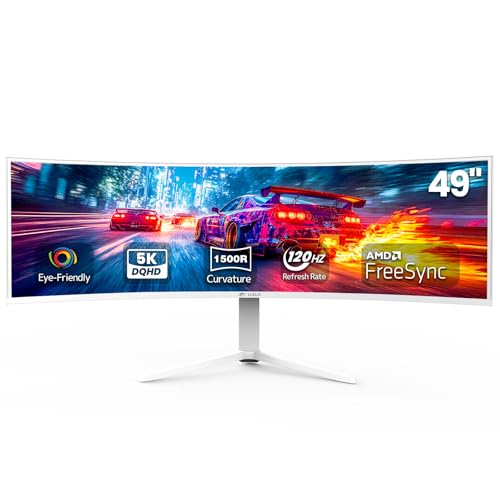
CRUA 49-Inch 120Hz DQHD Curved Monitor
Best for: dual-QHD multitasking and 120Hz curved gaming
- Screen Size
- 49"
- Resolution
- 5120x1440
- Refresh Rate
- 120Hz
- Aspect Ratio
- 32:9
- Sync Technology
- AMD FreeSync
- Connectivity
- HDMI 2.1, DP 1.4, 3.5mm audio
The CRUA 49-Inch 120Hz DQHD Curved Monitor gives you a 32:9 aspect ratio with 5120x1440 resolution. It combines a 1500R curve, a 120Hz refresh rate with AMD FreeSync, and a 3000:1 contrast ratio. You also get HDMI 2.1, DisplayPort 1.4, and a height-adjustable stand. This monitor suits you if you want dual-QHD multitasking and smooth gaming across a single ultra-wide display.
Pros
- 5120 x 1440 DQHD resolution across a 32:9 panel
- 1500R curvature for wide panoramic viewing
- 120Hz refresh rate with AMD FreeSync support
- Includes HDMI 2.1 and DisplayPort 1.4 inputs
- Height and tilt adjustable ergonomic stand
Cons
- No built-in speakers
- 120Hz refresh rate is lower than 165Hz or 240Hz models
- No USB-C connectivity included
Good fit if
- You want a 5120x1440 DQHD resolution on a 1500R curved 32:9 screen.
- You use external speakers or headphones via the 3.5mm audio jack.
- You need a stand with tilt and height adjustments.
Skip if
- You require integrated monitor speakers.
- You need a higher 165Hz or 240Hz refresh rate for competitive games.
- You want a single-cable USB-C display connection.
Verdict: CRUA 49-Inch 120Hz DQHD Curved Monitor delivers sharp 5120x1440 visuals and smooth FreeSync performance for wide desktop multitasking. It provides versatile ergonomic adjustments if you do not need built-in speakers.

MSI 49-Inch QD-OLED 240Hz Ultrawide Monitor
Best for: dual-system setups needing high-speed OLED performance
- Screen Size
- 49"
- Resolution
- 5120 x 1440
- Refresh Rate
- 240Hz
- Panel Type
- QD-OLED
- Response Time
- 0.03ms GtG
- Sync Technology
- G-SYNC Compatible
The MSI 49-Inch QD-OLED 240Hz Ultrawide Monitor gives you a 5120 x 1440 DQHD resolution across a 49-inch curved display. It pairs a fast 240Hz refresh rate with a 0.03ms GtG response time and G-SYNC compatibility for fluid motion. With built-in KVM hardware and VGA alongside HDMI connectivity, this display suits you if you run multiple systems and demand high-speed QD-OLED visuals for productivity or fast-paced gaming.
Pros
- 240Hz refresh rate with 0.03ms GtG response time
- 5120 x 1440 DQHD QD-OLED panel
- VESA DisplayHDR True Black 400 certification
- Integrated KVM switch to control multiple devices
- HDMI 2.1 console mode with 48 Gbps bandwidth
Cons
- No DisplayPort input listed in connectivity specifications
- QD-OLED panel relies on maintenance features to mitigate burn-in risk
- Wide 47.05-inch footprint requires substantial desk space
Good fit if
- You need 240Hz gaming performance paired with deep OLED black levels.
- You share peripherals between multiple computers via an integrated KVM switch.
- You require VGA connectivity alongside modern HDMI inputs.
Skip if
- You require a dedicated DisplayPort connection for your graphics card.
- You lack the physical space for a 47.05-inch wide, 22.2-pound display.
Verdict: MSI 49-Inch QD-OLED 240Hz Ultrawide Monitor delivers extreme 240Hz speed and deep contrast across an expansive 32:9 workspace. It is a capable choice if you manage multiple machines via KVM and value rapid response times.

Gawfolk 49-Inch 120Hz Curved DQHD Monitor
Best for: dual-source multitasking and 120Hz ultrawide gaming
- Screen Size
- 49"
- Resolution
- 5120x1440
- Refresh Rate
- 120Hz
- Aspect Ratio
- 32:9
- Response Time
- 1ms MPRT
- Sync Technology
- Adaptive-Sync / FreeSync Premium
The Gawfolk 49-Inch 120Hz Curved DQHD Monitor gives you an expansive 32:9 workspace equivalent to dual 27-inch displays. Its 5120x1440 resolution pairs with a 1500R curve and a 120Hz refresh rate with FreeSync Premium support. Built-in picture-in-picture and picture-by-picture modes let you manage two input sources simultaneously. It suits you if you want a wide canvas for desktop productivity, stock tracking, or casual ultrawide gaming.
Pros
- 5120x1440 DQHD resolution across a 32:9 aspect ratio
- 120Hz refresh rate with FreeSync Premium and 1ms MPRT
- Built-in PIP and PBP split-screen multitasking modes
- Height and tilt adjustable stand with 100x100mm VESA support
Cons
- HDMI 2.0 ports instead of HDMI 2.1
- No USB-C connectivity or power delivery listed
- No integrated speakers listed
Good fit if
- You want a dual-QHD 32:9 layout to replace two separate monitors
- You need hardware PIP or PBP to view two input devices at once
- You want a 1500R curved screen for daily multitasking or 120Hz gaming
Skip if
- You require a single-cable USB-C connection to display and charge a laptop
- You need refresh rates above 120Hz for high-frame-rate competitive gaming
Verdict: Gawfolk 49-Inch 120Hz Curved DQHD Monitor delivers solid 5120x1440 screen real estate, a comfortable 1500R curve, and hardware split-screen tools on an adjustable stand.

Gawfolk 49-Inch 240Hz Curved Gaming Monitor
Best for: High-refresh gaming on a tight 1500R curve
- Screen Size
- 49"
- Resolution
- 5K
- Refresh Rate
- 240Hz
- Sync Technology
- Free-Sync
- Dimensions
- 26 × 17 × 7 inches
The Gawfolk 49-Inch 240Hz Curved Gaming Monitor gives you an expansive 49-inch display with a 1500R curve to fill your peripheral field of view. It pairs a fast 240Hz refresh rate with FreeSync support to eliminate tearing during fast gameplay. The panel delivers a 3000:1 static contrast ratio alongside 8-bit+FRC color depth and 300 cd/m² brightness. This screen suits you if you want high-refresh ultrawide simulation or gaming on a deep curve.
Pros
- 240Hz refresh rate with FreeSync support
- 3000:1 contrast ratio for deep black levels
- 1500R curvature for immersive field of view
- Built-in crosshair feature for target aiming
Cons
- Moderate 300 cd/m² peak brightness
- Uses 8-bit+FRC rather than true 10-bit color
Good fit if
- You want a 240Hz refresh rate for fast-paced gaming.
- You prefer a 1500R curved screen for wide immersion.
- You prioritize a high 3000:1 contrast ratio.
Skip if
- You need a high-brightness panel exceeding 300 cd/m².
- You require true native 10-bit color processing.
Verdict: Gawfolk 49-Inch 240Hz Curved Gaming Monitor delivers high-speed 240Hz motion and deep 3000:1 contrast across an immersive 1500R ultrawide curve. It is a solid match for players seeking fluid frames on a 49-inch panel without needing extreme brightness.

Deco Gear 49-Inch 240Hz Curved Ultrawide Monitor
Best for: high-refresh sim racing and dual-source desktop workflows
- Screen Size
- 49"
- Resolution
- 5120x1440
- Refresh Rate
- 240Hz
- Panel Type
- Fast LCD
- Aspect Ratio
- 32:9
- Response Time
- 2.3ms OD
View on Amazon: Deco Gear 49-Inch 240Hz Curved Ultrawide Monitor
The Deco Gear 49-Inch 240Hz Curved Ultrawide Monitor delivers a 5120x1440 Dual QHD resolution across an expansive 32:9 aspect ratio. Its steep 1000R curve matches your peripheral vision, while the 240Hz refresh rate and 2.3ms overdrive keep motion clear. With two HDMI 2.1 ports, DisplayPort 1.4, and PIP/PBP functionality, it suits you if you run racing simulators, competitive games, or multi-window productivity tasks across dual systems.
Pros
- 5120 x 1440 Dual QHD resolution on a 32:9 panel
- 240Hz refresh rate with 2.3ms overdrive response time
- Deep 1000R curvature and 3000:1 contrast ratio
- Two HDMI 2.1 ports alongside DisplayPort 1.4
- Hardware PIP and PBP multi-device display modes
Cons
- No USB-C or built-in USB hub connectivity listed
- No integrated speakers included in the specifications
- Stand requires 15.6 inches of desktop depth
Good fit if
- You want a 240Hz refresh rate for fast-paced gaming or racing simulators.
- You need a tight 1000R curve to view edge-to-edge content without excessive head turning.
- You run two computers simultaneously via HDMI 2.1 and DisplayPort 1.4 using PIP/PBP.
Skip if
- You need a single-cable USB-C connection to display video and charge a laptop.
- You have a shallow desk that cannot support a 15.6-inch depth footprint.
Verdict: Deco Gear 49-Inch 240Hz Curved Ultrawide Monitor delivers fluid 240Hz Dual QHD performance and a deep 1000R curve for demanding gaming and multi-source workflows.

Z-Edge 49-Inch 165Hz Curved Ultrawide Monitor
Best for: dual-system productivity and high-refresh ultrawide gaming
- Screen Size
- 49"
- Resolution
- 5120x1440
- Refresh Rate
- 165Hz
- Aspect Ratio
- 32:9
- Response Time
- 1ms MPRT
- Sync Technology
- FreeSync
View on Amazon: Z-Edge 49-Inch 165Hz Curved Ultrawide Monitor
This 49-inch curved monitor combines a 5120x1440 Dual QHD resolution with a 165Hz refresh rate and a 1500R curve. It is built for setups where you switch between dual PCs or manage wide timeline workflows, thanks to an integrated KVM switch, Picture-by-Picture modes, and HDMI 2.1 connectivity. If you want high-density desktop real estate without sacrificing gaming frame rates, this display fits your productivity and gaming workstation needs.
Pros
- Dual QHD 5120x1440 resolution across a 32:9 ultrawide panel
- 165Hz refresh rate with FreeSync support and 1ms MPRT
- Built-in KVM switch with Picture-in-Picture and Picture-by-Picture modes
- Connectivity includes HDMI 2.1 and DisplayPort 1.4
Cons
- Stand adjustment is limited to tilt and height without horizontal swivel
- Response time is specified as 1ms MPRT rather than standard gray-to-gray
Good fit if
- You want to control two computers using one keyboard and mouse through a built-in KVM switch.
- You need a 5120x1440 Dual QHD screen with a 165Hz refresh rate for gaming and work.
- You rely on Picture-in-Picture or Picture-by-Picture modes to view multiple inputs side by side.
Skip if
- You need a monitor stand that supports horizontal swivel adjustments.
- You require a published gray-to-gray response time specification instead of MPRT.
Verdict: Z-Edge 49-Inch 165Hz Curved Ultrawide Monitor delivers a 5120x1440 Dual QHD workspace paired with a 165Hz refresh rate and integrated KVM switching. It gives you seamless two-PC management and smooth gaming performance on a single 32:9 screen.

Samsung 49-Inch Odyssey G9 240Hz Curved Monitor
Best for: high-refresh competitive ultrawide gaming
- Screen Size
- 49"
- Resolution
- 5120 x 1440
- Refresh Rate
- 240Hz
- Response Time
- 1ms
- Sync Technology
- AMD FreeSync Premium Pro
View on Amazon: Samsung 49-Inch Odyssey G9 240Hz Curved Monitor
The Samsung 49-Inch Odyssey G9 240Hz Curved Monitor gives you an expansive 5120 x 1440 Dual QHD panel wrapped in an aggressive 1000R curve. It pairs a rapid 240Hz refresh rate with a 1ms response time and AMD FreeSync Premium Pro support. VESA DisplayHDR 1000 delivers up to 1,000 nits of peak brightness. This display suits you if you want high-speed gaming specs across a super-ultrawide desktop workspace.
Pros
- 240Hz refresh rate with 1ms response time
- 5120 x 1440 DQHD resolution on a 1000R curved screen
- VESA DisplayHDR 1000 with 1,000-nit peak brightness
- AMD FreeSync Premium Pro support
- Ergonomic adjustable stand included
Cons
- Renewed hardware rather than factory-new condition
- Deep 1000R curvature demands considerable desk space
- No USB-C connectivity listed in specifications
Good fit if
- You play fast-paced games requiring a 240Hz refresh rate and 1ms response time.
- You want deep immersion via a tight 1000R curve and 1,000-nit peak HDR brightness.
- You need a 5120 x 1440 Dual QHD panel equipped with an adjustable ergonomic stand.
Skip if
- You prefer a factory-new unit instead of a renewed model.
- You prefer a flatter curvature for standard productivity work.
- You require single-cable USB-C connectivity.
Verdict: Samsung 49-Inch Odyssey G9 240Hz Curved Monitor delivers 240Hz DQHD speed, 1,000-nit HDR brightness, and 1000R curve immersion. It stands out among the 15 monitors in this guide for dedicated gaming setups.

INNOCN 49-Inch 120Hz Curved Ultrawide Monitor
Best for: dual-source productivity and casual ultrawide gaming
- Screen Size
- 49"
- Resolution
- 5120 x 1440P
- Refresh Rate
- 120Hz
- Aspect Ratio
- 32:9
- Sync Technology
- Adaptive-Sync
- Connectivity
- DP 1.4, USB-C 65W, HDMI 2.1, RJ45
View on Amazon: INNOCN 49-Inch 120Hz Curved Ultrawide Monitor
The INNOCN 49-inch curved ultrawide monitor gives you a 5120 x 1440 Dual QHD resolution on an 1800R curved VA panel. It operates at a 120Hz refresh rate and includes Adaptive-Sync for smooth frames. Built-in productivity ports include a 65W USB-C interface and RJ45 ethernet alongside Picture-by-Picture support. It suits you if you need expansive desktop space for multitasking between two source devices while maintaining fluid everyday gaming performance.
Pros
- Dual QHD 5120 x 1440 resolution with 3000:1 contrast ratio
- USB-C port with 65W power delivery and wired RJ45 ethernet
- Tilt, swivel, and height-adjustable stand
- PIP and PBP support for dual-source viewing
Cons
- 120Hz refresh rate is lower than 144Hz or 240Hz models
- Curvature is 1800R, less pronounced than 1500R or 1000R designs
- DisplayHDR 400 provides entry-level high dynamic range performance
Good fit if
- You want to dock a laptop using 65W USB-C power delivery and wired ethernet.
- You display two computers simultaneously via Picture-by-Picture.
- You prefer a gentler 1800R screen curve for mixed productivity work.
Skip if
- You require high competitive refresh rates above 120Hz.
- You want an aggressive 1000R curvature for wrap-around immersion.
Verdict: INNOCN 49-Inch 120Hz Curved Ultrawide Monitor combines a 5120 x 1440 VA screen with 65W USB-C docking, ethernet, and dual-device split-screen modes. It provides a balanced workstation setup for users splitting screen time between office laptops and 120Hz gaming.
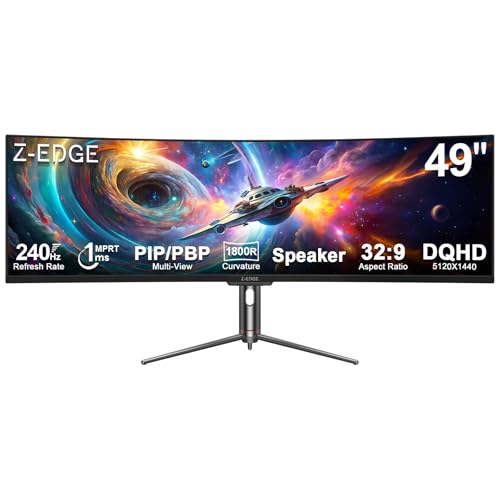
Z-Edge 49-Inch 240Hz Curved Ultrawide Monitor
Best for: high-refresh dual-input gaming and multitasking
- Screen Size
- 49"
- Resolution
- 5120x1440
- Refresh Rate
- 240Hz
- Response Time
- 1ms
- Sync Technology
- FreeSync
- Connectivity
- 1x HDMI 2.1, 2x DP 1.4, 1x USB-C
View on Amazon: Z-Edge 49-Inch 240Hz Curved Ultrawide Monitor
The Z-Edge 49-inch curved ultrawide monitor pairs a 5120x1440 DQHD resolution with a 240Hz refresh rate and an 1800R curve. You get a 1ms response time, FreeSync support, and a 3000:1 contrast ratio. Built-in speakers, USB-C video input, and picture-by-picture modes let you view multiple sources simultaneously. It suits you if you want high-frame-rate gaming and multi-device productivity across a wide 32:9 workspace.
Pros
- 240Hz refresh rate with 1ms response time
- 5120x1440 DQHD resolution with 1800R curvature
- HDMI 2.1, two DisplayPort 1.4 ports, and USB-C video input
- 3000:1 contrast ratio and 99% sRGB color coverage
- Hardware PIP and PBP split-screen support plus integrated speakers
Cons
- USB-C port does not list laptop power delivery wattage
- 1800R curve is less pronounced than 1000R or 1500R alternatives
Good fit if
- You need a 240Hz refresh rate for fast-motion gaming at 5120x1440.
- You connect two computers to one screen using PIP or PBP modes.
- You prefer a milder 1800R curvature across a 49-inch display.
Skip if
- You want an aggressive 1000R curve for maximum peripheral wrap.
- You require single-cable USB-C laptop charging.
Verdict: Z-Edge 49-Inch 240Hz Curved Ultrawide Monitor delivers high-speed 5120x1440 gaming performance alongside flexible multi-source display inputs. Its 1800R curve and split-screen features make it an effective replacement for a dual-monitor desk setup.
Specifications side by side
| Spec | Amzfast 49-Inch 120Hz DQHD Curved Monitor | Samsung Odyssey G9 49-Inch 144Hz Curved Monitor | Samsung 49-Inch Curved DQHD 120Hz Monitor | CRUA 49-Inch 165Hz Curved Ultrawide Monitor | Samsung 49-Inch Odyssey QD-OLED Gaming Monitor | Samsung 49-inch Odyssey QD-OLED Gaming Monitor | CRUA 49-Inch 120Hz DQHD Curved Monitor | MSI 49-Inch QD-OLED 240Hz Ultrawide Monitor | Gawfolk 49-Inch 120Hz Curved DQHD Monitor | Gawfolk 49-Inch 240Hz Curved Gaming Monitor | Deco Gear 49-Inch 240Hz Curved Ultrawide Monitor | Z-Edge 49-Inch 165Hz Curved Ultrawide Monitor | Samsung 49-Inch Odyssey G9 240Hz Curved Monitor | INNOCN 49-Inch 120Hz Curved Ultrawide Monitor | Z-Edge 49-Inch 240Hz Curved Ultrawide Monitor |
|---|---|---|---|---|---|---|---|---|---|---|---|---|---|---|---|
| Screen Size | 49" | 49" | 49" | 49" | 49" | 49" | 49" | 49" | 49 inch | 49" | 49" | 49" | 49" | 49" | 49 Inch |
| Resolution | 5120 x 1440 | DQHD | Dual QHD | 5120x1440 | 5120 x 1440 | not specified | 5120x1440 | 5120 x 1440 | 5120x1440 | 5K | 5120x1440 | 5120x1440 | 5120 x 1440 | 5120 x 1440P | 5120x1440 |
| Refresh Rate | 120Hz | 144Hz | 120Hz | 144Hz/165Hz | 144Hz | 240Hz | 120Hz | 240Hz | 120Hz | 240Hz | 240Hz | 165Hz | 240Hz | 120Hz | 240Hz |
| Panel Type | not specified | not specified | not specified | not specified | QD-OLED | QD-OLED | not specified | QD-OLED | not specified | not specified | Fast LCD | not specified | not specified | not specified | not specified |
| Aspect Ratio | not specified | 32:9 | 32:9 | 32:9 | 32:9 | not specified | 32:9 | not specified | 32:9 | not specified | 32:9 | 32:9 | not specified | 32:9 | not specified |
| Response Time | 1ms MPRT | 1ms | not specified | not specified | 0.03ms | 0.03ms (GTG) | not specified | 0.03ms GtG | 1ms MPRT | not specified | 2.3ms OD | 1ms MPRT | 1ms | not specified | 1ms |
| Sync Technology | Adaptive Sync | AMD FreeSync Premium Pro | not specified | AMD FreeSync | G-Sync Compatible, AMD FreeSync Premium | G-Sync Compatible | AMD FreeSync | G-SYNC Compatible | Adaptive-Sync / FreeSync Premium | Free-Sync | Adaptive Sync | FreeSync | AMD FreeSync Premium Pro | Adaptive-Sync | FreeSync |
| Connectivity | 2 x HDMI 2.0, 2 x DP 1.4 | not specified | DisplayPort, HDMI, USB, USB Type-C | HDMI 2.1, DP 1.4, 3.5mm audio | not specified | HDMI 2.1, DisplayPort, USB | HDMI 2.1, DP 1.4, 3.5mm audio | HDMI 2.1, DisplayPort, VGA | HDMI 2.0, DisplayPort 1.4 | not specified | 2 HDMI 2.1, DP 1.4 | HDMI 2.1, DP 1.4 | not specified | DP 1.4, USB-C 65W, HDMI 2.1, RJ45 | 1x HDMI 2.1, 2x DP 1.4, 1x USB-C |
| Size | 49 Inch | 144Hz Refresh Rate | 49 Inch | 49 Inch | 144Hz Refresh Rate | 240Hz Refresh Rate | 49Inch | 49" | 49 in | 49in | 49 inch-144 | 49 Inch | not specified | 49 Inch | 49 Inch |
| Dimensions | 11.6 × 46.7 × 22.3 inches | 16.6 × 45.2 × 22.4 inches | 22.4 × 45.2 × 16.6 inches | 1.9 × 46 × 16 inches | 11.2 × 47 × 20.8 inches | 11.2 × 47.1 × 20.9 inches | 1.9 × 46 × 16 inches | 12.9 × 47.1 × 16.2 inches | 1.9 × 46 × 19 inches | 26 × 17 × 7 inches | 15.6 × 45.3 × 22.5 inches | 10.9 × 46.8 × 21.4 inches | not specified | 6.28 × 45.5 × 14.6 inches | 11.4 × 47.2 × 22.3 inches |
| Weight | 24.1 pounds | 34.4 pounds | 32.2 pounds | not specified | 28.4 pounds | 27.8 pounds | not specified | 22.2 pounds | 17 pounds | not specified | 25.4 pounds | not specified | not specified | not specified | not specified |
| Color | Black | Aluminum Silver | 0 | Black | Aluminum Silver | Aluminum Silver | White | Black | black | black | Black | Black | not specified | black | Black |
| Model | AMZG49C7U | LS49FG910ENXZA | LS49C954UANXZA | CR490QB | LS49DG910SNXZA | LS49CG932SNXZA | CR490QC | MPG 491CQPX QD-OLED | GF490E | GF490D | FBADGSKY49HL | UG49W | LS49CG95DENXZA | H3CQR-P | UG49P |
Is a 49-inch ultrawide monitor worth it?
A 49-inch display delivers a continuous horizontal span that measures between 45 and 47 inches wide across your desk. This physical footprint eliminates center bezels found in two-panel setups, but it demands substantial desk space and structural support. These monitors measure up to 16.5 inches deep and weigh as much as 34 pounds. Integrated screen curves ranging from 1000R to 1800R bring the outer edges into your visual field. This format allows you to view multiple program windows or dual input sources across a single uninterrupted panel.
Worth it if
- You want an uninterrupted horizontal workspace without a physical center bezel dividing your screen.
- You have a desk surface large enough to support a display measuring up to 47 inches wide and 16.5 inches deep.
Skip it if
- You work on a compact desk that cannot accommodate a 45-to-47-inch chassis width.
- You use a monitor mount or desk setup unable to hold up to 34 pounds.
If you need a secondary screen for travel instead of a fixed desktop display, a portable monitor with HDMI offers a compact solution.
How We Picked These Monitors
We identified each display for this guide by confirming a 49-inch screen size in the product title or feature list. To keep choices distinct, you will see only one variant per product family. Every detail comes directly from manufacturer listings, as we evaluate published specifications rather than physically handling the monitors.
The 15 models are ordered with products in stock first, then by Amazon sales rank, placing better-selling products first. You can compare other primary specifications like Dual QHD resolution, refresh rates, and port selections across the list to find the right ultrawide setup for your desk.
Key Specs for Choosing a 49-Inch Monitor
-
Evaluate the Curvature Radius
Check the curvature rating before choosing a 49-inch screen. Curvature is measured in millimeters of radius, denoted by R. A lower number indicates an aggressive curve. A tight 1000R curve wraps closer to your field of vision, which reduces eye movement during simulation gaming. A gentler curve, such as 1500R or 1800R, creates a flatter visual plane that keeps straight horizontal lines uniform for office tasks. The CRUA 49-Inch 165Hz Curved Ultrawide Monitor uses a 1500R curve, offering a balanced middle ground between immersion and document alignment.
-
Select the Panel Technology
Examine the panel type to match your primary visual requirements. QD-OLED panels provide deep black levels and near-instant pixel responsiveness. For example, the Samsung 49-Inch Odyssey QD-OLED Gaming Monitor lists a 0.03ms response time to eliminate motion blur in fast-moving content. Standard VA panels deliver deep native contrast, such as 3000:1, making them reliable options for daily office work and static screen elements. If you prioritize rapid motion clarity and contrast over standard desktop productivity, select a QD-OLED display.
-
Match Adaptive Sync Technology
Verify the variable refresh rate specification against your graphics processor. Displays in this category feature dedicated synchronization standards such as AMD FreeSync or NVIDIA G-SYNC. These protocols align the monitor refresh rate to your GPU frame output to eliminate visual tearing and stuttering. The CRUA 49-Inch 120Hz DQHD Curved Monitor specifies FreeSync support, making it well-suited for AMD systems. If your PC uses an NVIDIA graphics card, verify G-SYNC support on the spec sheet before finalizing your choice.
-
Check Total Panel Weight
Review the display weight if you plan to install an aftermarket monitor arm or heavy-duty desk clamp. A 49-inch ultrawide chassis places heavy torque on mounting hardware. Listed weights vary significantly across different models. The Gawfolk 49-Inch 120Hz Curved DQHD Monitor weighs 17 pounds, which fits standard heavy-duty monitor arms. In contrast, heavier displays exceed 34 pounds. Always confirm the net weight specification on the monitor product sheet before choosing mounting equipment to ensure structural stability and prevent monitor sag.
-
Verify Video Port Types
Examine the input port types to ensure direct compatibility with your source hardware. Most 49-inch ultrawide monitors include standard modern inputs like DisplayPort and HDMI. However, some models offer specialized connections for specific hardware environments. For instance, the MSI 49-Inch QD-OLED 240Hz Ultrawide Monitor includes a legacy VGA port alongside standard HDMI ports. Check your computer video outputs before purchasing. Selecting a monitor with matching native ports eliminates the need for external adapter dongles when connecting desktop towers or legacy systems.
-
Look for Integrated KVM
Check for built-in KVM functionality if you manage two separate computer systems at the same workstation. An integrated KVM switch allows you to control two connected PCs using a single keyboard and mouse. The Z-Edge 49-Inch 165Hz Curved Ultrawide Monitor includes integrated KVM switching to streamline multi-machine management across its 5120x1440 screen. If you only connect a single gaming PC or desktop tower, a dedicated KVM switch is unnecessary, and you can focus strictly on core display specifications.
Frequently asked questions
What aspect ratio do 49-inch ultrawide monitors use?
A 49-inch ultrawide monitor uses a 32:9 super ultrawide aspect ratio. This layout is equivalent to placing two 27-inch 16:9 screens side by side without a divider. At a 5120 x 1440 resolution, the panel provides double the horizontal pixel count of standard QHD displays, giving you extensive horizontal room for open windows or flight simulators.
What graphics card do you need to drive a 49-inch monitor?
You need a graphics card capable of driving a 5120 x 1440 resolution over modern display outputs. Standard desktop tasks require DisplayPort 1.4 or HDMI 2.0 and above. For high-refresh gaming at 144Hz or 240Hz, you will need a modern GPU supporting DisplayPort with display stream compression or HDMI 2.1 to deliver high frame rates smoothly across over seven million pixels.
What performance advantages do QD-OLED ultrawide panels provide?
QD-OLED panels provide near-instant pixel response times and true black levels. Listings for displays like the Samsung Odyssey QD-OLED and MSI 49-Inch show response times down to 0.03ms paired with refresh rates reaching 240Hz. The self-lit pixels eliminate the blooming seen on traditional backlit screens, providing crisp clarity during high-speed motion in games and precise contrast across dark desktop backgrounds.
Can you connect and view two computers simultaneously on a 49-inch monitor?
Yes, many 49-inch displays include hardware split-screen and multi-source modes. Models like the Gawfolk GF490E, INNOCN 49-inch, and Z-Edge UG49W support dual-input workflows. Furthermore, options equipped with integrated KVM switching let you control both connected systems using one keyboard and mouse, effectively turning the single ultrawide panel into two independent borderless displays fed by separate machines.
How much do 49-inch ultrawide monitors weigh?
Published specifications show weights typically range between 17 and 35 pounds depending on panel construction and stand materials. For example, the Gawfolk GF490E weighs around 17 pounds, while the Samsung Odyssey G9 LS49FG910ENXZA reaches 34.39 pounds. If you intend to mount your monitor on a third-party arm, you must confirm the mounting arm can support your specific model's total weight.
Do 49-inch ultrawide monitors support variable refresh rate technology?
Yes, listed 49-inch displays frequently include FreeSync or G-SYNC compatibility. Models such as the CRUA CR490QB feature FreeSync, while the MSI MPG 491CQPX specifies G-SYNC support. These variable refresh rate technologies synchronize the monitor's refresh rate to the frame output of your graphics card. This eliminates screen tearing and minimizes input stutter during fast-paced gaming sessions.
Do all 49-inch ultrawide monitors come with integrated audio?
No, integrated speakers are not standard on every 49-inch ultrawide monitor. Several models, including the CRUA CR490QB and CR490QC, note that you will need external audio hardware. If you rely on monitor-driven sound, verify the listing specifications for internal stereo speakers or dedicated audio passthrough jacks before setting up your desk arrangement.