Best LG Ultrawide Monitors with USB-C in 2026: 15 Picks
As an Amazon Associate we earn from qualifying purchases. Links on this page are affiliate links.
Finding the best LG ultrawide monitors with USB-C requires looking at how each display handles connectivity and workspace demands. Our top pick, the LG 34-Inch Curved Ultrawide USB-C Monitor, leads because it offers a 100Hz refresh rate and 65W charging in a single cable setup. We compared 15 models based strictly on published specifications. This guide helps you decide which screen size and resolution fit your desk and laptop workflow.
Quick picks
The best fit for you
- You want the best overall ultrawide for office work LG 34-Inch Curved Ultrawide USB-C Monitor It offers 34-inch WQHD resolution, 100Hz refresh rate, and 65W USB-C charging.
- You need a compact 4K monitor for laptop docking LG 27-Inch 4K UHD USB-C Monitor It provides 27-inch 4K UHD clarity with 90W USB-C power delivery.
- You prefer high-end OLED gaming with ultrawide visuals LG 34-Inch Curved OLED Gaming Monitor It delivers 34-inch 3440 x 1440 OLED display with 240Hz refresh rate.
Our 15 picks

LG 34-Inch Curved Ultrawide USB-C Monitor
Best for: multitasking office work with dual-source laptop setups
- Connectivity
- DisplayPort, HDMI, USB-C (what this guide is about)
- Screen Size
- 34"
- Resolution
- 3440 x 1440
- Refresh Rate
- 100Hz
- Aspect Ratio
- 21:9
- Response Time
- 5ms
View on Amazon: LG 34-Inch Curved Ultrawide USB-C Monitor Affiliate link
This 34-inch curved ultrawide display gives you a 21:9 aspect ratio with 3440 x 1440 WQHD resolution. It features a USB-C port delivering 65W power delivery, two HDMI inputs, and DisplayPort connectivity. With a 100Hz refresh rate, Picture-by-Picture support, and an adjustable stand, you can display two sources side by side. It suits home office multitasking and split-screen productivity.
Pros
- USB-C port supplies up to 65W power delivery
- 3440 x 1440 WQHD resolution on a 21:9 curved panel
- Picture-by-Picture allows viewing two input sources simultaneously
- Ergonomic stand provides height and tilt adjustments
Cons
- 65W USB-C power delivery limits charging for high-draw laptops
- 5ms response time trails fast-paced gaming displays
- No built-in speakers listed
Good fit if
- You need 65W USB-C power delivery to charge a laptop over a single cable.
- You want to view two computer inputs simultaneously using Picture-by-Picture.
- You require an ergonomic stand with height and tilt adjustments for a 3440 x 1440 screen.
Skip if
- You require more than 65W power delivery to keep your laptop charged.
- You play competitive games requiring lower response times than 5ms.
Verdict: LG 34-Inch Curved Ultrawide USB-C Monitor provides expansive WQHD workspace, 65W laptop charging, and hardware multitasking controls for productivity setups. Its 100Hz curved display delivers comfortable viewing without requiring a dual-monitor footprint.

LG 27-Inch 4K UHD USB-C Monitor
Best for: single-cable 4K laptop workstations
- Connectivity
- DisplayPort, HDMI, USB-C (what this guide is about)
- Screen Size
- 27-inch
- Resolution
- 3840 x 2160
- Refresh Rate
- 60Hz
- Panel Type
- IPS
- Dimensions
- 9.4 × 24.2 × 22.4 inches
View on Amazon: LG 27-Inch 4K UHD USB-C Monitor Affiliate link
The LG 27-Inch UltraFine 4K USB-C Monitor delivers 3840 x 2160 resolution on an IPS panel. You get a USB-C port that provides data transfer and 90W power delivery to charge your connected laptop. Additional specs include 95% DCI-P3 color gamut coverage, VESA DisplayHDR 400, and integrated stereo speakers. This screen suits you if you need sharp 4K clarity, accurate color, and simplified single-cable docking for your daily desk setup.
Pros
- USB-C connectivity with 90W power delivery
- Sharp 3840 x 2160 4K UHD IPS panel
- 95% DCI-P3 color gamut support
- Integrated stereo speakers with Waves MaxxAudio
- VESA DisplayHDR 400 certification
Cons
- Standard 27-inch 16:9 screen rather than an ultrawide format
- HDR capability limited to DisplayHDR 400 brightness levels
Good fit if
- You want 90W USB-C charging to run your laptop through a single cable.
- You need 4K resolution and 95% DCI-P3 color coverage for detailed work.
- You prefer built-in audio speakers to save physical desk space.
Skip if
- You require an ultrawide 21:9 aspect ratio for horizontal timeline editing.
- You need higher dynamic range performance than DisplayHDR 400 provides.
Verdict: LG 27-Inch UltraFine 4K USB-C Monitor delivers crisp 4K visual detail alongside robust 90W power delivery. It serves as a compact workstation hub if you value sharp pixel density over an ultrawide screen.

LG 34-Inch UltraWide 1080p IPS Monitor
Best for: Full HD ultrawide productivity and multitasking
- Connectivity
- DisplayPort, HDMI, USB-C (what this guide is about)
- Screen Size
- 34"
- Resolution
- 2560 x 1080
- Refresh Rate
- 100Hz
- Panel Type
- IPS
- Aspect Ratio
- 21:9
View on Amazon: LG 34-Inch UltraWide 1080p IPS Monitor Affiliate link
This 34-inch display provides a 21:9 ultrawide IPS panel with a 2560 x 1080 resolution and a 100Hz refresh rate. It includes a USB-C port that handles display output and data transfer through a single cable, alongside HDMI and DisplayPort inputs. Built-in stereo speakers and VESA DisplayHDR 400 round out the hardware. It suits you if you need wide horizontal screen real estate for multitasking without driving a demanding 1440p resolution.
Pros
- 21:9 ultrawide IPS panel with 99% sRGB coverage
- 100Hz refresh rate for smooth visuals
- USB-C port handles video signal and data transfer
- Built-in stereo speakers with Waves MaxxAudio
- VESA DisplayHDR 400 support
Cons
- 2560 x 1080 resolution offers lower pixel density on a 34-inch screen than 1440p ultrawides
- USB-C power delivery wattage is not specified in the specs
Good fit if
- You want 21:9 horizontal screen space without the graphics load of a 1440p monitor.
- You need a single USB-C cable for video output and data transfer from your laptop.
- You prefer built-in stereo speakers to reduce desktop hardware clutter.
Skip if
- You require crisp text clarity and high pixel density from 1440p or 4K panels.
- You need guaranteed high-wattage laptop charging over USB-C.
Verdict: LG 34-Inch UltraWide 1080p IPS Monitor delivers expansive horizontal screen space, a smooth 100Hz refresh rate, and convenient USB-C connectivity. It is a solid choice if you want ultrawide multitasking without moving up to higher-resolution hardware demands.

LG 34-Inch Curved WQHD IPS Monitor
Best for: Multitasking and media consumption with USB-C charging
- Connectivity
- DisplayPort, HDMI, USB-C (what this guide is about)
- Screen Size
- 34"
- Resolution
- 3440 x 1440
- Refresh Rate
- 100Hz
- Panel Type
- IPS
- Aspect Ratio
- 21:9
View on Amazon: LG 34-Inch Curved WQHD IPS Monitor Affiliate link
The LG 34U650A-B is a 34-inch curved IPS monitor with a 3440 x 1440 resolution and 100Hz refresh rate. It features USB-C connectivity delivering up to 96W of power, along with built-in speakers. This display offers 99% sRGB color coverage and HDR10 support. It suits users seeking a balanced ultrawide screen for multitasking and media consumption with a clean desk setup.
Pros
- USB-C port provides up to 96W laptop charging
- 3440 x 1440 WQHD resolution on a 21:9 panel
- 99% sRGB color coverage with HDR10 support
- Built-in speakers with DepthSound technology
Cons
- 100Hz refresh rate is lower than the 144Hz option
- 5ms response time is slower than the 1ms OLED models
- 22.3 pounds weight is heavier than the 27-inch variants
Good fit if
- You need a single cable for display and 96W charging
- You want a curved 21:9 screen for multitasking
- You prefer built-in audio to reduce desk clutter
Skip if
- You require a 144Hz or higher refresh rate for gaming
- You prefer a flat panel over a curved display
- You need a lighter monitor for easy desk movement
Verdict: LG 34U650A-B 34-inch WQHD IPS Monitor provides a solid ultrawide experience with 96W USB-C charging and 99% sRGB color accuracy, fitting users who value multitasking space and cable simplicity over high-speed gaming performance.

LG 32-Inch 4K IPS Monitor with USB-C
Best for: standard 60Hz 4K desktop productivity
- Connectivity
- DisplayPort, HDMI, USB-C (what this guide is about)
- Screen Size
- 32"
- Resolution
- 3840 x 2160
- Refresh Rate
- 60Hz
- Panel Type
- IPS
- Size
- 32 Inch
View on Amazon: LG 32-Inch 4K IPS Monitor with USB-C Affiliate link
This is a 32-inch 4K UHD monitor built with an IPS panel and a standard 60Hz refresh rate. It delivers a 3840 x 2160 resolution alongside a USB-C port that handles video, data, and up to 60W of power delivery over one cable. You get integrated speakers and an adjustable stand with height, tilt, and pivot controls. It suits you if you need crisp detail for daily productivity.
Pros
- 3840 x 2160 4K UHD resolution on an IPS panel
- USB-C port handles video, data, and up to 60W power delivery
- Ergonomic stand adjusts for height, tilt, and pivot
- Includes built-in speakers
Cons
- Refresh rate is capped at 60Hz
- USB-C power output tops out at 60W
Good fit if
- You need 4K UHD resolution on a 32-inch IPS panel.
- You want single-cable USB-C connectivity with 60W charging.
- You require height, tilt, and pivot ergonomic adjustments.
Skip if
- You want a refresh rate higher than 60Hz.
- You require more than 60W of USB-C power delivery.
Verdict: LG 32-Inch 4K UHD USB-C IPS Monitor offers sharp 3840 x 2160 visuals and single-cable convenience for workstation tasks. Its 60Hz refresh rate and 60W charging focus on everyday computing rather than high-performance gaming.

LG 27-inch QHD 100Hz IPS Monitor
Best for: basic USB-C setups and casual 1440p computing
- Connectivity
- HDMI, USB-C (what this guide is about)
- Screen Size
- 27-inch
- Resolution
- 2560 x 1440
- Refresh Rate
- 100Hz
- Panel Type
- IPS
- Response Time
- 5ms (GTG)
View on Amazon: LG 27-inch QHD 100Hz IPS Monitor Affiliate link
This display pairs a 27-inch IPS panel with a 2560 x 1440 resolution and a 100Hz refresh rate. It includes a USB-C port offering up to 15W power delivery alongside an HDMI input. With 99% sRGB coverage, HDR10 support, and built-in webOS streaming, this monitor suits you if you want a sharp desktop workspace that handles daily office tasks, multimedia, and casual gaming without requiring high-end workstation hardware.
Pros
- 2560 x 1440 QHD resolution on an IPS panel
- 100Hz refresh rate with 5ms response time
- USB-C port supports video and up to 15W power delivery
- Covers 99% sRGB color space with HDR10 support
- Built-in webOS platform and Switch App window splitting
Cons
- USB-C power delivery is limited to 15W
- Standard 16:9 aspect ratio rather than ultrawide
- Port selection is limited to HDMI and USB-C
Good fit if
- You want a 27-inch 1440p IPS screen with a 100Hz refresh rate.
- You use built-in webOS streaming tools alongside PC input.
- You need basic single-cable video input via USB-C for low-draw devices.
Skip if
- You need high-wattage USB-C power delivery to charge a laptop.
- You want a true 21:9 ultrawide panoramic display format.
- You require refresh rates higher than 100Hz for competitive gaming.
Verdict: LG 27-Inch 1440p 100Hz IPS Monitor delivers clear QHD visuals and smooth motion for everyday productivity and media. Its 15W USB-C port handles video input well, though you will need a separate charger for high-draw laptops.

LG 34-Inch Curved OLED Gaming Monitor
Best for: fast-paced ultrawide gaming over USB-C
- Connectivity
- DisplayPort, HDMI, USB-C (what this guide is about)
- Screen Size
- 34-Inch
- Resolution
- 3440 x 1440
- Refresh Rate
- 240Hz
- Panel Type
- OLED
- Response Time
- 0.03ms (GtG)
View on Amazon: LG 34-Inch Curved OLED Gaming Monitor Affiliate link
The LG 34-Inch UltraGear Curved OLED Monitor pairs a 3440 x 1440 OLED panel with USB-C, DisplayPort 1.4, and HDMI 2.1 connectivity. It offers a 240Hz refresh rate, a 0.03ms response time, and an aggressive 800R curve. You get 98.5% DCI-P3 color coverage alongside G-Sync and FreeSync Premium Pro support. It suits you if you want high-speed gaming performance and single-cable laptop docking on an ultrawide desktop display.
Pros
- Fast 240Hz refresh rate and 0.03ms GtG response time
- OLED panel with 98.5% DCI-P3 and DisplayHDR True Black 400
- HDMI 2.1, DisplayPort 1.4, and USB Type-C connectivity
- NVIDIA G-SYNC and AMD FreeSync Premium Pro support
Cons
- Steep 800R curvature can distort straight lines in desktop productivity tasks
- Requires OLED care routines such as pixel cleaning to maintain the panel
- Specific USB-C power delivery wattage is not detailed in the specifications
Good fit if
- You need ultra-fast 240Hz motion clarity and a 0.03ms response time for gaming.
- You want deep OLED contrast with DisplayHDR True Black 400 and wide DCI-P3 color.
- You prefer an immersive 800R curve with modern USB-C and HDMI 2.1 ports.
Skip if
- You prefer a flat monitor or a less aggressive curve for design work.
- You do not want to manage OLED maintenance routines like pixel cleaning.
- You need a native resolution higher than 3440 x 1440.
Verdict: LG 34-Inch UltraGear Curved OLED Monitor provides fluid 240Hz motion handling and high contrast on an ultrawide canvas. Its steep 800R curve and USB-C connectivity make it a focused choice for immersive desktop setups.

LG 45-Inch 5K2K Curved OLED Gaming Monitor
Best for: high-resolution ultrawide gaming and 90W laptop workflows
- Connectivity
- USB-C (what this guide is about)
- Screen Size
- 45"
- Resolution
- 5120 x 2160
- Refresh Rate
- 165Hz, 330Hz
- Panel Type
- OLED
- Aspect Ratio
- 21:9
View on Amazon: LG 45-Inch 5K2K Curved OLED Gaming Monitor Affiliate link
This 45-inch curved ultrawide pairs a 5120 x 2160 OLED panel with a 21:9 aspect ratio and USB-C connectivity delivering 90W of power. It suits you if you want expansive screen real estate for sharp multitasking alongside high-performance gaming. A hardware dual-mode switch lets you alternate between 5K2K at 165Hz and Wide Full HD at 330Hz, supported by DisplayPort 2.1, dual HDMI 2.1 ports, and a 0.03ms response time.
Pros
- 5120 x 2160 resolution with 125 PPI text clarity
- USB-C port with 90W power delivery
- Dual-mode refresh rates of 165Hz at 5K2K or 330Hz at WFHD
- DisplayPort 2.1 and two HDMI 2.1 inputs
- 0.03ms GtG response time with FreeSync Premium Pro and G-SYNC support
Cons
- Large footprint requiring 39 inches of desk width and 13.5 inches of depth
- Heavy overall weight at 30.9 pounds
- Reaching the 330Hz maximum refresh rate requires lowering resolution to WFHD
Good fit if
- You want a single-cable laptop workstation setup with 90W USB-C charging.
- You require high pixel density and 5120 x 2160 resolution on an ultrawide OLED panel.
- You play both visual-heavy single-player titles and high-framerate competitive games.
Skip if
- You have a shallow or small desk that cannot accommodate a 39-inch wide, 30.9-pound frame.
- You want top refresh rates without lowering your native resolution.
Verdict: LG 45-Inch 5K2K Curved OLED Gaming Monitor delivers top-tier 5120 x 2160 visual clarity, fast dual-mode refresh rates, and 90W USB-C power delivery on an expansive curved screen.

LG 32-Inch 4K Dual-Mode OLED Monitor
Best for: dual-resolution competitive and cinematic gaming
- Connectivity
- USB-C (what this guide is about)
- Screen Size
- 32-inch
- Resolution
- 3840 x 2160
- Refresh Rate
- 240Hz
- Panel Type
- OLED
- Response Time
- 0.03ms (GtG)
View on Amazon: LG 32-Inch 4K Dual-Mode OLED Monitor Affiliate link
This 32-inch OLED monitor connects using USB-C and DisplayPort 2.1. It features a Dual-Mode design that lets you run 4K visuals at 240Hz or switch to 1080p at 480Hz. The panel provides a 0.03ms response time and VESA DisplayHDR True Black 400 contrast. It suits you if you want high-speed competitive frame rates and sharp 4K resolution on a single display.
Pros
- Dual-Mode toggles between 4K at 240Hz and Full HD at 480Hz
- Fast 0.03ms GtG response time for minimal motion blur
- OLED panel with 1.5M:1 contrast and True Black 400
- Full ergonomic stand with height, tilt, swivel, and pivot
Cons
- Standard 16:9 aspect ratio rather than an ultrawide format
- Typical brightness is 275 nits outside peak HDR highlights
Good fit if
- You play both high-resolution single-player titles and high-framerate competitive esports.
- You need USB-C or DisplayPort 2.1 inputs with low 0.03ms pixel response times.
- You want deep OLED black levels paired with fully adjustable stand ergonomics.
Skip if
- You strictly want a 21:9 ultrawide aspect ratio for wider peripheral viewing.
- You game in very bright rooms where 275 nits typical brightness feels low.
Verdict: LG 32-Inch Dual-Mode OLED Gaming Monitor delivers top-tier flexibility by pairing 4K clarity at 240Hz with an ultra-responsive 480Hz 1080p mode. Its fast pixel response and OLED contrast make it an excellent multi-genre display despite its standard 16:9 aspect ratio.

LG 34-Inch Curved Ultrawide 144Hz Monitor
Best for: Multitasking and 144Hz gaming with USB-C
- Connectivity
- DisplayPort, HDMI, USB-C (what this guide is about)
- Screen Size
- 34-inch
- Resolution
- 3440 x 1440
- Refresh Rate
- 144Hz
- Aspect Ratio
- 21:9
- Response Time
- 5ms
View on Amazon: LG 34-Inch Curved Ultrawide 144Hz Monitor Affiliate link
This 34-inch curved ultrawide monitor offers a 3440 x 1440 resolution and a 144Hz refresh rate. It includes USB-C connectivity with up to 65W charging and AMD FreeSync Premium. The 1800R curve and 99% sRGB coverage support multitasking and color accuracy. It suits users who want a high-refresh ultrawide display with simple laptop connectivity for work and gaming.
Pros
- 144Hz refresh rate for smooth motion
- USB-C with up to 65W laptop charging
- 99% sRGB color coverage and HDR10 support
- Built-in KVM switch for dual PC control
Cons
- 17-pound weight is heavier than many 27-inch alternatives
- 5ms response time is slower than OLED competitors
- 1800R curvature is less aggressive than gaming-focused models
Good fit if
- You need a single cable for display and laptop charging
- You want a 144Hz refresh rate for smooth gameplay
- You prefer a curved screen for immersive multitasking
Skip if
- You require a 4K resolution for detailed text
- You want a flat panel for precise alignment
- You need OLED technology for perfect blacks
Verdict: LG 34U640B 34-inch 144Hz USB-C Monitor delivers a practical balance of ultrawide productivity and 144Hz gaming performance. It fits users who prioritize USB-C convenience and smooth motion over the fastest response times or highest resolution.
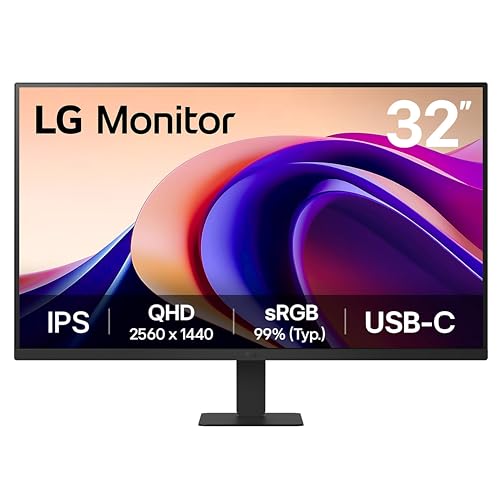
LG 32-Inch QHD 100Hz IPS Monitor
Best for: everyday office productivity and light multitasking
- Connectivity
- HDMI, USB-C (what this guide is about)
- Screen Size
- 32-inch
- Resolution
- 2560 x 1440
- Refresh Rate
- 100Hz
- Panel Type
- IPS
- Response Time
- 5ms (GTG)
View on Amazon: LG 32-Inch QHD 100Hz IPS Monitor Affiliate link
This 32-inch display pairs a 2560 x 1440 QHD resolution with an IPS panel and a 100Hz refresh rate. It connects to your workstation using HDMI and a USB-C port that provides video transfer and up to 15W of power delivery. With 99% sRGB color gamut coverage and 5ms response time, it suits you if you need a spacious screen for productivity, reading, and light entertainment.
Pros
- 100Hz refresh rate with 5ms GTG response time
- USB-C port handles video signal and 15W power delivery
- 99% sRGB color gamut coverage with HDR10 support
- IPS panel delivers wide horizontal and vertical viewing angles
Cons
- USB-C power delivery is limited to 15W
- No DisplayPort input listed
Good fit if
- You want a 32-inch 1440p screen running at a smooth 100Hz refresh rate.
- You need a USB-C connection for display output alongside standard HDMI.
- You split your display into multiple layouts using the Switch app.
Skip if
- You need high-wattage USB-C power delivery to charge a laptop.
- You require an ultrawide 21:9 aspect ratio instead of 16:9.
- You require a DisplayPort connection for your computer setup.
Verdict: LG 32-Inch QHD IPS Monitor with USB-C provides a sharp 1440p resolution and smooth 100Hz motion for everyday desktop work. Its 15W USB-C port covers essential connectivity, though high-draw laptops will require separate power.

LG 32-Inch 4K Touchscreen Rolling Smart Monitor
Best for: mobile touchscreen productivity and flexible room setups
- Connectivity
- HDMI, USB-C (what this guide is about)
- Screen Size
- 32"
- Resolution
- 3840x2160
- Panel Type
- IPS
- Dimensions
- 16.5 × 28.6 × 51.7 inches
- Weight
- 46.7 pounds
View on Amazon: LG 32-Inch 4K Touchscreen Rolling Smart Monitor Affiliate link
This 32-inch 4K UHD monitor features an IPS touchscreen mounted on an adjustable wheeled base. It provides three USB-C ports with 65W power delivery alongside two HDMI inputs, letting you power and display a laptop with one cable. Built-in webOS allows standalone productivity without a connected PC. It suits you if you need a mobile workstation display with touch controls and flexible placement across different rooms.
Pros
- Three USB-C ports with up to 65W power delivery
- 32-inch 4K UHD IPS touchscreen with 95% DCI-P3 coverage
- Wheeled base with tilt, swivel, height, and portrait adjustments
- Built-in webOS for standalone productivity without a PC
Cons
- Heavy 46.7-pound total weight
- Standard 16:9 aspect ratio rather than an ultrawide format
- Peak brightness limited to 350 nits
Good fit if
- You need a mobile 4K display on wheels that moves between spaces
- You want direct touchscreen interaction alongside laptop USB-C charging
- You require standalone smart display features powered by webOS without a PC
Skip if
- You need a true ultrawide 21:9 aspect ratio display
- You want a lightweight monitor that mounts on a standard desk arm
Verdict: LG 32-Inch 4K Touchscreen Smart Monitor combines 4K resolution, 65W USB-C connectivity, and webOS on an adjustable wheeled base. It offers a practical mobile workstation if you need touch navigation and room-to-room flexibility.

LG 27-Inch UltraGear 300Hz Gaming Monitor
Best for: competitive gamers needing maximum refresh rates
- Connectivity
- HDMI, USB-C (what this guide is about)
- Screen Size
- 27"
- Resolution
- 2560 x 1440
- Refresh Rate
- 300Hz
- Panel Type
- IPS
- Response Time
- 1ms GtG
View on Amazon: LG 27-Inch UltraGear 300Hz Gaming Monitor Affiliate link
The LG UltraGear 27-Inch 300Hz QHD Monitor gives you high-speed competitive gaming performance on a standard 16:9 IPS panel. While featured alongside wider options in our guide, it centers on a 300Hz refresh rate, 1ms response time, and 2560 x 1440 resolution. It includes USB-C connectivity with 15W power delivery and dual HDMI 2.1 ports. This setup suits you if you prioritize fast frame rates and motion clarity over ultrawide workspace.
Pros
- 300Hz refresh rate with 1ms GtG response time
- 2560 x 1440 QHD IPS panel covering up to 95% DCI-P3
- Supports both NVIDIA G-SYNC and AMD FreeSync Premium
- Dual HDMI 2.1 ports and DisplayPort 1.4 connectivity
- Fully adjustable stand with height, tilt, swivel, and pivot
Cons
- USB-C port supplies only 15W power delivery
- Standard 16:9 aspect ratio provides less horizontal viewing area than ultrawide models
Good fit if
- You play fast-paced competitive games requiring a 300Hz refresh rate and 1ms response time.
- You connect modern gaming PCs or consoles using HDMI 2.1 and DisplayPort 1.4.
- You need a versatile stand that supports tilt, swivel, height, and pivot adjustments.
Skip if
- You want an ultrawide 21:9 screen format for expansive side-by-side multitasking.
- You need your monitor's USB-C connection to charge a laptop during use.
Verdict: LG UltraGear 27-Inch 300Hz QHD Monitor delivers high-end speed and crisp 1440p visuals on a fully ergonomic stand. It trades ultrawide screen width and heavy laptop charging for fluid motion clarity and modern display inputs.

LG 40-Inch Curved 5K2K Ultrawide Monitor
Best for: high-resolution creative work and Thunderbolt 5 workflows
- Connectivity
- DisplayPort, HDMI, USB-C (what this guide is about)
- Screen Size
- 40"
- Resolution
- 5120 x 2160
- Refresh Rate
- 120Hz
- Panel Type
- Nano IPS Black
- Dimensions
- 10.2 × 37.3 × 24.2 inches
View on Amazon: LG 40-Inch Curved 5K2K Ultrawide Monitor Affiliate link
This 40-inch curved ultrawide monitor pairs a 5120 x 2160 resolution with Thunderbolt 5 connectivity. You get 96W power delivery, daisy chain support, and a 120Hz refresh rate alongside an IPS Black panel with a 2000:1 contrast ratio. It provides sharp detail and 99% DCI-P3 color coverage. It suits you if you need a high-resolution workspace for color-critical creative tasks, video production, or complex multitasking setups without extra cable clutter.
Pros
- 5120 x 2160 WUHD resolution on a 40-inch screen
- Thunderbolt 5 port with 96W charging and daisy chaining
- Nano IPS Black panel with 2000:1 contrast ratio
- 99% DCI-P3 color gamut with DisplayHDR 600
- Smooth 120Hz refresh rate
Cons
- Substantial weight of 31.1 pounds requires a heavy-duty arm or desk
- Large 37.3-inch width occupies substantial desk space
Good fit if
- You want a 5K2K display with single-cable Thunderbolt 5 laptop charging.
- You work in color-sensitive workflows requiring 99% DCI-P3 coverage.
- You plan to daisy chain secondary displays through one connection.
Skip if
- You have a compact desk that cannot accommodate a 37.3-inch wide frame.
- You need a laptop charging output exceeding 96W.
Verdict: LG 40-Inch Curved 5K2K Ultrawide Monitor delivers exceptional workspace detail and modern Thunderbolt 5 connectivity for demanding creator setups. Its 2000:1 contrast and 120Hz speed make it a capable high-end workstation display.

LG 34G630A-B 34-inch Curved Gaming Monitor
Best for: competitive gaming with high refresh rates
- Connectivity
- DisplayPort, HDMI, USB-C (what this guide is about)
- Screen Size
- 34-Inch
- Resolution
- 3440 x 1440
- Refresh Rate
- 240Hz
- Aspect Ratio
- 21:9
- Response Time
- 1ms (GtG)
View on Amazon: LG 34G630A-B 34-inch Curved Gaming Monitor Affiliate link
The LG 34G630A-B is a 34-inch curved Ultragear monitor with a 240Hz refresh rate and 1ms response time. It features WQHD resolution and USB-C connectivity for single-cable laptop use. This display suits competitive gamers who need high speed and smooth visuals. The 95% DCI-P3 color gamut and FreeSync Premium support enhance the experience. You get a wide field of view with minimal input lag.
Pros
- 240Hz refresh rate for smooth motion
- 1ms GtG response time reduces ghosting
- USB-C connectivity with 15W power delivery
- 95% DCI-P3 color gamut coverage
- FreeSync Premium prevents screen tearing
Cons
- 15W USB-C power delivery is lower than many competitors
- 16.1-pound weight is heavier than standard 34-inch models
- VESA DisplayHDR 400 is less vibrant than HDR1000 options
Good fit if
- You play fast-paced competitive games requiring high refresh rates
- You want a single-cable connection for your laptop
- You prefer a curved screen for immersion
Skip if
- You need high-power USB-C charging for your laptop
- You prefer flat screens over curved designs
- You require 4K resolution for detailed work
Verdict: The LG 34G630A-B 34-inch 240Hz Ultragear delivers top-tier speed for competitive gamers who value high refresh rates and clear visuals. It is an ideal fit for those who want smooth gameplay without cluttering their desk with multiple cables.
Specifications side by side
| Spec | LG 34-Inch Curved Ultrawide USB-C Monitor | LG 27-Inch 4K UHD USB-C Monitor | LG 34-Inch UltraWide 1080p IPS Monitor | LG 34-Inch Curved WQHD IPS Monitor | LG 32-Inch 4K IPS Monitor with USB-C | LG 27-inch QHD 100Hz IPS Monitor | LG 34-Inch Curved OLED Gaming Monitor | LG 45-Inch 5K2K Curved OLED Gaming Monitor | LG 32-Inch 4K Dual-Mode OLED Monitor | LG 34-Inch Curved Ultrawide 144Hz Monitor | LG 32-Inch QHD 100Hz IPS Monitor | LG 32-Inch 4K Touchscreen Rolling Smart Monitor | LG 27-Inch UltraGear 300Hz Gaming Monitor | LG 40-Inch Curved 5K2K Ultrawide Monitor | LG 34G630A-B 34-inch Curved Gaming Monitor |
|---|---|---|---|---|---|---|---|---|---|---|---|---|---|---|---|
| Screen Size | 34" | 27-inch | 34" | 34" | 32" | 27-inch | 34-Inch | 45" | 32-inch | 34-inch | 32-inch | 32" | 27" | 40" | 34-Inch |
| Resolution | 3440 x 1440 | 3840 x 2160 | 2560 x 1080 | 3440 x 1440 | 3840 x 2160 | 2560 x 1440 | 3440 x 1440 | 5120 x 2160 | 3840 x 2160 | 3440 x 1440 | 2560 x 1440 | 3840x2160 | 2560 x 1440 | 5120 x 2160 | 3440 x 1440 |
| Refresh Rate | 100Hz | 60Hz | 100Hz | 100Hz | 60Hz | 100Hz | 240Hz | 165Hz, 330Hz | 240Hz | 144Hz | 100Hz | not stated | 300Hz | 120Hz | 240Hz |
| Panel Type | not stated | IPS | IPS | IPS | IPS | IPS | OLED | OLED | OLED | not stated | IPS | IPS | IPS | Nano IPS Black | not stated |
| Aspect Ratio | 21:9 | not stated | 21:9 | 21:9 | not stated | not stated | not stated | 21:9 | not stated | 21:9 | not stated | not stated | not stated | not stated | 21:9 |
| Response Time | 5ms | not stated | not stated | 5ms | not stated | 5ms (GTG) | 0.03ms (GtG) | 0.03ms (GtG) | 0.03ms (GtG) | 5ms | 5ms (GTG) | not stated | 1ms GtG | not stated | 1ms (GtG) |
| Sync Technology | not stated | not stated | not stated | not stated | not stated | not stated | AMD FreeSync Premium Pro, NVIDIA G-SYNC | FreeSync Premium Pro, G-SYNC Compatible | G-SYNC Compatible, FreeSync Premium Pro | AMD FreeSync Premium | not stated | not stated | G-SYNC Compatible, FreeSync Premium | not stated | AMD FreeSync Premium |
| Connectivity | HDMI, DisplayPort, USB Type-C, USB | USB Type-C, DisplayPort, HDMI | HDMI, DisplayPort, USB Type-C | HDMI, DisplayPort, USB Type-C | HDMI, DisplayPort, USB-C | HDMI, USB Type-C | HDMI 2.1, DisplayPort 1.4, USB Type-C | DisplayPort 2.1, HDMI 2.1, USB Type-C | USB Type-C, DP2.1 | HDMI, DisplayPort, USB Type-C, USB | HDMI, USB Type-C | HDMI, USB-C | USB-C, dual HDMI 2.1, DisplayPort 1.4 | Thunderbolt 5, HDMI 2.1, DP 2.1, USB-C | HDMI, DisplayPort, USB Type-C |
| Size | not stated | 27-inch and USB-C | not stated | 34 | 32 Inch | not stated | 34 Inch | 45 Inch | not stated | not stated | 23.25 | not stated | 27G640A-B | 40 | 160Hz-HDMI/DP |
| Dimensions | 10.2 × 31.9 × 22.4 inches | 9.4 × 24.2 × 22.4 inches | 9.1 × 32.1 × 21 inches | 9.1 × 32.2 × 21.1 inches | 9.4 × 28.1 × 23.5 inches | 8.46 × 24.1 × 17.9 inches | 11.5 × 30.9 × 22.9 inches | 13.5 × 39 × 26.2 inches | 9.83 × 28.1 × 24.4 inches | 8.7 × 31.9 × 18.3 inches | 9.25 × 28.1 × 20.2 inches | 16.5 × 28.6 × 51.7 inches | 9.4 × 24.2 × 21.2 inches | 10.2 × 37.3 × 24.2 inches | 9.2 × 31.8 × 20.2 inches |
| Weight | 15.2 pounds | 13 pounds | 19.4 pounds | 22.3 pounds | 18.3 pounds | 9.7 pounds | 22.9 pounds | 30.9 pounds | 21.6 pounds | 17 pounds | 14.3 pounds | 46.7 pounds | 12.1 pounds | 31.1 pounds | 16.1 pounds |
| Color | Black | White | White | Black | White | Black | Black | Black | Black | Black | Black | White | Black | White | Black |
| Model | 34WR55QK-B.AUS | 27UP850K-W | 34U530A-W.AUS | 34U650A-B.AUS | 32UP83AK-W.AUS | 27U631A-B.AUSQ | 34GX900A-B.AUS | 45GX950A-B.AUS | 32GX870A-B.AUS | 34U640B-B.AUS | 32U631A-B | 32U889SA-W.AUS | 27G640A-B.AUSQ | 40U990A-W.AUS | 34G630A-B.AUSQ |
If you need a smaller screen, see our list of the best portable monitors with USB-C.
How to Choose an LG USB-C Monitor
-
Check USB-C Wattage Output
USB-C ports deliver power at different levels across monitors. Basic ports offer 15W, which transmits video and data but cannot charge high-draw laptops during active workloads. Higher outputs like 60W, 65W, or 90W supply sufficient wattage to recharge connected notebooks while receiving display signals through one cable. If you want single-cable power for your laptop, confirm the monitor wattage matches your computer specifications. The LG 27-inch QHD 100Hz IPS Monitor provides 15W over USB-C, requiring you to keep your laptop brick plugged in during heavy computing sessions.
-
Match Resolution to Hardware
Ultrawide screens range from 2560 x 1080 up to 5120 x 2160 5K2K clarity. Higher pixel counts offer sharper text rendering and more desktop area for side-by-side windows, but they demand significantly more graphics processing power. Standard 1080p ultrawide options keep pixel demands low for older laptops and integrated graphics chips. Check your computer output capabilities before choosing an ultra-dense resolution. The LG 34-Inch UltraWide 1080p IPS Monitor runs at 2560 x 1080, providing horizontal multitasking room while remaining easy for standard office computers to drive at full speed.
-
Verify Adaptive Sync Support
If you plan to use your monitor for fast visuals alongside productivity, check the variable refresh rate technology listed on the spec sheet. Monitors may feature AMD FreeSync, NVIDIA G-SYNC, or support for both standards. These synchronization protocols prevent screen tearing by aligning the display refresh rate directly to your graphics card output. Buyers who switch between different gaming computers benefit from dual compatibility. The LG 27-Inch UltraGear 300Hz Gaming Monitor includes both FreeSync and G-SYNC support, ensuring tear-free frame synchronization across AMD and NVIDIA graphics hardware.
-
Measure Physical Desk Space
Screen dimensions and base depth dictate how much desktop surface you need. Display widths in this category span from 24.1 inches on compact panels up to 39 inches on expansive ultrawide models. Weight also varies from under 10 pounds to more than 30 pounds on larger displays. Verify your desk width, depth, and mounting arm load limits before picking a wide model. The LG 45-Inch 5K2K Curved OLED Gaming Monitor measures 39 inches wide and weighs 30.9 pounds, requiring a wide desktop surface and sturdy support.
-
Inspect Extra Port Types
While USB-C handles video and power for laptops, you should evaluate the secondary video inputs if you connect multiple host devices. Certain monitors include DisplayPort alongside HDMI and USB-C, allowing direct connections for desktop towers or media boxes. Others provide only USB-C or pair USB-C strictly with HDMI ports. If your workstation relies on legacy DisplayPort cables or multiple desktop video outputs, check the port inventory closely. The LG 32-Inch QHD 100Hz USB-C Monitor features only USB-C connectivity, making it best suited for dedicated single-cable setups rather than multi-cable workstation hubs.
Frequently asked questions
Which LG ultrawide monitor offers the highest refresh rate?
The LG 34G630A-B and the LG 34-Inch Curved OLED Gaming Monitor both feature a 240Hz refresh rate. These models deliver fluid motion for fast-paced gaming. The OLED variant adds high contrast and an 800R curve for immersion. The IPS-based 34G630A-B provides similar speed with standard panel technology. Both support FreeSync to reduce screen tearing during high-speed gameplay.
Can I charge my laptop through the USB-C port on these monitors?
Yes, most models support USB-C power delivery, but wattage varies significantly. The LG 45-Inch 5K2K and the LG 27-Inch 4K UHD monitors provide 90W charging. The LG 34-Inch Curved Ultrawide USB-C Monitor delivers 65W. Lower-end options like the LG 27-inch QHD 100Hz Monitor only offer 15W, which is insufficient for charging most laptops. Check the specific wattage before purchasing.
What is the difference between 5K2K and WQHD resolutions?
WQHD resolution is 3440 x 1440 pixels, offering a wide field of view with standard pixel density. 5K2K resolution is 5120 x 2160 pixels, providing nearly double the horizontal pixels. This results in significantly sharper text and image detail, especially on larger screens like the 40-Inch or 45-Inch models. The higher pixel density reduces the need for scaling in operating systems.
Do all these monitors use OLED panels?
No, the lineup includes both OLED and IPS panels. OLED models like the 45-Inch 5K2K and the 34-Inch Curved OLED Gaming Monitor offer infinite contrast and faster pixel response times. IPS panels, found in models like the 34-Inch UltraWide 1080p Monitor, provide consistent color accuracy and wider viewing angles. Your choice depends on whether you prioritize contrast or traditional panel reliability.
Which monitor is best for a dual-source laptop setup?
The LG 34-Inch Curved Ultrawide USB-C Monitor is designed for this workflow. It provides a 34-inch WQHD display with a 100Hz refresh rate. The USB-C port supports 65W charging and video input. This allows you to connect a single laptop while maintaining a spacious multitasking workspace. The curved design also enhances comfort during long office sessions.
Are there ultrawide monitors with Thunderbolt 5 connectivity?
The LG 40-Inch Curved 5K2K Ultrawide Monitor features Thunderbolt 5 connectivity. This modern interface supports high-bandwidth data transfer and video output. It pairs with a 5K2K resolution and 120Hz refresh rate for creative work. This model is ideal for users needing the latest connection standards for high-performance peripherals and fast data transfers.
What is the largest screen size available in this list?
The largest screen size is 45 inches, found in the LG 45-Inch 5K2K Curved OLED Gaming Monitor. This display offers a 5120 x 2160 resolution and a 165Hz refresh rate. It also includes 90W USB-C power delivery. The expansive canvas is suitable for immersive gaming and professional workflows that require maximum screen real estate.