6 Best Alternatives to the CRUA 34-Inch 100Hz Curved IPS (2026)
As an Amazon Associate we earn from qualifying purchases. Links on this page are affiliate links.
If you are looking for crua 34 inch 21 9 uwqhd alternatives, you have several strong options. The original CRUA 34-Inch 100Hz Curved IPS Monitor offers a 3440×1440 resolution and 100Hz refresh rate on an IPS panel. It also includes built-in speakers and a white aesthetic that fits specific home office setups. You might want something else if you need a larger 32-inch screen or prefer a different brand. Some users may also want USB-C connectivity for simpler laptop connections.
We selected 6 alternatives because their specifications overlap with the original monitor. This list includes other 34-inch ultrawide models like the ZZA 34-Inch Curved Ultrawide Monitor and the LG 34-Inch Curved WQHD IPS Monitor. These shares the same 100Hz refresh rate and IPS panel technology. You can also find 32-inch and 27-inch options if you prefer a standard aspect ratio. Each product listed here provides a similar base experience for multitasking and casual gaming. You can compare their exact dimensions and ports to find the best fit for your desk.
How these models differ
ZZA 34-Inch Curved Ultrawide Monitor
The ZZA 34-Inch Curved Ultrawide Monitor shares the 3440x1440 resolution and 100Hz refresh rate of the CRUA, but it drops the white aesthetic for a standard black finish. It weighs 15 pounds, slightly more than the CRUA’s 13 pounds. The ZZA model Z34A includes DisplayPort and HDMI connectivity for general multitasking. You get a gentle 3800R curve similar to the original, ensuring comfortable viewing angles. This monitor is a practical choice if you prefer a black display or need specific DisplayPort inputs. It offers integrated audio and wide desktop space without the color commitment of a white chassis. Choose this if you want a similar ultrawide experience with a different color scheme.
LG 32-Inch QHD 100Hz IPS Monitor
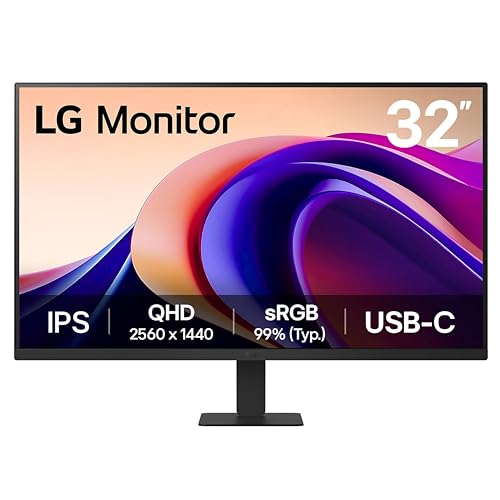
The LG 32U631A-B steps away from the ultrawide format to offer a 32-inch 1440p canvas. It retains the 100Hz refresh rate and IPS panel type for consistent color accuracy. The key difference is the inclusion of USB-C connectivity, which allows for video, data, and power delivery in a single cable. This monitor is heavier at 14.3 pounds and wider than the CRUA. It suits users who do not need the extra horizontal width of a 21:9 display but value the convenience of USB-C. If your workflow relies on connecting a laptop with a single cable, this LG model provides a more streamlined setup. It sacrifices ultrawide immersion for versatile connectivity and a standard aspect ratio.
LG 34-Inch Curved WQHD IPS Monitor
The LG 34U650A-B is a 34-inch curved IPS monitor that matches the CRUA’s resolution and refresh rate. It distinguishes itself with USB-C charging capabilities, making it ideal for users who want to connect a laptop with a single cable. This model is significantly heavier at 22.3 pounds, reflecting a sturdier build. It targets users who prioritize color accuracy and office multitasking over gaming performance. The curved design enhances immersion for creative work and spreadsheets. If you need a premium ultrawide option with robust connectivity for modern laptops, this LG monitor is a strong alternative. It offers similar workspace benefits but with added convenience for USB-C enabled devices.
LG 27-inch QHD 100Hz IPS Monitor
The LG 27U631A-B reduces the screen size to 27 inches while maintaining 1440p resolution and a 100Hz refresh rate. It uses an IPS panel for reliable color reproduction. The primary advantage is its compact footprint and USB-C connectivity, which supports video and power delivery. Weighing only 9.7 pounds, it is much lighter and smaller than the 34-inch CRUA. This monitor is best for users with limited desk space who do not require ultrawide width. It offers a standard 16:9 aspect ratio, which may not suit those needing extensive horizontal workspace. If you prefer a smaller, color-accurate display with convenient laptop connectivity, this LG model is a practical choice.
Gawfolk 34-Inch Curved 100Hz IPS Monitor
The Gawfolk 34-Inch Curved 100Hz IPS Monitor offers the same 3440x1440 resolution and 100Hz refresh rate as the CRUA. It weighs 10.8 pounds, making it the lightest option in this comparison. The black finish provides a standard look compared to the CRUA’s white design. It features ample input options for mixed device use, catering to productivity and general use. This monitor is suitable for users who want an ultrawide display without the weight or aesthetic of the CRUA. It delivers solid color accuracy and a curved screen for comfortable viewing. If you prioritize a lighter build and flexible connectivity for various devices, the Gawfolk model provides a versatile alternative.
ZZA 34-Inch Curved IPS Ultrawide Monitor
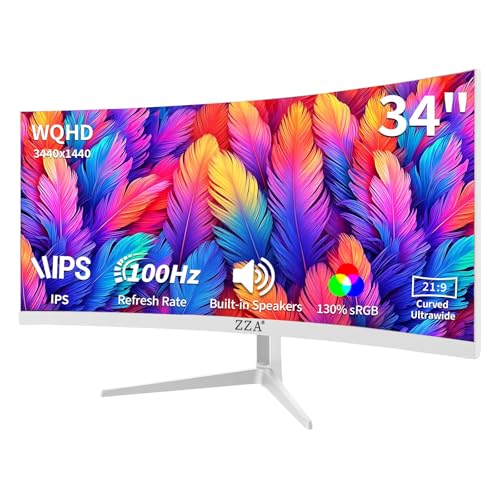
The ZZA 34-Inch Curved IPS Ultrawide Monitor matches the CRUA’s 3440x1440 resolution and 100Hz refresh rate. It also features a white color option, similar to the original. However, it is slightly lighter at 13.1 pounds and has a different stand design. This model supports FreeSync technology for smoother motion in casual gaming and office tasks. It offers a balance of color accuracy and ultrawide multitasking capabilities. The ZZA model is a direct competitor if you want a white ultrawide display with similar specs. It provides integrated audio and a gentle curve for immersive viewing. Choose this if you prefer a white chassis but want a slightly different weight distribution or connectivity layout.
Quick picks
Our 7 picks

CRUA 34-Inch 100Hz Curved IPS Monitor
Best for: home office setups requiring a white aesthetic
- Screen Size
- 34"
- Resolution
- 3440 x 1440
- Refresh Rate
- 100Hz
- Panel Type
- IPS
- Aspect Ratio
- 21:9
- Sync Technology
- AMD FreeSync
View on Amazon: CRUA 34-Inch 100Hz Curved IPS Monitor Affiliate link
The CRUA 34-inch ultrawide monitor offers a 3440x1440 resolution on an IPS panel with 100Hz refresh rate. It features a 3800R curve for comfort and 120% sRGB color coverage. Built-in speakers and multiple connectivity ports simplify setup. This white model suits users seeking a clean aesthetic for productivity and light gaming without extra peripherals.
Pros
- 3440x1440 UWQHD resolution for expanded horizontal workspace
- 120% sRGB and 92% DCI-P3 color gamut coverage
- 100Hz refresh rate with AMD FreeSync support
- Built-in speakers and 3.5mm audio jack included
Cons
- 100Hz refresh rate limits high-end competitive gaming
- 350 cd/m² peak brightness is modest for HDR
- Only tilt adjustment; no height or swivel pivot
Good fit if
- You need a white monitor to match a light desk setup
- You want a 21:9 aspect ratio for multitasking
- You prefer built-in speakers to reduce cable clutter
Skip if
- You require 4K resolution for detailed text work
- You need height adjustment for ergonomic positioning
- You play fast-paced competitive shooters requiring high refresh rates
Verdict: CRUA 34-Inch 100Hz White UWQHD Monitor delivers solid color accuracy and workspace for office tasks. It fits home office users who value a minimalist white design and built-in audio.

ZZA 34-Inch Curved Ultrawide Monitor
Best for: everyday multitasking and casual ultrawide gaming
- Screen Size
- 34"
- Resolution
- 3440 x 1440
- Refresh Rate
- 100Hz
- Aspect Ratio
- 21:9
- Connectivity
- HDMI, DisplayPort
- Dimensions
- 8 × 31.5 × 17 inches
View on Amazon: ZZA 34-Inch Curved Ultrawide Monitor Affiliate link
This 34-inch curved ultrawide display gives you a 3440x1440 WQHD resolution across a 21:9 aspect ratio. It features a 100Hz refresh rate and a gentle 3800R curve to widen your workspace. With 100% sRGB color coverage and integrated speakers, it suits you if you need expansive desktop space for multitasking and basic gaming without separate audio hardware.
Pros
- 3440x1440 WQHD resolution on a 21:9 aspect ratio
- 100Hz refresh rate for smooth visual output
- 100% sRGB color gamut coverage
- Built-in speakers for integrated audio playback
- HDMI and DisplayPort inputs with VESA mounting support
Cons
- 3800R curvature is significantly flatter than standard 1500R or 1800R curves
- 100Hz refresh rate falls short of 165Hz gaming alternatives
Good fit if
- You want a 34-inch 1440p ultrawide display for side-by-side productivity.
- You prefer a gentle 3800R screen curve rather than an aggressive bend.
- You want built-in speakers to save desk space.
Skip if
- You require refresh rates above 100Hz for competitive gaming.
- You want a tighter 1500R or 1800R curve for deep peripheral immersion.
Verdict: ZZA 34-Inch Curved Ultrawide Monitor delivers 3440x1440 resolution at 100Hz for users who want wide desktop space and integrated audio with a very gentle 3800R curve.
LG 32-Inch QHD 100Hz IPS Monitor
Best for: Users wanting a larger 32-inch QHD screen with USB-C
- Screen Size
- 32-inch
- Resolution
- 2560 x 1440
- Refresh Rate
- 100Hz
- Panel Type
- IPS
- Response Time
- 5ms (GTG)
- Connectivity
- HDMI, USB Type-C
View on Amazon: LG 32-Inch QHD 100Hz IPS Monitor Affiliate link
The LG 32U631A-B is a 32-inch QHD monitor with a 100Hz refresh rate and IPS panel. It offers 99% sRGB coverage and HDR10 support for vibrant colors. USB Type-C connectivity allows for data transfer and 15W power delivery. The slim, borderless design saves desk space. It suits users who want a larger, color-accurate screen for productivity and casual gaming.
Pros
- 32-inch QHD (2560x1440) resolution
- 100Hz refresh rate with 5ms response time
- 99% sRGB color gamut and HDR10
- USB Type-C with 15W power delivery
- Reader Mode reduces blue light emission
Cons
- 2560 x 1440 resolution is lower than the 3440x1440 UWQHD standard of the list
- 32-inch size is smaller than the 34-inch ultrawide format
- No built-in speakers listed in specifications
Good fit if
- You prefer a larger 32-inch square aspect ratio screen
- You need USB Type-C connectivity for laptop charging
- You prioritize color accuracy with 99% sRGB coverage
Skip if
- You require the wider 21:9 ultrawide aspect ratio
- You need the higher 3440x1440 UWQHD resolution
- You want built-in speakers for audio output
Verdict: The LG 32U631A-B 32-inch 100Hz QHD is a solid choice for users who value a larger 32-inch canvas and USB-C convenience over ultrawide width.

LG 34-Inch Curved WQHD IPS Monitor
Best for: multitasking and color-accurate creative work
- Screen Size
- 34"
- Resolution
- 3440 x 1440
- Refresh Rate
- 100Hz
- Panel Type
- IPS
- Aspect Ratio
- 21:9
- Response Time
- 5ms
View on Amazon: LG 34-Inch Curved WQHD IPS Monitor Affiliate link
The LG 34U650A-B is a 34-inch curved IPS ultrawide monitor with a 3440×1440 resolution and 100Hz refresh rate. It covers 99% of the sRGB color gamut and supports HDR10. USB-C connectivity delivers up to 96W of power to your laptop through a single cable. Built-in speakers with DepthSound technology provide audio without extra hardware. This model suits professionals who need wide screen real estate for multitasking and color-accurate displays for creative work.
Pros
- 34-inch 21:9 WQHD (3440x1440) IPS panel
- 100Hz refresh rate with 5ms response time
- 99% sRGB color coverage and HDR10 support
- USB-C with 96W power delivery
- Built-in DepthSound speakers
Cons
- 100Hz refresh rate is lower than gaming-focused alternatives
- No mention of USB-C data transfer speeds
- No mention of height-adjustable stand
Good fit if
- You need a single-cable USB-C connection for your laptop
- You prioritize color accuracy and wide viewing angles for work
- You want built-in speakers to keep your desk clean
Skip if
- You require a 144Hz or higher refresh rate for competitive gaming
- You prefer a flat screen over a curved display
- You need 4K resolution on a 34-inch panel
Verdict: LG 34U650A 34-inch 100Hz Curved IPS offers solid color accuracy and convenient USB-C charging for office multitasking. It fits users who value connectivity and workspace efficiency over high-speed gaming performance.

LG 27-inch QHD 100Hz IPS Monitor
Best for: compact desktops needing USB-C connectivity
- Screen Size
- 27-inch
- Resolution
- 2560 x 1440
- Refresh Rate
- 100Hz
- Panel Type
- IPS
- Response Time
- 5ms (GTG)
- Connectivity
- HDMI, USB Type-C
View on Amazon: LG 27-inch QHD 100Hz IPS Monitor Affiliate link
This LG monitor offers a 27-inch QHD (2560 x 1440) IPS display with a 100Hz refresh rate. It includes USB Type-C connectivity for device connection and charging. HDR10 support and a 99% sRGB color gamut enhance visual quality. Reader Mode reduces blue light for comfortable viewing. Dynamic Action Sync lowers input lag for responsive gaming performance.
Pros
- USB Type-C connectivity with up to 15W power delivery
- 100Hz refresh rate and 5ms response time for smooth motion
- 99% sRGB color gamut and HDR10 support
- Dynamic Action Sync reduces input lag
Cons
- 27-inch screen is smaller than the 34-inch alternatives
- QHD resolution is lower than the 4K or UWQHD options
- No built-in speakers listed in specifications
Good fit if
- You need a compact 27-inch desk setup
- You want USB-C connectivity for laptop charging
- You prioritize color accuracy with 99% sRGB coverage
Skip if
- You require a 34-inch ultrawide aspect ratio
- You need 4K resolution for detailed text
- You want built-in speakers for audio
Verdict: LG 27U631A-B 27-inch QHD USB-C Monitor is a solid choice for users seeking a compact, color-accurate display with convenient USB-C connectivity. It suits those who prefer a smaller footprint over ultrawide immersion.

Gawfolk 34-Inch Curved 100Hz IPS Monitor
Best for: Productivity and mixed-use setups
- Screen Size
- 34"
- Resolution
- 3440X1440
- Refresh Rate
- 100Hz
- Panel Type
- IPS
- Aspect Ratio
- 21:9
- Sync Technology
- AMD FreeSync
View on Amazon: Gawfolk 34-Inch Curved 100Hz IPS Monitor Affiliate link
The Gawfolk 34-inch monitor offers a 21:9 WQHD resolution on an IPS panel with a 3800R curve. It runs at 100Hz with AMD FreeSync for smooth motion. Dual HDMI 2.0 and dual DisplayPort 1.2 inputs allow flexible connectivity. Built-in stereo speakers and a 3.5mm jack provide audio options. The tilt-adjustable stand and VESA mount compatibility support various desk setups.
Pros
- 3440x1440 WQHD resolution for detailed multitasking
- 100Hz refresh rate with AMD FreeSync
- Dual HDMI 2.0 and dual DP 1.2 ports
- Built-in stereo speakers and 3.5mm headphone jack
Cons
- 100Hz refresh rate is lower than some gaming-focused alternatives
- No mention of USB-C connectivity or power delivery
- No HDR certification listed in specifications
Good fit if
- You need a 34-inch ultrawide display for productivity
- You want dual HDMI and dual DisplayPort inputs
- You prefer built-in speakers for casual use
Skip if
- You require high refresh rates above 100Hz
- You need USB-C connectivity for single-cable setup
- You are looking for certified HDR performance
Verdict: Gawfolk 34-Inch 100Hz Curved IPS suits users who prioritize connectivity flexibility and ultrawide productivity over high-end gaming specs. It provides a solid 100Hz IPS experience with ample input options for mixed device use.
ZZA 34-Inch Curved IPS Ultrawide Monitor
Best for: multitasking and casual gaming
- Screen Size
- 34"
- Resolution
- 3440x1440
- Refresh Rate
- 100Hz
- Panel Type
- IPS
- Aspect Ratio
- 21:9
- Sync Technology
- AMD FreeSync Premium
View on Amazon: ZZA 34-Inch Curved IPS Ultrawide Monitor Affiliate link
The ZZA 34-inch ultrawide monitor delivers a 3440 x 1440 resolution on an IPS panel with a 3800R curve. It supports 100Hz refresh rates and AMD FreeSync Premium for smooth visuals. Built-in speakers and HDR10 add convenience. Dual HDMI 2.0 and DisplayPort 1.2 inputs allow flexible connectivity. This setup suits users seeking a panoramic display for gaming or multitasking without complex external audio gear.
Pros
- 3440 x 1440 WQHD resolution for sharp detail
- 100Hz refresh rate with AMD FreeSync Premium
- IPS panel with 16.7 million colors
- Built-in speakers for simplified setup
- Dual HDMI 2.0 and DisplayPort 1.2 ports
Cons
- 100Hz refresh rate limits high-end competitive gaming
- Tilt-only stand lacks height or swivel adjustment
- Maximum brightness of 280 cd/m² is modest
Good fit if
- You want a 21:9 ultrawide screen for productivity
- You prefer IPS color accuracy for creative work
- You need built-in audio to reduce desk clutter
Skip if
- You require a 144Hz or higher refresh rate
- You need height-adjustable stand ergonomics
- You prioritize high brightness for bright rooms
Verdict: ZZA 34 Inch 100Hz WQHD Curved IPS Monitor fits users who prioritize color accuracy and ultrawide multitasking over high refresh rates. It offers a solid balance of resolution and connectivity for general gaming and office work.
Specifications side by side
| Spec | CRUA 34-Inch 100Hz Curved IPS Monitor | ZZA 34-Inch Curved Ultrawide Monitor | LG 32-Inch QHD 100Hz IPS Monitor | LG 34-Inch Curved WQHD IPS Monitor | LG 27-inch QHD 100Hz IPS Monitor | Gawfolk 34-Inch Curved 100Hz IPS Monitor | ZZA 34-Inch Curved IPS Ultrawide Monitor |
|---|---|---|---|---|---|---|---|
| Screen Size | 34" | 34" | 32-inch | 34" | 27-inch | 34" | 34" |
| Resolution | 3440 x 1440 | 3440 x 1440 | 2560 x 1440 | 3440 x 1440 | 2560 x 1440 | 3440X1440 | 3440x1440 |
| Refresh Rate | 100Hz | 100Hz | 100Hz | 100Hz | 100Hz | 100Hz | 100Hz |
| Panel Type | IPS | not stated | IPS | IPS | IPS | IPS | IPS |
| Aspect Ratio | 21:9 | 21:9 | not stated | 21:9 | not stated | 21:9 | 21:9 |
| Response Time | not stated | not stated | 5ms (GTG) | 5ms | 5ms (GTG) | not stated | not stated |
| Sync Technology | AMD FreeSync | not stated | not stated | not stated | not stated | AMD FreeSync | AMD FreeSync Premium |
| Connectivity | HDMI 2.0, DP 1.4, 3.5mm audio jack | HDMI, DisplayPort | HDMI, USB Type-C | HDMI, DisplayPort, USB Type-C | HDMI, USB Type-C | HDMI 2.0, DP 1.4, DP 1.2 | 2x HDMI 2.0, 2x DisplayPort 1.2 |
| Size | 34Inch-White | 34 inch-1 | 23.25 | 34 | not stated | 34 Inch | 34 INCH-2 |
| Dimensions | 8.64 × 32.2 × 17.5 inches | 8 × 31.5 × 17 inches | 9.25 × 28.1 × 20.2 inches | 9.1 × 32.2 × 21.1 inches | 8.46 × 24.1 × 17.9 inches | 8.6 × 32.2 × 17.5 inches | 3.83 × 32.2 × 14.6 inches |
| Weight | 13 pounds | 15 pounds | 14.3 pounds | 22.3 pounds | 9.7 pounds | 10.8 pounds | 13.1 pounds |
| Color | white | black | Black | Black | Black | Black | White |
| Model | CR340QC | Z34A | 32U631A-B | 34U650A-B.AUS | 27U631A-B.AUSQ | GFTY986 | Z34A |
Frequently asked questions
Which alternative offers the best white aesthetic for a home office?
The CRUA 34-Inch 100Hz Curved IPS Monitor remains the top choice for users seeking a minimalist white design. It features a 34-inch IPS panel with 1440p resolution and 100Hz refresh rate. The monitor weighs 13 pounds and includes built-in audio. It delivers solid color accuracy for office tasks while maintaining a clean visual style.
What is the best ultrawide monitor with DisplayPort connectivity?
The ZZA 34-Inch Curved Ultrawide Monitor is the best option for DisplayPort users. It provides 3440x1440 resolution at 100Hz on a gentle 3800R curved panel. This model supports both DisplayPort and HDMI inputs. It weighs 15 pounds and is ideal for everyday multitasking and casual gaming with wide desktop space.
Is there a larger 32-inch QHD alternative with USB-C?
Yes, the LG 32U631A-B offers a 32-inch QHD IPS screen with 100Hz refresh rate. It includes USB-C connectivity for convenient device connections. This model weighs 14.3 pounds and suits users who prefer a larger standard aspect ratio over ultrawide width. It provides a solid canvas for general productivity tasks.
Which premium curved monitor supports USB-C charging for creative work?
The LG 34U650A-B is the best premium curved option for creative professionals. It features a 34-inch WQHD IPS panel with 100Hz refresh rate and offers USB-C charging. This model weighs 22.3 pounds and prioritizes color accuracy and workspace efficiency. It is designed for multitasking rather than high-speed gaming performance.
What is the best compact 27-inch monitor with USB-C?
The LG 27U631A-B is the best 27-inch choice for compact desktops. It delivers QHD resolution on an IPS panel with 100Hz refresh rate. The monitor includes USB-C connectivity and weighs only 9.7 pounds. It is ideal for users who value a smaller footprint and color accuracy over ultrawide immersion.
Which 34-inch monitor provides the most connectivity flexibility?
The Gawfolk 34-Inch Curved 100Hz IPS Monitor offers ample input options for mixed device use. It features a 34-inch IPS panel with 1440p resolution and 100Hz refresh rate. This model weighs 10.8 pounds and prioritizes productivity over high-end gaming specs. It is suitable for users needing versatile connectivity for various peripherals.
Does any alternative support FreeSync for smoother gaming?
The ZZA 34-Inch Curved IPS Ultrawide Monitor supports FreeSync technology. It provides 3440x1440 resolution on a white IPS panel with 100Hz refresh rate. This model weighs 13.1 pounds and balances color accuracy with gaming performance. It is designed for multitasking and casual gaming with smooth visual output.