Samsung 32-Inch S3 Curved 100Hz Alternatives: 6 Similar Picks Compared
As an Amazon Associate we earn from qualifying purchases. Links on this page are affiliate links.
The Samsung 32-inch S3 Curved 100Hz Monitor delivers a curved FHD display with a 100Hz refresh rate and built-in speakers. It emphasizes eye comfort with TÜV-certified blue light reduction and immersive viewing angles. You might look for samsung 32 s3 alternatives if you need higher resolution, a flat panel, or a different brand. Some users prefer QHD clarity or USB-C connectivity for their workflow. Others may want a smaller 27-inch footprint or a VA panel for deeper contrast. The alternatives in this list were chosen because their specs overlap with the original, offering similar screen sizes and refresh rates. You can compare options like the Philips 32-inch 100Hz VA or the Samsung ViewFinity QHD. Each pick balances different priorities, from budget constraints to professional productivity needs. This guide helps you find the right fit based on your specific requirements without compromising on essential performance metrics.
How alternatives compare to the Samsung S3
Philips 32-Inch 100Hz VA Monitor
The Philips 32-Inch 100Hz VA Monitor shares the same 32-inch size and 100Hz refresh rate as the Samsung S3. It uses a VA panel, which typically offers deeper blacks and higher contrast ratios than standard IPS panels. This makes it suitable for dark room environments. It lacks the curved design of the Samsung, opting for a flat screen. The physical dimensions are nearly identical, with a slightly thinner profile. You choose this if you prefer a flat display or want potentially better contrast for media consumption. It does not offer the immersive wrap-around view of the Samsung S3. The VA panel type is its key differentiator for visual depth.
Samsung 32-Inch Flat 75Hz Monitor
The Samsung 32-Inch Flat 75Hz Monitor keeps the 32-inch screen size but drops the refresh rate to 75Hz. It removes the curved design, offering a flat panel instead. This model is lighter and thinner than the S3, making it easier to mount or stack. You lose the 100Hz smoothness for faster motion in games. However, the flat design may suit multi-monitor setups better due to uniform bezels and alignment. It retains Samsung’s eye comfort features. This pick is for users who prioritize a seamless desk arrangement or lower power consumption over higher refresh rates. It is a more basic option without the immersive curve or extra speed.
ViewSonic 32-Inch 1080p IPS Monitor
The ViewSonic 32-Inch 1080p IPS Monitor matches the 32-inch size and 1080p resolution of the Samsung S3. It uses an IPS panel, which provides wider viewing angles and more consistent colors from the side compared to the S3’s likely VA panel. It lacks the 100Hz refresh rate, sticking to a standard 60Hz or similar baseline. The design is flat and utilitarian. You gain better color accuracy and viewing angles for office work or collaborative tasks. You lose the curved immersion and the smoother motion of the 100Hz refresh rate. This monitor is ideal for users who value color fidelity and wide viewing angles over gaming performance and curved aesthetics.
Samsung 32-Inch ViewFinity QHD Monitor
The Samsung 32-Inch ViewFinity QHD Monitor upgrades the resolution to QHD (1440p) while keeping the 32-inch size and 100Hz refresh rate. This offers significantly sharper images than the FHD S3. It includes USB-C connectivity, which the S3 lacks, allowing for single-cable video and power delivery. The panel is flat, not curved. It is heavier and taller due to the stand design. You gain productivity features and sharper text for work tasks. You lose the immersive curved experience and the built-in speakers found on the S3. This is the best choice for professionals who need higher resolution and versatile connectivity over casual gaming immersion.
Samsung 32-Inch Odyssey Curved QHD Monitor
The Samsung 32-Inch Odyssey Curved QHD Monitor maintains the curved design but jumps to QHD resolution. It offers sharper visuals than the FHD S3 while keeping the immersive wrap-around feel. The refresh rate is higher, likely 144Hz or more, providing smoother motion for gaming. It is designed for performance rather than basic office use. You gain significant clarity and speed for gaming and media. You lose the built-in speakers and the budget-friendly positioning of the S3. This monitor is for gamers who want the curve and high refresh rate but also demand higher resolution. It is a more advanced option for immersive gaming experiences.
Acer 27-Inch 100Hz IPS Monitor
The Acer 27-Inch 100Hz IPS Monitor reduces the screen size to 27 inches while keeping the 100Hz refresh rate. It uses an IPS panel for better color accuracy and viewing angles. It is smaller and lighter, fitting compact desks better. You lose the 32-inch screen real estate and the curved design. The 27-inch size is often considered the sweet spot for 1080p resolution, reducing pixel density issues. You gain a more portable and space-efficient monitor. This is ideal for users with limited desk space who still want smooth motion and good color performance. It sacrifices size and curvature for portability and panel quality.
Quick picks
Our 7 picks

Samsung 32-Inch S3 Curved 100Hz Monitor
Best for: immersive casual gaming and media viewing
- Screen Size
- 32"
- Resolution
- FHD
- Refresh Rate
- 100Hz
- Connectivity
- HDMI
- Size
- 32 Inch
- Dimensions
- 10.3 × 28.2 × 20.7 inches
The Samsung 32" S3 is a 100Hz curved monitor with Full HD resolution. It wraps around your field of vision to enhance depth perception. The 100Hz refresh rate reduces motion blur in fast scenes. Built-in speakers save desk space. TÜV-certified eye comfort features minimize blue light and flicker during long sessions.
Pros
- 100Hz refresh rate reduces lag and motion blur
- Curved design enhances depth perception and immersion
- TÜV certified eye comfort reduces blue light and flicker
- Built-in speakers free up desk space
Cons
- Full HD resolution on a 32-inch screen lowers pixel density
- 100Hz refresh rate is lower than 144Hz+ competitors
- No mention of USB-C connectivity or height-adjustable stand
Good fit if
- You want a curved screen for immersive viewing
- You prefer 100Hz smoothness over higher refresh rates
- You want built-in speakers to reduce cable clutter
Skip if
- You need high pixel density for sharp text
- You require high refresh rates for competitive gaming
- You want a flat screen design
Verdict: Samsung 32" S3 Curved 100Hz Monitor suits users who prioritize immersion and eye comfort over sharpness and speed. It is a solid pick for casual gaming and media consumption where a curved display enhances the experience.
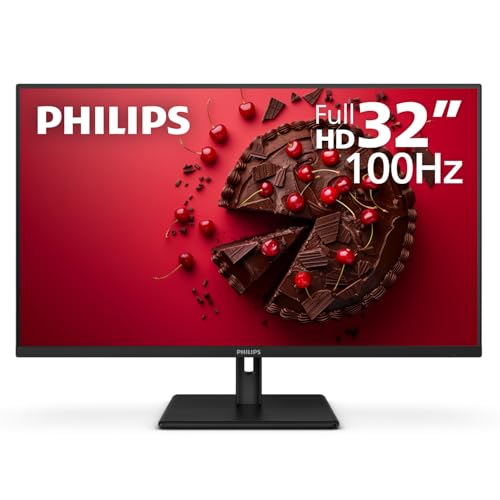
Philips 32-Inch 100Hz VA Monitor
Best for: General use and casual gaming
- Screen Size
- 32"
- Resolution
- 1920x1080
- Refresh Rate
- 100Hz
- Response Time
- 1ms MPRT
- Sync Technology
- Adaptive-Sync
- Connectivity
- HDMI 1.4, DisplayPort, VGA, audio out
This Philips 32-inch monitor delivers Full HD resolution on a VA panel. It features a 100Hz refresh rate and 1ms response time for smoother visuals. The display includes Adaptive-Sync to reduce tearing. You get HDMI, DisplayPort, and VGA inputs for flexible connectivity. It also offers a 4-Year Advance Replacement warranty in the US, which helps minimize downtime if issues arise.
Pros
- 100Hz refresh rate with 1ms response time
- VA panel for better contrast
- Adaptive-Sync technology for fluid gaming
- 4-Year Advance Replacement warranty
Cons
- Full HD resolution on a large 32-inch screen
- No USB hub or built-in speakers listed
- VA panel may have slower pixel response than IPS
Good fit if
- You want a large screen with a high refresh rate
- You need multiple connection options including VGA
- You value a long manufacturer warranty
Skip if
- You require 4K resolution for sharp text
- You need color accuracy for professional design work
- You want a curved display for immersion
Verdict: Philips 32" 100Hz VA Monitor fits users who prioritize refresh rate and warranty support over pixel density. It is a solid option for general use and casual gaming on a budget.

Samsung 32-Inch Flat 75Hz Monitor
Best for: budget multi-monitor setups
- Screen Size
- 32"
- Refresh Rate
- 75Hz
- Sync Technology
- AMD FreeSync
- Connectivity
- HDMI, DisplayPort
- Size
- 32 Inch
- Dimensions
- 8.71 × 28.1 × 21 inches
This Samsung 32-inch flat monitor offers a 75Hz refresh rate and AMD FreeSync support. It features a three-sided borderless design for multi-monitor setups. Eye care technologies like Flicker Free and Eye Saver Mode reduce strain during long sessions. Game Mode optimizes visuals for better contrast. It suits users who need a clean, distraction-free display for office work and casual gaming at a budget price.
Pros
- 75Hz refresh rate for smooth visuals
- AMD FreeSync reduces screen tearing
- Three-sided borderless design
- Flicker Free and Eye Saver Mode
Cons
- 75Hz refresh rate is lower than 100Hz competitors
- Flat panel lacks curvature
- 1080p resolution on 32-inch screen
Good fit if
- You want a borderless look for multi-monitor setups
- You need basic eye comfort features
- You prefer a flat screen over curved
Skip if
- You require a refresh rate above 75Hz
- You need a curved display for immersion
- You want higher resolution than 1080p
Verdict: Samsung 32" Flat 75Hz Monitor provides a clean, borderless aesthetic with essential eye care features. It fits users who prioritize a seamless multi-monitor setup and basic smoothness over high refresh rates.

ViewSonic 32-Inch 1080p IPS Monitor
Best for: office work and casual media viewing
- Screen Size
- 32"
- Resolution
- 1920 x 1080
- Refresh Rate
- 75Hz
- Panel Type
- IPS
- Sync Technology
- VESA Adaptive Sync
- Connectivity
- HDMI, VGA
This ViewSonic monitor uses a 32-inch IPS panel for wide viewing angles and consistent color. It runs at 1080p resolution with a 75Hz refresh rate. VESA Adaptive Sync helps reduce screen tearing during casual gaming. Eye care features like Flicker-Free technology and a Blue Light Filter support long work sessions. It includes HDMI and VGA inputs for flexible connectivity.
Pros
- IPS panel for wide viewing angles
- 75Hz refresh rate with VESA Adaptive Sync
- Flicker-Free and Blue Light Filter technology
- HDMI and VGA connectivity options
Cons
- 1080p resolution on a 32-inch screen reduces pixel density
- 75Hz refresh rate is lower than many gaming-focused alternatives
- No built-in USB hub or USB-C connectivity
Good fit if
- You need wide viewing angles for collaborative work
- You prefer IPS color accuracy over VA contrast
- You want eye comfort features for long hours
Skip if
- You require high refresh rates for competitive gaming
- You need sharp text clarity at this screen size
- You want modern USB-C connectivity
Verdict: ViewSonic 32-Inch 1080p IPS Monitor is a solid choice for users prioritizing color consistency and viewing angles. It suits office work and casual media use rather than high-performance gaming.
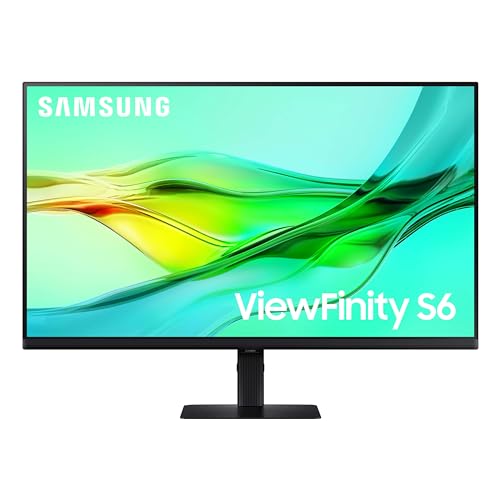
Samsung 32-Inch ViewFinity QHD Monitor
Best for: Productivity tasks requiring QHD resolution and USB-C
- Screen Size
- 32"
- Resolution
- 2560x1440
- Refresh Rate
- 100Hz
- Connectivity
- USB-C, LAN
- Size
- 32 Inch
- Dimensions
- 8.66 × 28.1 × 23 inches
The Samsung ViewFinity S6 is a 32-inch QHD monitor with a 100Hz refresh rate. It uses a VA panel to deliver HDR10 support and deep contrast. You get USB-C connectivity with 90W charging and a built-in LAN port. The stand offers height adjustment and pivot rotation. This model suits users who need high resolution and productivity features like a KVM switch for managing multiple sources.
Pros
- QHD 2560x1440 resolution for sharp details
- USB-C port with 90W power delivery
- Built-in KVM switch for dual-source control
- Height-adjustable stand with 90-degree pivot
Cons
- VA panel may show slower response times than IPS
- 100Hz refresh rate limits high-speed gaming
- No mention of built-in speakers
Good fit if
- You need high resolution for detailed work
- You want USB-C charging for your laptop
- You manage two computers with one keyboard
Skip if
- You require a high refresh rate for competitive gaming
- You prefer an IPS panel for wider viewing angles
- You need built-in speakers for audio
Verdict: Samsung 32-inch ViewFinity S6 QHD 100Hz fits professionals who need sharp QHD visuals and USB-C connectivity for their workflow. It is less suitable for gamers seeking high frame rates.

Samsung 32-Inch Odyssey Curved QHD Monitor
Best for: Immersion-focused gaming at QHD resolution
- Screen Size
- 32"
- Resolution
- QHD
- Refresh Rate
- 165Hz
- Response Time
- 1ms (MPRT)
- Sync Technology
- AMD Radeon FreeSync
- Size
- 32 Inch
The Samsung Odyssey G55C is a 32-inch curved gaming monitor with QHD resolution and a 165Hz refresh rate. Its 1000R curvature wraps around your peripheral vision for immersion. AMD FreeSync syncs the display with your graphics card to reduce tearing. HDR10 support adds contrast to dark scenes. Eye Saver Mode reduces blue light for comfort during long sessions.
Pros
- QHD resolution for sharper visuals than Full HD
- 165Hz refresh rate for smooth motion
- 1000R curved screen for immersion
- AMD FreeSync for reduced tearing
Cons
- No mention of NVIDIA G-Sync compatibility
- No USB hub or built-in speakers listed
- 1ms MPRT response time rather than panel native
Good fit if
- You want a curved screen for immersion
- You prefer QHD sharpness over 1080p
- You play fast-paced games with AMD graphics
Skip if
- You need an IPS panel for color accuracy
- You require NVIDIA G-Sync support
- You prefer a flat display design
Verdict: Samsung 32" Odyssey G55C QHD Curved Monitor offers high refresh rates and sharp QHD visuals in a curved package. It fits gamers who want immersion and smooth motion without needing G-Sync.

Acer 27-Inch 100Hz IPS Monitor
Best for: compact desks and office work
- Screen Size
- 27"
- Resolution
- 1920 x 1080
- Refresh Rate
- 100Hz
- Panel Type
- IPS
- Response Time
- 1ms VRB
- Sync Technology
- AMD FreeSync
This is a 27-inch Full HD monitor with an IPS panel. It offers a 100Hz refresh rate and 1ms VRB response time. AMD FreeSync reduces screen tearing. The design includes a zero-frame look and ergonomic tilt. It connects via HDMI 1.4 and VGA. This size suits users who want a compact desktop setup without the bulk of larger screens.
Pros
- IPS panel for consistent color and viewing angles
- 100Hz refresh rate for smoother motion
- AMD FreeSync technology minimizes stuttering
- Zero-frame design for clean aesthetics
- VESA mount compliant for flexible positioning
Cons
- 1080p resolution is lower than the QHD options on this list
- Only includes HDMI 1.4 and VGA ports
- No USB-C or DisplayPort connectivity listed
Good fit if
- You need a smaller 27-inch screen for limited desk space
- You prioritize wide viewing angles for collaborative work
- You want a budget-friendly option with FreeSync support
Skip if
- You require high-resolution QHD or 4K clarity
- You need modern connectivity like DisplayPort or USB-C
- You are looking for a curved display experience
Verdict: Acer KB272 EBI 27" IPS 100Hz fits users who prefer a compact 27-inch desk footprint and value IPS color accuracy over high resolution. It is a practical choice for office tasks and casual gaming where port selection is not a priority.
Specifications side by side
| Spec | Samsung 32-Inch S3 Curved 100Hz Monitor | Philips 32-Inch 100Hz VA Monitor | Samsung 32-Inch Flat 75Hz Monitor | ViewSonic 32-Inch 1080p IPS Monitor | Samsung 32-Inch ViewFinity QHD Monitor | Samsung 32-Inch Odyssey Curved QHD Monitor | Acer 27-Inch 100Hz IPS Monitor |
|---|---|---|---|---|---|---|---|
| Screen Size | 32" | 32" | 32" | 32" | 32" | 32" | 27" |
| Resolution | FHD | 1920x1080 | not specified | 1920 x 1080 | 2560x1440 | QHD | 1920 x 1080 |
| Refresh Rate | 100Hz | 100Hz | 75Hz | 75Hz | 100Hz | 165Hz | 100Hz |
| Panel Type | not specified | not specified | not specified | IPS | not specified | not specified | IPS |
| Response Time | not specified | 1ms MPRT | not specified | not specified | not specified | 1ms (MPRT) | 1ms VRB |
| Sync Technology | not specified | Adaptive-Sync | AMD FreeSync | VESA Adaptive Sync | not specified | AMD Radeon FreeSync | AMD FreeSync |
| Connectivity | HDMI | HDMI 1.4, DisplayPort, VGA, audio out | HDMI, DisplayPort | HDMI, VGA | USB-C, LAN | not specified | HDMI 1.4, VGA |
| Size | 32 Inch | 32 inch 100Hz | 32 Inch | 32 Inch | 32 Inch | 32 Inch | 27 Inch |
| Dimensions | 10.3 × 28.2 × 20.7 inches | 10.3 × 28.1 × 20.2 inches | 8.71 × 28.1 × 21 inches | 9.1 × 28.1 × 20.5 inches | 8.66 × 28.1 × 23 inches | 10.7 × 28 × 21 inches | 7.9 × 24.5 × 18 inches |
| Weight | not specified | 19.1 pounds | 11 pounds | 16.1 pounds | 15.9 pounds | 11.5 pounds | 11.9 pounds |
| Color | Black | Black | Black | Black | Black | Black | Black |
| Model | LS32D39CGANXZA | 32E1N1100L | LS32B304NWNXGO | VA3209M | LS32D606UANXGO | LS32CG550ENXZA | UM.HK2AA.E02 |
Frequently asked questions
Which Samsung 32-inch monitor offers the best resolution for productivity?
The Samsung 32-Inch ViewFinity S6 QHD Monitor is the top choice for sharp visuals. It features a 1440p resolution and USB-C connectivity. This setup supports detailed work and efficient cable management. It runs at 100Hz, balancing smooth motion with high clarity for professional tasks.
Is there a flat 32-inch Samsung option for multi-monitor setups?
Yes, the Samsung 32-Inch Flat 75Hz Monitor provides a borderless design ideal for side-by-side arrangements. It focuses on a clean aesthetic and basic smoothness rather than high refresh rates. This model suits users who prioritize seamless visual continuity across multiple screens for office work.
Which alternative provides better viewing angles for media consumption?
The ViewSonic 32-Inch 1080p IPS Monitor uses an IPS panel for consistent color and wide viewing angles. It is well-suited for casual media viewing and office work. While it lacks high refresh rates, the panel technology ensures accurate colors from various positions, enhancing the viewing experience.
Can I get a curved QHD option for gaming immersion?
The Samsung 32-Inch Odyssey G55C offers a curved QHD display for enhanced immersion. It delivers sharp 1440p visuals and high refresh rates for smooth motion. This monitor is designed for gamers who want depth and clarity without needing specific sync technologies, focusing on visual performance.
Is there a smaller 27-inch alternative with similar specs?
The Acer 27-Inch 100Hz IPS Monitor fits compact desks and offers a smaller footprint. It features an IPS panel for color accuracy and 100Hz refresh rate. This model is practical for office tasks and casual gaming, prioritizing space efficiency and visual quality over high resolution or extensive connectivity.
Which monitor includes DisplayPort for better connectivity?
The Samsung 32-Inch ViewFinity S6 QHD Monitor includes DisplayPort along with HDMI and USB-C. This connectivity supports high-bandwidth signals for its 1440p resolution. It is the best choice for users needing robust input options to connect various devices for productivity and content creation workflows.