6 Best Alternatives to the Dell 24-Inch 144Hz FHD Monitor (2026)
As an Amazon Associate we earn from qualifying purchases. Links on this page are affiliate links.
The Dell 24-Inch 144Hz FHD Monitor delivers clear text and fluid motion with a 144Hz refresh rate and integrated audio. It offers ergonomic adjustability and eye comfort features for daily office work. If you seek different specifications, size, or brand options, these dell 24 inch monitor alternatives provide suitable variations. You might want a higher refresh rate, a different panel type, or additional connectivity ports.
We selected these alternatives because their published specifications overlap with the original model. Each product shares core attributes like screen size and refresh rate. Some offer faster response times or adaptive sync technologies. Others provide distinct connectivity options or ergonomic designs. You can compare these specs to find the monitor that fits your specific needs. This guide focuses on practical differences in hardware and features to help you decide.
How alternatives compare to Dell
KTC 24-Inch Fast IPS 144Hz Gaming Monitor
The KTC 24-Inch Fast IPS model offers a 165Hz refresh rate, which is higher than the Dell’s 144Hz. This extra speed helps competitive gamers achieve smoother motion in fast-paced titles. It also supports both FreeSync and G-SYNC, giving you more flexibility with your graphics card. The Dell monitor includes built-in speakers and ergonomic adjustments like height and pivot, which the KTC lacks. If you prioritize frame rates and multi-standard sync over integrated audio and adjustability, the KTC is the better choice. It is designed for users who want a pure gaming focus without office-centric features. The 165Hz rate provides a tangible edge in responsiveness for esports.
ASUS TUF Gaming 24-Inch 165Hz Monitor
The ASUS TUF Gaming 24-Inch monitor matches the Dell’s 24-inch size and 144Hz refresh rate. However, it adds a DisplayPort connection alongside HDMI, whereas the Dell relies solely on HDMI ports. This gives you more versatility for connecting modern GPUs. The ASUS model is optimized for high-frame-rate competitive gaming, focusing on low motion blur. The Dell monitor includes integrated 3W speakers and ergonomic stands, which the ASUS does not. You should choose the ASUS if you need DisplayPort connectivity and a gaming-first design. The Dell remains better for office environments where built-in audio and screen adjustability are essential. Both offer FreeSync, but the ASUS adds a dedicated gaming aesthetic.
LG 24-Inch UltraGear FHD IPS Gaming Monitor
The LG 24G411A-B shares the 24-inch size and 144Hz refresh rate with the Dell. It features an IPS panel for accurate colors, similar to some Dell variants. Crucially, it includes both HDMI and DisplayPort connections, while the original Dell model only has HDMI. This makes the LG easier to connect to various devices. The LG supports both FreeSync and G-SYNC, offering broader compatibility. The Dell monitor provides built-in speakers and extensive ergonomic adjustments, which the LG lacks. If you need DisplayPort access and dual sync technology, the LG is superior. The Dell is better for users who want integrated audio and a stand that adjusts for height and tilt. Both deliver solid 1080p performance.
MSI 24-Inch 144Hz IPS Monitor
The MSI PRO MAX 241PHW offers a 144Hz refresh rate on a 24-inch IPS panel. It includes both DisplayPort and HDMI connections, unlike the Dell’s HDMI-only setup. This provides greater connectivity options for your desktop or laptop. The MSI is designed for users who need extra vertical space for coding or design work. The Dell monitor includes integrated speakers and ergonomic adjustability, which the MSI does not offer. You should pick the MSI if you prioritize connectivity and a design-focused workflow over built-in audio. The Dell remains the better option for general office use where sound and stand adjustments matter. Both monitors support FreeSync for smooth motion.
Dell 24-Inch 144Hz IPS Monitor
The Dell S24 24-inch 144Hz IPS Monitor is another Dell option, but it differs in key areas. It uses an IPS panel for better color accuracy compared to the original model’s standard LED. It also includes DisplayPort connectivity, whereas the original Dell only has HDMI. This makes the S24 more versatile for different setups. The S24 focuses on a clean, space-saving design with tidy cable management. It lacks the integrated speakers and extensive ergonomic adjustments of the original Dell model. You should choose the S24 if you value color fidelity and DisplayPort access. The original Dell is better for users who need built-in audio and full ergonomic adjustability. Both offer 144Hz refresh rates.
LG 24 Inch Ultragear 144Hz IPS
The LG 24 Inch Ultragear 144Hz IPS Monitor provides a 144Hz refresh rate on a 24-inch screen. It includes both HDMI and DisplayPort connections, offering more connectivity than the Dell’s HDMI-only ports. It supports both FreeSync and G-SYNC, giving you wider compatibility with different graphics cards. The LG is optimized for colorful gaming and esports performance. The Dell monitor includes integrated speakers and ergonomic stand adjustments, which the LG lacks. You should pick the LG if you need DisplayPort and dual sync technology. The Dell is better for office work where built-in audio and screen positioning are important. Both deliver smooth 1080p visuals.
Quick picks
Our 7 picks

Dell 24-Inch 144Hz FHD Monitor
Best for: office setups needing ergonomic adjustments and audio
- Screen Size
- 24 inch
- Resolution
- FHD
- Refresh Rate
- 144Hz
- Response Time
- 1ms MPRT
- Sync Technology
- AMD FreeSync
- Connectivity
- 2 x HDMI
View on Amazon: Dell 24-Inch 144Hz FHD Monitor Affiliate link
This Dell monitor offers a 24-inch FHD display with a 144Hz refresh rate and 1ms MPRT response time. It includes AMD FreeSync to reduce tearing and built-in 2x3W speakers for audio. The stand provides height, tilt, swivel, and pivot adjustments. It is designed for office productivity and daily tasks, featuring TÜV-certified eye comfort and dual HDMI connectivity.
Pros
- 144Hz refresh rate with 1ms MPRT response time
- Built-in dual 3W speakers with sound presets
- Height, tilt, swivel, and pivot ergonomic adjustments
- TÜV-certified 4-star eye comfort rating
- Dual HDMI ports for versatile connectivity
Cons
- 1500:1 contrast ratio is lower than typical IPS panels
- No DisplayPort or USB-C connectivity listed
- No mention of USB hub or audio jack
Good fit if
- You need built-in speakers to keep your desk clean
- You require height and pivot adjustments for ergonomics
- You primarily use HDMI connections for your setup
Skip if
- You need DisplayPort or USB-C connectivity
- You want a higher contrast ratio for dark room use
- You require a USB hub for peripherals
Verdict: Dell 24 Inch FHD 144Hz Monitor suits users who value ergonomic adjustability and integrated audio for office work. It provides a solid FHD experience with 144Hz refresh rates, though it lacks the connectivity options found on some competitors.
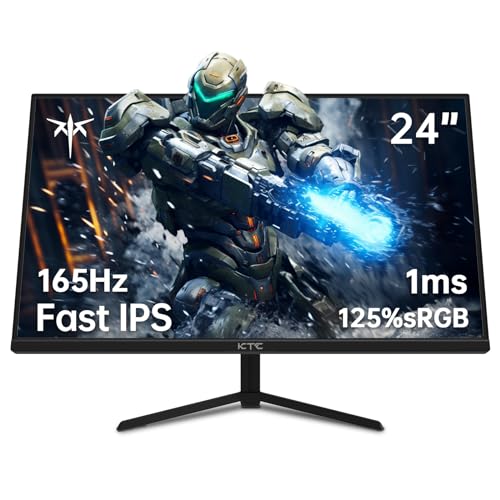
KTC 24-Inch Fast IPS 144Hz Gaming Monitor
Best for: multi-device setups needing a 165Hz refresh rate
- Screen Size
- 24"
- Resolution
- 1080p
- Refresh Rate
- 165Hz
- Panel Type
- Fast IPS
- Response Time
- 1ms MPRT
- Sync Technology
- FreeSync Premium, G-Sync
View on Amazon: KTC 24-Inch Fast IPS 144Hz Gaming Monitor Affiliate link
This 24-inch monitor gives you a Fast IPS panel with a 165Hz refresh rate and 1080p resolution. It features four video inputs, including two HDMI 2.0 and two DisplayPort 1.4 connections, alongside 125.25% sRGB color gamut coverage. You get FreeSync Premium and G-Sync support, making it suitable if you want high frame rates and versatile input options.
Pros
- 165Hz refresh rate with 1ms MPRT response time
- Four video ports featuring two HDMI 2.0 and two DisplayPort 1.4
- 125.25% sRGB color gamut coverage with HDR10
- FreeSync Premium and G-Sync support
Cons
- Resolution tops out at 1080p
- 1ms response time specification is MPRT rather than GtG
Good fit if
- You connect multiple devices using two HDMI and two DisplayPort inputs.
- You prioritize a 165Hz Fast IPS display with wide sRGB color coverage.
Skip if
- You need a screen resolution sharper than 1080p.
- You require native GtG response time specifications.
Verdict: KTC 24-Inch 165Hz Fast IPS Gaming Monitor suits competitive gamers who prioritize a 165Hz refresh rate and multiple display inputs over higher display resolution.

ASUS TUF Gaming 24-Inch 165Hz Monitor
Best for: high-frame-rate 1080p competitive gaming
- Screen Size
- 24"
- Resolution
- 1920 x 1080
- Refresh Rate
- 165Hz
- Response Time
- 1ms MPRT
- Sync Technology
- Adaptive-sync, FreeSync Premium
- Connectivity
- HDMI, DisplayPort
View on Amazon: ASUS TUF Gaming 24-Inch 165Hz Monitor Affiliate link
This 24-inch monitor delivers 1080p resolution with a 165Hz refresh rate that also supports 144Hz. It features a 1ms MPRT response time alongside AMD FreeSync Premium and Adaptive-Sync compatibility. You get DisplayPort and HDMI inputs, plus motion blur reduction. It suits you if you want high frame rates and tear-free visuals for competitive gaming.
Pros
- 165Hz refresh rate with 144Hz support
- 1ms MPRT response time with Extreme Low Motion Blur
- AMD FreeSync Premium and Adaptive-Sync support
- DisplayPort and HDMI connectivity
Cons
- 1080p resolution caps display detail compared to 1440p alternatives
- Connectivity lacks built-in USB ports
Good fit if
- You want a 165Hz refresh rate that steps down to 144Hz when needed.
- You use an AMD Radeon or compatible NVIDIA GeForce graphics card for adaptive sync.
- You need a fast 1ms MPRT response time for motion clarity.
Skip if
- You require higher resolution than 1080p for fine graphic detail.
- You need integrated USB hub connectivity for your peripherals.
Verdict: ASUS TUF 24-Inch 165Hz Gaming Monitor gives competitive players high refresh rates, adaptive sync, and low motion blur on a compact Full HD screen.

LG 24-Inch UltraGear FHD IPS Gaming Monitor
Best for: 24-inch 144Hz gaming with accurate colors
- Screen Size
- 24"
- Resolution
- 1920 x 1080
- Refresh Rate
- 120Hz (144Hz O/C)
- Panel Type
- IPS
- Response Time
- 1ms MBR
- Sync Technology
- G-SYNC Compatible, AMD FreeSync
View on Amazon: LG 24-Inch UltraGear FHD IPS Gaming Monitor Affiliate link
The LG 24G411A-B is a 24-inch IPS monitor with Full HD resolution. It offers a native 120Hz refresh rate that overclocks to 144Hz. The panel covers up to 99% of the sRGB gamut and supports HDR10. It includes 1ms MBR response time and G-SYNC Compatible and FreeSync support. This monitor suits players who want smooth motion and accurate colors on a standard desktop size.
Pros
- IPS panel with 99% sRGB coverage
- 144Hz overclocked refresh rate
- 1ms Motion Blur Reduction
- G-SYNC Compatible and FreeSync support
Cons
- Native refresh rate is only 120Hz
- No height-adjustable stand listed in specs
- No USB hub or audio jack mentioned
Good fit if
- You want a 144Hz refresh rate on a 24-inch screen
- You prefer IPS color accuracy for general use
- You need G-SYNC or FreeSync compatibility
Skip if
- You require a native 144Hz refresh rate without overclocking
- You need a monitor larger than 24 inches
- You want a built-in USB hub for peripherals
Verdict: The LG 24G411A-B 24-inch IPS Gaming Monitor delivers reliable 144Hz performance and vivid colors for competitive gamers on a budget. It fits users who value smooth motion and color fidelity in a compact form factor.
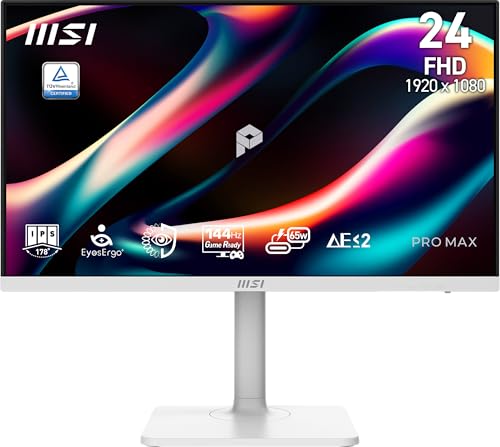
MSI 24-Inch 144Hz IPS Monitor
Best for: coding and design work needing extra vertical space
- Screen Size
- 24-inch
- Resolution
- 1920 x1440
- Refresh Rate
- 144Hz
- Panel Type
- IPS
- Sync Technology
- FreeSync
- Connectivity
- HDMI, DisplayPort, Type C
View on Amazon: MSI 24-Inch 144Hz IPS Monitor Affiliate link
This is a 24-inch IPS monitor with a 1920 x 1440 resolution and 144Hz refresh rate. It includes FreeSync technology and a Type-C port for connectivity. The display is TÜV certified and features an eye-care reminder. It suits users who need a higher vertical pixel count than standard 1080p panels for coding or design work.
Pros
- 1920 x 1440 resolution offers more vertical space than 1080p
- 144Hz refresh rate for smooth motion
- IPS panel with 178-degree viewing angles
- Type-C connectivity for data and power
Cons
- Resolution is not standard 1080p, which may affect scaling
- No mention of USB hub functionality despite Type-C port
- Weight is 17.6 pounds, which is bulky for a 24-inch screen
Good fit if
- You need extra vertical screen real estate for coding
- You want a 144Hz refresh rate on an IPS panel
- You prefer a white monitor design
Skip if
- You require standard 1920 x 1080 resolution
- You need a lightweight monitor under 10 pounds
- You want a monitor with built-in USB hub features
Verdict: MSI PRO MAX 241PHW 24-inch 144Hz Monitor fits developers who need more vertical pixels than 1080p provides. It is not ideal for users who strictly want standard 1080p resolution or a lighter build.

Dell 24-Inch 144Hz IPS Monitor
Best for: Compact desks needing tidy cable management
- Screen Size
- 24 inch
- Resolution
- 1080p
- Refresh Rate
- 144Hz
- Panel Type
- IPS
- Aspect Ratio
- 16:9
- Response Time
- 1ms MPRT
View on Amazon: Dell 24-Inch 144Hz IPS Monitor Affiliate link
The Dell S24 offers a 24-inch IPS panel with Full HD 1080p resolution and a 144Hz refresh rate. It features AMD FreeSync and a 1ms MPRT response time for smooth motion. The monitor includes two HDMI ports and VESA mounting support. Its anti-glare coating and tiltable stand help reduce eye strain. This setup is ideal for users seeking a compact, tidy workspace with reliable color reproduction.
Pros
- 144Hz refresh rate for smoother motion
- IPS panel for true-to-life colors
- Two HDMI ports for easy connectivity
- VESA mountable for flexible placement
- Anti-glare coating reduces eyestrain
Cons
- Only includes HDMI ports, no DisplayPort
- 1ms MPRT response time, not GTG
- No built-in speakers or USB hub
Good fit if
- You need a compact 24-inch screen for a tight desk
- You want an IPS panel for better color accuracy
- You plan to mount the monitor on a VESA arm
Skip if
- You require DisplayPort or USB-C connectivity
- You need built-in speakers for audio
- You are looking for a 27-inch or larger display
Verdict: The Dell S24 24-inch 144Hz IPS Monitor provides a clean, space-saving design with solid 1080p visuals. It fits users who prioritize a tidy setup and color accuracy over advanced connectivity options.
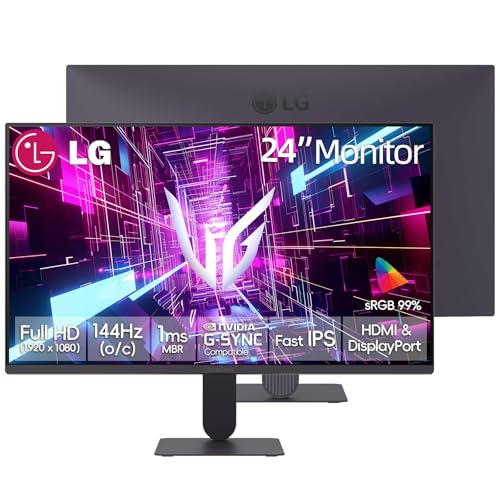
LG 24 Inch Ultragear 144Hz IPS
Best for: 1080p esports and colorful gaming
- Screen Size
- 24 inch
- Resolution
- FHD
- Refresh Rate
- 120Hz (144Hz Overclock)
- Panel Type
- IPS
- Response Time
- 1ms MBR
- Sync Technology
- NVIDIA G-SYNC Compatible, AMD FreeSync
View on Amazon: LG 24 Inch Ultragear 144Hz IPS Affiliate link
The LG 24 Inch Ultragear 144Hz Monitor offers a 24-inch FHD IPS panel with a 144Hz overclocked refresh rate. It features 1ms MBR response time and supports both NVIDIA G-SYNC Compatible and AMD FreeSync. The display covers 99% sRGB and includes HDR10. This setup suits gamers seeking smooth visuals and color accuracy for competitive play or general use.
Pros
- 144Hz overclocked refresh rate for smooth motion
- 1ms MBR response time reduces ghosting
- 99% sRGB color gamut coverage
- Supports NVIDIA G-SYNC and AMD FreeSync
Cons
- Native refresh rate is only 120Hz
- No USB-C connectivity listed in specs
- Only HDMI and DisplayPort inputs available
Good fit if
- You want a 24-inch FHD gaming screen
- You need G-SYNC or FreeSync support
- You prefer IPS panel color accuracy
Skip if
- You require USB-C connectivity
- You need a 4K or QHD resolution
- You want a native 144Hz without overclocking
Verdict: LG 24 Inch Ultragear 144Hz Monitor delivers solid 1080p performance with strong sync tech. It fits budget gamers who value color fidelity and smooth frame rates over native high refresh rates.
Specifications side by side
| Spec | Dell 24-Inch 144Hz FHD Monitor | KTC 24-Inch Fast IPS 144Hz Gaming Monitor | ASUS TUF Gaming 24-Inch 165Hz Monitor | LG 24-Inch UltraGear FHD IPS Gaming Monitor | MSI 24-Inch 144Hz IPS Monitor | Dell 24-Inch 144Hz IPS Monitor | LG 24 Inch Ultragear 144Hz IPS |
|---|---|---|---|---|---|---|---|
| Screen Size | 24 inch | 24" | 24" | 24" | 24-inch | 24 inch | 24 inch |
| Resolution | FHD | 1080p | 1920 x 1080 | 1920 x 1080 | 1920 x1440 | 1080p | FHD |
| Refresh Rate | 144Hz | 165Hz | 165Hz | 120Hz (144Hz O/C) | 144Hz | 144Hz | 120Hz (144Hz Overclock) |
| Panel Type | not specified | Fast IPS | not specified | IPS | IPS | IPS | IPS |
| Aspect Ratio | not specified | not specified | not specified | not specified | not specified | 16:9 | not specified |
| Response Time | 1ms MPRT | 1ms MPRT | 1ms MPRT | 1ms MBR | not specified | 1ms MPRT | 1ms MBR |
| Sync Technology | AMD FreeSync | FreeSync Premium, G-Sync | Adaptive-sync, FreeSync Premium | G-SYNC Compatible, AMD FreeSync | FreeSync | AMD FreeSync | NVIDIA G-SYNC Compatible, AMD FreeSync |
| Connectivity | 2 x HDMI | 2x HDMI 2.0, 2x DP 1.4 | HDMI, DisplayPort | HDMI, DisplayPort | HDMI, DisplayPort, Type C | 2 x HDMI | HDMI, DisplayPort |
| Dimensions | 22 × 18 × 5 inches | 4.53 × 24.4 × 18.7 inches | 15.5 × 21.3 × 6.85 inches | 8.7 × 21.2 × 16.2 inches | 15 × 21.3 × 7.91 inches | 22 × 16 × 7 inches | 8.7 × 21.2 × 16.2 inches |
| Weight | not specified | 6.17 pounds | 7.34 pounds | 7.3 pounds | 17.6 pounds | not specified | not specified |
| Size | 24"-FHD-144Hz-1ms | 24.1 Inch | 15.53 x 21.3 x 6.85 inches | 24” | 12.7" x 21.3" x 2.6" | 24 | 120Hz-HDMI/DP |
| Color | White | Black | BLACK | Black | White | Black | Black-Tilt |
| Model | not specified | H24T09P | VG247Q1A | 24G411A-B.AUS | PRO MAX 241PHW E14 | S Series | not specified |
Frequently asked questions
Which Dell 24-inch monitor has the best connectivity options?
The Dell S24 144Hz IPS Monitor offers HDMI connectivity for simple setups. It prioritizes a tidy cable management solution and color accuracy. This model fits users who want a clean desk without complex ports. It does not include DisplayPort, so you must rely on HDMI for your signal source.
Do any of these monitors support both FreeSync and G-SYNC?
Yes, the KTC, LG 24G411A-B, and LG 24 Inch Ultragear models support both FreeSync and G-SYNC. This dual compatibility ensures smooth frame rates regardless of whether you use an AMD or NVIDIA graphics card. It provides flexibility for different PC builds without needing to compromise on sync technology.
Which monitor is best for competitive gaming with a higher refresh rate?
The KTC 24-Inch Fast IPS Monitor offers a 165Hz refresh rate. This exceeds the 144Hz standard found in most other options on this list. The extra speed helps reduce motion blur in fast-paced titles. It is ideal for players who prioritize frame rate over other features.
Are there white monitors available in this list?
The Dell 24-Inch 144Hz FHD Monitor and the MSI PRO MAX 241PHW both come in white. These models suit users who prefer a lighter aesthetic for their desk setup. The MSI model also offers a unique aspect ratio for extra vertical space, while the Dell focuses on ergonomic adjustments.
Which monitor is best for coding and design work?
The MSI PRO MAX 241PHW is designed for developers needing extra vertical pixels. It provides more screen real estate than standard 1080p monitors. This allows you to see more code or design layers at once. It is not ideal if you strictly want standard 1080p resolution.
Do these monitors include DisplayPort inputs?
The ASUS TUF, LG 24G411A-B, MSI PRO MAX, and LG 24 Inch Ultragear all include DisplayPort. This allows you to connect to modern GPUs with higher bandwidth. The Dell and KTC models rely on HDMI for connectivity. Check your graphics card outputs before purchasing to ensure compatibility.
Which monitor is best for accurate colors on a budget?
The LG 24G411A-B is noted for vivid colors and accurate color fidelity. It uses an IPS panel to deliver reliable performance for competitive gamers. This model fits users who value color quality in a compact form factor. It is a strong choice for those seeking budget-friendly accuracy.