Looking Beyond the LG 24-Inch 120Hz IPS Monitor? 6 Alternatives Worth a Look
As an Amazon Associate we earn from qualifying purchases. Links on this page are affiliate links.
The LG 24U411A-B 24 inch full HD alternatives list explores options for users who want similar specs without the exact same brand or feature set. This monitor delivers a 120Hz refresh rate on an IPS panel, offering smooth motion and reliable color for everyday tasks and casual gaming. You might look elsewhere if you need legacy VGA connectivity, ergonomic height adjustment, or daisy-chaining capabilities for multi-screen setups. These alternatives were chosen because their core specifications overlap with the original LG display, ensuring you do not sacrifice essential performance.
We compared seven monitors that share the 24-inch size, 1080p resolution, and 120Hz refresh rate. Some include VGA ports for older computers, while others offer DisplayPort for multi-monitor daisy-chaining. Several models provide built-in speakers or height-adjustable stands, features that the LG lacks. You can find options focused on color accuracy, budget pricing, or specific connectivity needs. Each alternative matches the LG in panel technology and refresh rate, giving you practical choices based on your specific workspace requirements rather than just brand preference.
Our top pick: LG 24-Inch 120Hz IPS Monitor.
How These Alternatives Compare to the LG
ViewSonic 24-Inch 120Hz IPS Monitor
The ViewSonic VA2456A-MHD matches the LG 24U411A-B with a 24-inch 1080p IPS panel and 120Hz refresh rate. It shares the same compact footprint and black chassis. The key difference is connectivity. This ViewSonic model includes a DisplayPort output, which the LG lacks. This allows for daisy-chaining multiple monitors in a workstation setup. You lose HDR10 support and the 1ms Motion Blur Reduction feature found on the LG. If you need to link several screens without extra cables, this DisplayPort capability makes it a better choice for productivity. It is ideal for users who prioritize multi-display wiring over gaming-specific motion smoothing.
ASUS 24-Inch 1080p 120Hz IPS Monitor
The ASUS VA249QG offers the same 24-inch 1080p IPS screen and 120Hz refresh rate as the LG monitor. It provides similar color accuracy and smooth motion for everyday tasks. The main advantage is its connectivity options. This ASUS model includes both HDMI and DisplayPort inputs, whereas the LG only lists HDMI. It also features built-in speakers, adding convenience for basic audio needs without external hardware. The LG offers HDR10 support and specific gaming features like Dynamic Action Sync. If you do not need HDR or advanced input lag reduction, the ASUS provides versatile ports and integrated audio. It is a solid alternative for office work and casual gaming where port variety matters more than specialized gaming tech.
The ASUS VY249HGR-W shares the 24-inch 1080p IPS panel and 120Hz refresh rate found in the LG 24U411A-B. It distinguishes itself with a white chassis, offering a different aesthetic for desk setups. Connectivity includes HDMI and VGA ports, providing legacy support that the LG does not explicitly list. However, it lacks the HDR10 support and 1ms Motion Blur Reduction features present in the LG model. The ASUS also omits the Switch app for screen customization. If you prefer a white monitor design or need a VGA connection for older equipment, this ASUS model is a practical choice. It delivers reliable 120Hz performance but sacrifices some of the modern gaming and color features of the LG.
ViewSonic 24-Inch 120Hz IPS Monitor
The ViewSonic VS20600 provides a 24-inch 1080p IPS display with a 120Hz refresh rate, matching the LG 24U411A-B in core performance. It shares the same black color scheme and compact size. The primary difference is its connectivity focus. This ViewSonic model includes a VGA port, catering to legacy PC connections. The LG monitor does not list VGA support. You give up HDR10, 1ms Motion Blur Reduction, and the Switch app customization features found in the LG. This ViewSonic is best for users who need basic, straightforward connectivity for older computers. It offers fluid 120Hz motion for office work but lacks the advanced gaming and productivity tools of the LG.
The XUNDEFINED XG24FH240 doubles the refresh rate of the LG 24U411A-B with a 240Hz Fast IPS panel. It maintains the 24-inch 1080p resolution. This monitor includes FreeSync support and both HDMI and DisplayPort inputs, whereas the LG only lists HDMI. The higher refresh rate provides significantly smoother motion for competitive gaming. However, it lacks the HDR10 support and 1ms Motion Blur Reduction features of the LG. The XUNDEFINED also omits the Switch app for multitasking. If you prioritize frame rate and competitive gaming performance over HDR color and productivity apps, this 240Hz model is a strong alternative. It delivers faster visual updates for fast-paced titles.
The Sceptre E248B-FW165T offers a 24-inch 1080p display with a 165Hz refresh rate, exceeding the 120Hz rate of the LG 24U411A-B. It provides smoother motion for gaming. Connectivity includes both HDMI and DisplayPort inputs, offering more versatility than the LG’s HDMI-only setup. The Sceptre lacks HDR10 support, 1ms Motion Blur Reduction, and the Switch app features found in the LG. It is designed for users who want higher refresh rates for 1080p gaming without the extra productivity tools. The 165Hz panel provides a noticeable improvement in fluidity over the 120Hz LG. If you value higher frame rates and dual video inputs over HDR and multitasking software, this Sceptre model is a suitable alternative.
Quick picks
Our 7 picks

LG 24-Inch 120Hz IPS Monitor
Best for: everyday computing and casual 120Hz gaming
- Screen Size
- 24"
- Resolution
- 1920 x 1080
- Refresh Rate
- 120Hz
- Panel Type
- IPS
- Response Time
- 1ms MBR
- Connectivity
- HDMI
View on Amazon: LG 24-Inch 120Hz IPS Monitor Affiliate link
The LG 24-Inch 120Hz IPS Monitor serves as the baseline benchmark for compact everyday displays. It pairs a Full HD 1920 x 1080 resolution with a 120Hz refresh rate and a 1ms Motion Blur Reduction setting on an IPS panel. With up to 99% sRGB coverage and tilt adjustment from -5° to 20°, this display suits you if you need fluid visuals for mixed office work, casual gaming, and content viewing.
Pros
- 120Hz refresh rate and 1ms Motion Blur Reduction support smooth frame transitions
- IPS panel offers Full HD resolution and up to 99% sRGB coverage
- Screen tilt adjusts from -5° to 20°
- Switch app enables screen splitting into up to 6 sections
Cons
- Only HDMI connectivity listed with no DisplayPort
- Stand lacks height, swivel, or pivot adjustments
- No built-in speakers listed in specifications
Good fit if
- You want a 120Hz 1080p IPS display with 99% sRGB coverage for general tasks
- You need software like the Switch app to arrange up to 6 screen sections
- You plan to connect using standard HDMI
Skip if
- You need a monitor with DisplayPort or legacy video inputs
- You require built-in speakers or height adjustability
Verdict: LG 24-Inch 120Hz IPS Monitor sets a dependable standard for compact FHD displays by combining a 120Hz IPS panel with 1ms Motion Blur Reduction. It delivers reliable color accuracy and smooth frame transitions for everyday computing.
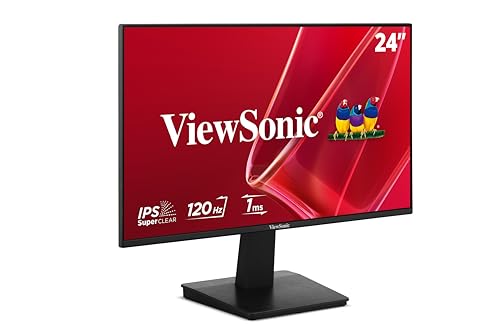
ViewSonic 24-Inch 120Hz IPS Monitor
Best for: everyday office work and legacy PC connections
- Screen Size
- 24 Inches
- Resolution
- 1920 x 1080
- Refresh Rate
- 120Hz
- Panel Type
- IPS
- Response Time
- 1ms
- Sync Technology
- Variable Refresh Rate
View on Amazon: ViewSonic 24-Inch 120Hz IPS Monitor Affiliate link
This ViewSonic 24-inch monitor matches the standard Full HD form factor with a 1920 x 1080 IPS panel and a 120Hz refresh rate. It includes Variable Refresh Rate support to keep frame rates smooth during motion, alongside Flicker-Free technology and a Blue Light Filter. With both HDMI and legacy VGA inputs, it suits you if you need a dependable everyday display for desktop work, study setups, and mixed media playback.
Pros
- 120Hz refresh rate with Variable Refresh Rate support
- IPS panel with 1920 x 1080 resolution
- HDMI and legacy VGA connectivity
- Flicker-Free technology and Blue Light Filter eye care
Cons
- No DisplayPort or USB-C inputs
- Limited to 1080p Full HD resolution
Good fit if
- You need a 120Hz IPS display with Variable Refresh Rate for smooth everyday performance.
- You connect to older PCs or hardware that requires a VGA port.
- You want built-in eye care features like Flicker-Free viewing and a Blue Light Filter.
Skip if
- You require modern DisplayPort or USB-C video connections.
- You need higher than 1080p resolution for detailed editing work.
Verdict: ViewSonic 24-Inch 120Hz IPS Monitor provides essential 1080p performance, fluid 120Hz motion, and legacy VGA versatility for straightforward desktop setups.
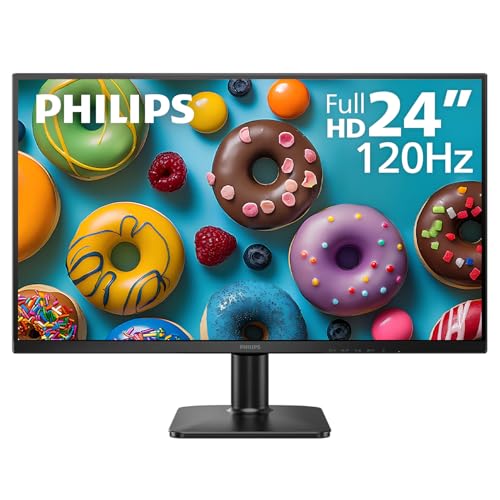
Philips 24-Inch 120Hz IPS Monitor
Best for: General productivity and casual gaming
- Screen Size
- 24"
- Resolution
- 1920x1080
- Refresh Rate
- 120Hz
- Panel Type
- IPS
- Sync Technology
- Adaptive Sync
- Connectivity
- HDMI 1.4, VGA
View on Amazon: Philips 24-Inch 120Hz IPS Monitor Affiliate link
The Philips 24E2N2100 offers a 24-inch Full HD IPS panel with a 120Hz refresh rate and Adaptive Sync. It includes HDMI 1.4 and VGA ports for flexible connectivity. The design features ultra-narrow bezels and eye-care technologies like LowBlue Mode. This monitor suits users seeking smooth visuals for office work and casual gaming without complex features.
Pros
- 120Hz refresh rate for smoother motion
- IPS panel with accurate colors
- Adaptive Sync reduces screen tearing
- LowBlue Mode and flicker-free technology
- Ultra-narrow bezels for multi-monitor setups
Cons
- HDMI 1.4 limits bandwidth compared to newer standards
- 9.35-pound weight is heavier than some competitors
- Only VGA and HDMI inputs available
Good fit if
- You need a reliable 120Hz display for general productivity
- You want to connect legacy devices via VGA
- You prefer an IPS panel for better viewing angles
Skip if
- You require HDMI 2.0 or higher for high-bandwidth features
- You are looking for a monitor with USB-C connectivity
- You need a higher resolution than 1080p
Verdict: Philips 24-Inch 120Hz IPS Monitor provides solid 1080p performance with Adaptive Sync for users who value color accuracy and smooth motion. It is a practical choice for those who need VGA support and eye-care features in a standard 24-inch form factor.

ASUS 24-Inch 120Hz IPS Gaming Monitor
Best for: Color-accurate 1080p desktop work and casual gaming
- Screen Size
- 23.8-inch
- Resolution
- 1920x1080
- Refresh Rate
- 120Hz
- Panel Type
- IPS
- Response Time
- 1ms MPRT
- Sync Technology
- Adaptive-Sync
View on Amazon: ASUS 24-Inch 120Hz IPS Gaming Monitor Affiliate link
The ASUS VA249HG is a 24-inch IPS monitor offering 1080p resolution and a 120Hz refresh rate. It covers 99% of the sRGB color gamut, ensuring accurate colors for general use. The display includes Adaptive-Sync technology to reduce screen tearing. It features a frameless design and VESA mount compatibility. This model suits users seeking reliable eye care features and solid color performance in a standard desktop setup.
Pros
- 120Hz refresh rate with 1ms MPRT response time
- 99% sRGB color gamut coverage for vivid visuals
- TUV Rheinland-certified flicker-free and low blue light technology
- VESA wall-mountable for space-saving installation
Cons
- 1080p resolution is lower than the 1440p options on this list
- 7.1-pound weight is heavier than the lighter alternatives in the group
- Includes only HDMI and VGA ports, lacking USB-C connectivity
Good fit if
- You want accurate colors with 99% sRGB coverage
- You need a VESA-mountable display for a clean desk
- You prioritize eye care certifications for long sessions
Skip if
- You require 1440p or higher resolution clarity
- You need USB-C connectivity for single-cable docking
- You prefer a lighter monitor under 6 pounds
Verdict: The ASUS VA249HG 24-inch 1080p 120Hz monitor fits users who value color accuracy and eye comfort over higher resolution. It is a practical choice for standard desktops where VESA mounting and reliable IPS performance matter more than cutting-edge connectivity.

ViewSonic 24-Inch 120Hz IPS Monitor
Best for: daisy-chained multi-monitor workstations
- Screen Size
- 24 Inch
- Resolution
- 1080p
- Refresh Rate
- 120Hz
- Panel Type
- IPS
- Response Time
- 4ms
- Sync Technology
- Variable Refresh Rate
View on Amazon: ViewSonic 24-Inch 120Hz IPS Monitor Affiliate link
This 24-inch monitor delivers a 1080p Full HD resolution and a 120Hz refresh rate on an IPS panel. You get HDMI and DisplayPort inputs, along with a DisplayPort output that lets you daisy-chain multi-monitor setups with fewer cables. Built-in eye care features include flicker-free technology and a blue light filter. It suits you if you want smooth daily output and multi-screen desk setups.
Pros
- 120Hz refresh rate on a 1080p IPS panel
- DisplayPort output for daisy-chaining multiple screens
- HDMI and DisplayPort video inputs
- Flicker-Free technology and integrated Blue Light Filter
Cons
- Resolution is limited to 1920 x 1080
- No USB-C connectivity or USB hub ports listed
Good fit if
- You plan to daisy-chain displays using DisplayPort output.
- You need a 120Hz Full HD IPS display with HDMI and DisplayPort connectivity.
Skip if
- You require a display resolution higher than 1080p.
- You need a single-cable USB-C connection for video and charging.
Verdict: ViewSonic 24-Inch 120Hz Daisy-Chain Monitor provides fluid 120Hz visuals and simplifies multi-screen wiring via its DisplayPort output. It gives you reliable 1080p IPS performance for multi-display workstations.

ASUS VA249QGS 24-inch 120Hz IPS Monitor
Best for: Users needing full ergonomic adjustability and built-in audio
- Screen Size
- 23.8-inch
- Resolution
- 1920x1080
- Refresh Rate
- 120Hz
- Panel Type
- IPS
- Response Time
- 1ms MPRT
- Sync Technology
- Adaptive-Sync
View on Amazon: ASUS VA249QGS 24-inch 120Hz IPS Monitor Affiliate link
The ASUS VA249QGS is a 24-inch Full HD IPS monitor with a 120Hz refresh rate. It features a frameless design and includes built-in speakers. The stand offers height, tilt, swivel, and pivot adjustments. Connectivity includes HDMI, DisplayPort, and VGA. This model is designed for users who need ergonomic flexibility and a compact footprint for their desktop setup.
Pros
- 120Hz refresh rate with 1ms MPRT for smooth motion
- Ergonomic stand with height, tilt, swivel, and pivot adjustments
- Built-in speakers for audio without external hardware
- Frameless design for a cleaner multi-monitor look
- VESA wall-mountable to save desktop space
Cons
- 24-inch size is smaller than the 27-inch and 34-inch options available in the same product line
- 10.6-pound weight is heavier than typical 24-inch monitors in this category
- Resolution is limited to 1080p, which is lower than the 4K or QHD panels found in other list items
Good fit if
- You need full ergonomic adjustability including height and pivot
- You want built-in speakers to simplify your desk setup
- You prefer a frameless design for a seamless look
Skip if
- You require a resolution higher than 1080p
- You need a larger screen size than 24 inches
- You are looking for USB-C connectivity or docking capabilities
Verdict: The ASUS VA249QGS 24-inch 120Hz IPS Monitor fits users who prioritize ergonomic adjustability and built-in audio over higher resolution. It is a practical choice for those who need a compact, frameless display with a sturdy, height-adjustable stand.

ASUS 24-Inch 1080p 120Hz IPS Monitor
Best for: casual gaming and office use
- Screen Size
- 24 Inch
- Resolution
- 1080p
- Refresh Rate
- 120Hz
- Panel Type
- IPS
- Response Time
- 1ms MPRT
- Sync Technology
- Adaptive-Sync
View on Amazon: ASUS 24-Inch 1080p 120Hz IPS Monitor Affiliate link
The ASUS VA249QG is a 24-inch 1080p IPS monitor with a 120Hz refresh rate. It features 1ms MPRT response time and Adaptive-Sync for smoother visuals. The panel covers 99% sRGB for accurate colors. You get HDMI, DisplayPort, and VGA inputs. Built-in speakers and VESA mount support add convenience for desk setups.
Pros
- 120Hz refresh rate for smoother motion
- 99% sRGB color gamut coverage
- 1ms MPRT response time
- Adaptive-Sync reduces screen tearing
- Built-in speakers and VESA mount
Cons
- 1080p resolution limits sharpness on larger screens
- No USB-C connectivity listed in specs
- No height adjustable stand mentioned
Good fit if
- You want a smooth 120Hz display for casual gaming
- You need multiple connection options including VGA
- You prefer a frameless design for dual monitor setups
Skip if
- You require 4K resolution for detailed work
- You need USB-C connectivity for single cable setup
- You want a height adjustable stand
Verdict: The ASUS VA249QG 24-inch 120Hz IPS Monitor fits users who prioritize smooth motion and color accuracy in a compact 24-inch form factor. It is ideal for casual gamers and office workers who value versatile connectivity and built-in audio.
Specifications side by side
| Spec | LG 24-Inch 120Hz IPS Monitor | ViewSonic 24-Inch 120Hz IPS Monitor | Philips 24-Inch 120Hz IPS Monitor | ASUS 24-Inch 120Hz IPS Gaming Monitor | ViewSonic 24-Inch 120Hz IPS Monitor | ASUS VA249QGS 24-inch 120Hz IPS Monitor | ASUS 24-Inch 1080p 120Hz IPS Monitor |
|---|---|---|---|---|---|---|---|
| Screen Size | 24" | 24 Inches | 24" | 23.8-inch | 24 Inch | 23.8-inch | 24 Inch |
| Resolution | 1920 x 1080 | 1920 x 1080 | 1920x1080 | 1920x1080 | 1080p | 1920x1080 | 1080p |
| Refresh Rate | 120Hz | 120Hz | 120Hz | 120Hz | 120Hz | 120Hz | 120Hz |
| Panel Type | IPS | IPS | IPS | IPS | IPS | IPS | IPS |
| Response Time | 1ms MBR | 1ms | not stated | 1ms MPRT | 4ms | 1ms MPRT | 1ms MPRT |
| Sync Technology | not stated | Variable Refresh Rate | Adaptive Sync | Adaptive-Sync | Variable Refresh Rate | Adaptive-Sync | Adaptive-Sync |
| Connectivity | HDMI | HDMI, VGA | HDMI 1.4, VGA | HDMI, VGA | HDMI, DisplayPort, VGA | HDMI, DisplayPort, VGA | HDMI, DisplayPort, VGA |
| Size | 24 Inch | 24 Inch | 24 inch 120Hz | 24 Inch | 24 Inch | 24 Inch | 24 Inch |
| Dimensions | 8.7 × 21.2 × 16.4 inches | 7.6 × 21.3 × 17 inches | 1.3 × 12.6 × 21.4 inches | 7.5 × 21.3 × 16.1 inches | 7.8 × 21.2 × 15.4 inches | 8.3 × 21.3 × 17.9 inches | 7.4 × 21.3 × 16 inches |
| Weight | 7.1 pounds | 6.8 pounds | 9.35 pounds | 7.1 pounds | 6.8 pounds | 10.6 pounds | 6.7 pounds |
| Color | Black | Black | Black | BLACK | Black | BLACK | BLACK |
| Model | 24U411A-B.AUSQ | VS20600 | 24E2N2100 | VA249HG | VA2456A-MHD | VA249QGS | VA249QG |
You can evaluate competing panel specs and refresh rates in this comparison of lg 24 alternatives.
Frequently asked questions
Which LG 24U411A-B alternative includes VGA connectivity?
Several options in this list support legacy VGA connections. The ViewSonic VS20600, Philips 24E2N2100, ASUS VA249HG, ViewSonic VA2456A-MHD, ASUS VA249QGS, and ASUS VA249QG all feature VGA ports alongside HDMI or DisplayPort. This makes them suitable for older computers that lack digital video outputs.
Does any alternative offer DisplayPort connectivity?
Yes, three models provide DisplayPort inputs. The ViewSonic VA2456A-MHD, ASUS VA249QGS, and ASUS VA249QG all include DisplayPort alongside HDMI and VGA. This connectivity allows you to connect to modern graphics cards or daisy-chain monitors, offering more flexibility than the HDMI-only LG 24U411A-B.
Which monitor is best for multi-monitor setups?
The ViewSonic VA2456A-MHD is designed for daisy-chained multi-monitor workstations. It features a DisplayPort output that allows you to connect additional displays without using extra ports on your computer. This simplifies wiring and reduces cable clutter compared to using the LG 24U411A-B for each screen.
Are there options with built-in speakers?
Two ASUS models include built-in audio. The ASUS VA249QGS and ASUS VA249QG both feature integrated speakers. This is useful if you want to avoid using external headphones or desktop speakers. The other listed monitors, including the LG 24U411A-B, do not list built-in audio in their specifications.
Which alternative has the most ergonomic stand?
The ASUS VA249QGS is highlighted for its full ergonomic adjustability. It features a sturdy, height-adjustable stand that allows you to customize the viewing angle and position. This offers more physical adjustability than the standard stand found on the LG 24U411A-B or the other listed 24-inch monitors.
Is there a lighter option than the LG monitor?
The ViewSonic VS20600 is the lightest option at 6.8 pounds. It is lighter than the LG 24U411A-B, which weighs 7.1 pounds. Other lightweight choices include the ViewSonic VA2456A-MHD and the ASUS VA249QG, both also weighing 6.8 pounds. These are suitable for users who prioritize a lighter setup.
Which monitor is best for eye comfort?
The Philips 24E2N2100 explicitly includes eye-care features in its description. The ASUS VA249HG also prioritizes eye comfort alongside color accuracy. These models are practical choices for users who spend long hours at their desk and want reduced eye strain compared to standard displays.
Do all alternatives match the 120Hz refresh rate?
Yes, every listed alternative matches the 120Hz refresh rate of the LG 24U411A-B. All models use an IPS panel to deliver smooth motion and reliable color. This ensures you get consistent performance across different brands, whether you choose a budget option or a premium model with extra connectivity.