6 Best Alternatives to the Sceptre 27-Inch Curved 165Hz Gaming (2026)
As an Amazon Associate we earn from qualifying purchases. Links on this page are affiliate links.
You are looking for Sceptre curved 27 fhd 1080p alternatives that match the original monitor’s core strengths. The Sceptre 27-Inch Curved 165Hz Gaming Monitor delivers a 165Hz refresh rate, 3ms response time, and 95% sRGB color gamut within an 1800R curved design. It supports AMD FreeSync Premium and includes DisplayPort and HDMI connectivity. These specs provide smooth motion and immersive visuals for 1080p gaming.
You might want a different option if you prefer a flat screen, an IPS panel for better color accuracy, or a higher refresh rate like 180Hz. Some buyers also seek ergonomic stands or dual sync technology support. The 6 alternatives listed here were chosen because their specifications overlap with the original Sceptre model. Each option shares key attributes such as a 27-inch size, 1080p resolution, and high refresh rates. This list helps you compare panel types, sync technologies, and connectivity options to find the best fit for your specific gaming needs.
How alternatives compare to Sceptre
Gawfolk 27-inch 180Hz Curved Monitor
The Gawfolk 27-inch model offers a higher 180Hz refresh rate compared to the Sceptre’s 165Hz. Both monitors share the same 1080p resolution and curved design, but the Gawfolk prioritizes motion smoothness. It uses FreeSync technology just like the Sceptre does. You get similar immersion with the 1800R curve. The Gawfolk drops the 95% sRGB specification found in the Sceptre data. It also lacks the explicit 3ms response time claim. This monitor suits players who want the highest possible refresh rate for fast-paced games. It is a solid choice if you prefer speed over stated color gamut metrics. The connectivity options remain standard with HDMI and DisplayPort inputs.
ASUS TUF 27-Inch 1080p IPS Gaming Monitor
The ASUS TUF VG279QL1A switches from a curved VA-style panel to a flat IPS panel. This change improves color accuracy and viewing angles significantly. Both monitors offer 165Hz refresh rates and FreeSync support for smooth gameplay. The ASUS model targets competitive FPS players who need precise color fidelity. It gives up the immersive curvature of the Sceptre. You get a sharper, more consistent image from different angles. The flat design is better for multi-monitor setups. This monitor fits users who prioritize image quality and response time over the wrapped-around field of view. It maintains the same 27-inch size and 1080p resolution. The IPS panel provides better color reproduction than the standard Sceptre panel.
Sceptre 27-Inch 1080p 165Hz IPS Gaming Monitor
This Sceptre IPS model keeps the same brand and size but changes the panel technology. It replaces the curved VA panel with a flat IPS panel. You get the same 165Hz refresh rate and 1080p resolution. The IPS panel offers superior color accuracy and wider viewing angles. It drops the 1800R curvature for a standard flat design. This model is ideal for gamers who want the Sceptre performance but prefer flat screen benefits. It maintains the same connectivity with HDMI and DisplayPort. The response time and sync technology remain consistent with the original. You trade immersion for better color fidelity and multi-viewing consistency. It is a practical upgrade for users who value color accuracy over curved immersion. The budget-friendly nature remains a key feature.
LG 27-Inch UltraGear 144Hz IPS Monitor
The LG 27-inch UltraGear uses a flat IPS panel instead of the Sceptre’s curved design. It offers 144Hz refresh rate, which is slightly lower than the Sceptre’s 165Hz. However, it supports both FreeSync and G-SYNC for broader compatibility. The IPS panel provides better color accuracy and viewing angles. You lose the immersive 1800R curve found in the Sceptre. This monitor is better for users who need ergonomic adjustments and color precision. It fits competitive players who value sync technology flexibility. The 27-inch size and 1080p resolution remain the same. The LG model offers a more robust build for height adjustments. It is a solid choice for those who prioritize panel quality and sync support over maximum refresh rates. The flat design suits multi-monitor setups better.
ASUS TUF 27-Inch 1080p 144Hz Gaming Monitor
The ASUS TUF VG277Q1A features a flat IPS panel, differing from the Sceptre’s curved design. It offers 165Hz refresh rate and FreeSync support, matching the Sceptre’s motion performance. The IPS panel provides better color accuracy and viewing angles. You give up the 1800R curvature for a standard flat screen. This monitor is ideal for competitive players who prefer flat displays. It maintains the same 27-inch size and 1080p resolution. The ASUS model includes ELMB technology for motion clarity. It offers standard HDMI and DisplayPort connectivity. The flat design is better for multi-monitor arrangements. This monitor suits users who value color fidelity and motion handling over curved immersion. It is a reliable option for competitive gaming on flat screens. The build quality supports standard ergonomic adjustments.
LG 27-Inch 144Hz IPS Gaming Monitor
The LG 27-inch 144Hz IPS monitor uses a flat panel, unlike the Sceptre’s curved design. It offers 144Hz refresh rate, slightly lower than the Sceptre’s 165Hz. The IPS panel provides better color accuracy and viewing angles. You lose the immersive 1800R curve. This model supports both FreeSync and G-SYNC for wider compatibility. It is ideal for users who prioritize color precision and sync flexibility. The 27-inch size and 1080p resolution remain consistent. The LG monitor offers ergonomic stand adjustments. It is a solid choice for mid-range graphics card users. The flat design suits multi-monitor setups. This monitor fits players who value panel quality over maximum refresh rates. It provides reliable performance for 1080p gaming. The IPS technology ensures consistent colors from different viewing angles.
Quick picks
Our 7 picks

Sceptre 27-Inch Curved 165Hz Gaming Monitor
Best for: Curved 1080p gaming on a budget
- Screen Size
- 27"
- Resolution
- 1920 x 1080
- Refresh Rate
- 165Hz
- Response Time
- 3ms
- Sync Technology
- AMD FreeSync Premium
- Connectivity
- HDMI, DisplayPort, 3.5mm Audio
View on Amazon: Sceptre 27-Inch Curved 165Hz Gaming Monitor Affiliate link
This Sceptre monitor offers a 27-inch 1080p panel with an 1800R curve. It supports up to 165Hz refresh rates and 3ms response times. AMD FreeSync Premium helps reduce screen tearing. The display covers 95% of the sRGB color gamut. You get two HDMI ports and one DisplayPort for connectivity. This setup suits gamers who want smooth motion in a curved frame.
Pros
- 165Hz refresh rate for smooth gameplay
- 1800R curved screen for immersion
- AMD FreeSync Premium compatibility
- 95% sRGB color gamut coverage
- 3ms response time
Cons
- 1080p resolution on 27 inches yields lower pixel density
- IPS panel type not explicitly confirmed in specs
- No USB hub or built-in speakers listed
Good fit if
- You want a curved display for immersion
- You play fast-paced games at 1080p
- You need AMD FreeSync Premium support
Skip if
- You require 4K resolution clarity
- You prefer IPS panel color accuracy
- You need USB-C connectivity
Verdict: Sceptre Curved 27" 165Hz 1080p delivers solid 1080p performance for curved gaming. It fits players who prioritize refresh rate and immersion over sharp pixel density.

Gawfolk 27-inch 180Hz Curved Monitor
Best for: Immersive 1080p gaming with high refresh rates
- Screen Size
- 27 inch
- Resolution
- 1920x1080
- Refresh Rate
- 180Hz
- Response Time
- 1ms (GTG)
- Sync Technology
- AMD FreeSync
- Connectivity
- DisplayPort, HDMI
View on Amazon: Gawfolk 27-inch 180Hz Curved Monitor Affiliate link
This 27-inch curved monitor features an 1800R VA panel with Full HD 1080p resolution. It offers a 180Hz refresh rate via DisplayPort and 144Hz via HDMI, paired with a 1ms GTG response time. AMD FreeSync reduces screen tearing, while 98% sRGB coverage ensures accurate colors. Flicker-free and blue light filters protect your eyes during long sessions. It includes tilt adjustment and VESA mounting options for flexible placement.
Pros
- 180Hz refresh rate on DisplayPort for smooth motion
- 98% sRGB color gamut for vibrant visuals
- 1800R curved VA panel for immersive viewing
- 1ms GTG response time reduces input lag
- Built-in AMD FreeSync prevents screen tearing
Cons
- 1080p resolution on a 27-inch screen limits pixel density
- VA panel may exhibit slower black-to-gray transitions than IPS
- HDMI port is capped at 144Hz, not 180Hz
Good fit if
- You want a curved screen for immersive gaming
- You prioritize high refresh rates over pixel sharpness
- You need AMD FreeSync compatibility
Skip if
- You require 4K resolution for crisp text
- You prefer IPS panels for wider viewing angles
- You need 180Hz support over HDMI
Verdict: Gawfolk 27-inch Curved 180Hz Monitor delivers smooth gameplay with its high refresh rate and curved design, making it a solid choice for gamers who value motion clarity over pixel density.

ASUS TUF 27-Inch 1080p IPS Gaming Monitor
Best for: competitive FPS players seeking color accuracy
- Screen Size
- 27"
- Resolution
- 1920 x 1080
- Refresh Rate
- 165Hz
- Panel Type
- IPS
- Response Time
- 1ms
- Sync Technology
- FreeSync Premium
View on Amazon: ASUS TUF 27-Inch 1080p IPS Gaming Monitor Affiliate link
This 27-inch monitor features a Full HD 1080p IPS panel with a 165Hz refresh rate. It includes DisplayHDR 400 certification for better contrast and color. The display supports FreeSync Premium to reduce tearing. You get two HDMI 2.0 ports and one DisplayPort 1.2 connection. It is designed for gamers who want fast response times and sharp visuals without the bulk of higher resolutions.
Pros
- 165Hz refresh rate for smooth motion
- IPS panel for accurate colors
- DisplayHDR 400 certified performance
- FreeSync Premium sync technology
Cons
- 1080p resolution on 27 inches limits pixel density
- No height adjustment stand included
- Only one DisplayPort 1.2 input
Good fit if
- You prioritize color accuracy and wide viewing angles
- You want a fast refresh rate for competitive gaming
- You need reliable HDR performance at this price point
Skip if
- You require a curved screen for immersion
- You want a higher resolution like QHD or 4K
- You need adjustable stand ergonomics
Verdict: ASUS TUF VG279QL1A 27" 165Hz IPS is a solid choice for players who value color fidelity and smooth motion over pixel density. It fits those who want a reliable 1080p experience with HDR support.
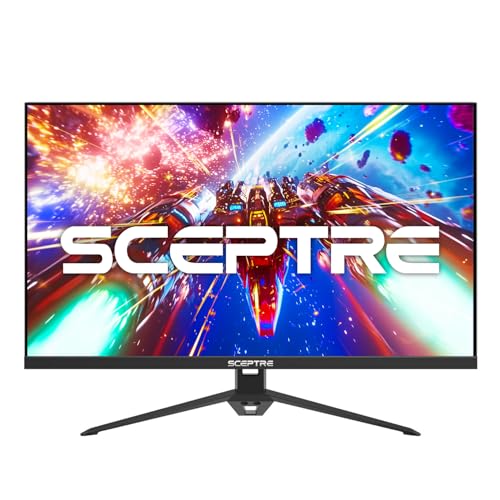
Sceptre 27-Inch 1080p 165Hz IPS Gaming Monitor
Best for: budget gamers wanting IPS color accuracy
- Screen Size
- 27-inch
- Resolution
- 1080p
- Refresh Rate
- 165Hz
- Panel Type
- IPS
- Response Time
- 1ms BR
- Sync Technology
- FreeSync
View on Amazon: Sceptre 27-Inch 1080p 165Hz IPS Gaming Monitor Affiliate link
This Sceptre monitor offers a 27-inch IPS panel with 1080p resolution. It supports refresh rates up to 165Hz and includes a 1ms blur reduction response time. FreeSync technology helps reduce screen tearing. The display covers 99% of the sRGB color gamut for accurate visuals. Built-in speakers and Blue-Light Shift technology add convenience and comfort for extended use.
Pros
- IPS panel with 99% sRGB color gamut
- 165Hz refresh rate with 1ms BR response time
- FreeSync sync technology
- Built-in speakers
- Blue-Light Shift technology
Cons
- 1080p resolution on a 27-inch screen results in lower pixel density
- No mention of USB-C connectivity
- No HDR specification listed
Good fit if
- You want a budget-friendly IPS panel for gaming
- You prefer built-in speakers to save desk space
- You need FreeSync for smooth visuals
Skip if
- You require high pixel density for sharp text
- You need HDR support for enhanced contrast
- You want USB-C connectivity for single-cable setups
Verdict: Sceptre 27" IPS 1080p 165Hz Monitor is a practical choice for gamers on a budget who prioritize color accuracy and smooth motion over sharp image detail.

LG 27-Inch UltraGear 144Hz IPS Monitor
Best for: adaptive sync gaming with height adjustability
- Screen Size
- 27"
- Resolution
- FHD 1080p
- Refresh Rate
- 144Hz
- Panel Type
- IPS
- Response Time
- 1ms MBR
- Sync Technology
- G-Sync Compatible, AMD FreeSync
View on Amazon: LG 27-Inch UltraGear 144Hz IPS Monitor Affiliate link
This 27-inch Full HD monitor pairs an IPS panel with a 144Hz refresh rate and 1ms motion blur reduction. You get both AMD FreeSync and NVIDIA G-Sync compatibility, alongside 99% sRGB color coverage and HDR10 support. The included stand adjusts for height and tilt. It suits you if you prioritize color consistency and stand ergonomics over curved panels.
Pros
- Dual AMD FreeSync and NVIDIA G-Sync compatibility
- IPS panel with 99% sRGB coverage and HDR10 support
- Ergonomic stand with height and tilt adjustment
- 1ms Motion Blur Reduction with 144Hz refresh rate
Cons
- 144Hz peak refresh rate is lower than 165Hz alternatives
- Flat display panel without a curved screen profile
Good fit if
- You want an IPS panel with 99% sRGB color coverage.
- You need both height and tilt adjustments from the factory stand.
- You use adaptive sync across either NVIDIA or AMD graphics hardware.
Skip if
- You require a 165Hz or higher refresh rate.
- You specifically want an immersive curved screen.
Verdict: LG 27-Inch UltraGear 144Hz IPS Monitor provides balanced 1080p performance, flexible stand ergonomics, and dual adaptive sync support. It fits players who favor flat-panel IPS color accuracy over high-refresh curved alternatives.

ASUS TUF 27-Inch 1080p 144Hz Gaming Monitor
Best for: competitive gaming on flat 1080p screens
- Screen Size
- 27 Inch
- Resolution
- 1920x1080
- Refresh Rate
- 165Hz
- Response Time
- 1ms MPRT
- Sync Technology
- FreeSync Premium, Adaptive-Sync
- Connectivity
- HDMI, DisplayPort
View on Amazon: ASUS TUF 27-Inch 1080p 144Hz Gaming Monitor Affiliate link
The ASUS TUF Gaming VG277Q1A is a 27-inch Full HD monitor with a 165Hz refresh rate and 1ms MPRT response time. It features ASUS Extreme Low Motion Blur and FreeSync Premium to reduce ghosting and tearing. This flat panel suits competitive gamers who need fast visuals and clear motion handling without the curve found in other options on this list.
Pros
- 165Hz refresh rate for smooth gameplay
- 1ms MPRT response time with ELMB technology
- FreeSync Premium and Adaptive-Sync support
- Shadow Boost enhances dark area details
Cons
- Flat panel design instead of curved
- No HDR certification listed in specifications
- Limited to Full HD resolution on 27 inches
Good fit if
- You prioritize motion clarity over screen curvature
- You play competitive shooters requiring fast response times
- You use NVIDIA or AMD graphics cards for sync support
Skip if
- You require a curved display for immersion
- You need higher resolution than 1080p
- You want built-in HDR capabilities
Verdict: ASUS TUF Gaming 27" 165Hz 1080p delivers sharp motion handling for competitive players who prefer a flat screen. It fits those who value ELMB technology and standard connectivity over immersive curvature.

LG 27-Inch 144Hz IPS Gaming Monitor
Best for: 1080p gamers wanting color accuracy and ergonomics
- Screen Size
- 27"
- Resolution
- 1080p Full HD
- Refresh Rate
- 144Hz
- Panel Type
- IPS
- Response Time
- 1ms MBR
- Sync Technology
- NVIDIA G-Sync, AMD FreeSync
View on Amazon: LG 27-Inch 144Hz IPS Gaming Monitor Affiliate link
This LG monitor offers a 27-inch Full HD IPS panel with a 144Hz refresh rate. It features 1ms Motion Blur Reduction and supports both NVIDIA G-Sync and AMD FreeSync. The display covers 99% of the sRGB gamut and includes HDR10. You get an ergonomic stand with height, tilt, pivot, and swivel adjustments. It is designed for gamers who want smooth visuals and accurate colors without the cost of higher resolutions.
Pros
- 144Hz refresh rate for fluid gameplay
- IPS panel with 99% sRGB coverage
- Compatible with NVIDIA G-Sync and AMD FreeSync
- 1ms Motion Blur Reduction (MBR)
- Ergonomic stand with height and pivot adjustments
Cons
- 1080p resolution on a 27-inch screen reduces pixel density
- No curved display option available in this model
- HDR10 support is basic without local dimming
Good fit if
- You want accurate colors for mixed gaming and media use
- You prefer an ergonomic stand with height and pivot adjustments
- You need compatibility with both NVIDIA and AMD graphics cards
Skip if
- You require a curved screen for immersion
- You want a higher resolution like QHD or 4K
- You need a larger screen size for productivity
Verdict: LG 27" 1080p 144Hz IPS Monitor delivers reliable performance for 1080p gamers who value color accuracy and ergonomic flexibility. It is a solid choice for players using mid-range graphics cards who prioritize smooth motion over sharp pixel density.
Specifications side by side
| Spec | Sceptre 27-Inch Curved 165Hz Gaming Monitor | Gawfolk 27-inch 180Hz Curved Monitor | ASUS TUF 27-Inch 1080p IPS Gaming Monitor | Sceptre 27-Inch 1080p 165Hz IPS Gaming Monitor | LG 27-Inch UltraGear 144Hz IPS Monitor | ASUS TUF 27-Inch 1080p 144Hz Gaming Monitor | LG 27-Inch 144Hz IPS Gaming Monitor |
|---|---|---|---|---|---|---|---|
| Screen Size | 27" | 27 inch | 27" | 27-inch | 27" | 27 Inch | 27" |
| Resolution | 1920 x 1080 | 1920x1080 | 1920 x 1080 | 1080p | FHD 1080p | 1920x1080 | 1080p Full HD |
| Refresh Rate | 165Hz | 180Hz | 165Hz | 165Hz | 144Hz | 165Hz | 144Hz |
| Panel Type | not stated | not stated | IPS | IPS | IPS | not stated | IPS |
| Response Time | 3ms | 1ms (GTG) | 1ms | 1ms BR | 1ms MBR | 1ms MPRT | 1ms MBR |
| Sync Technology | AMD FreeSync Premium | AMD FreeSync | FreeSync Premium | FreeSync | G-Sync Compatible, AMD FreeSync | FreeSync Premium, Adaptive-Sync | NVIDIA G-Sync, AMD FreeSync |
| Connectivity | HDMI, DisplayPort, 3.5mm Audio | DisplayPort, HDMI | HDMI 2.0 x2, DisplayPort 1.2 | DisplayPort, HDMI | HDMI, DP | HDMI, DisplayPort | HDMI, DisplayPort |
| Size | 27 | 27 Inch | not stated | 27" IPS | 144Hz-HDMI/DP | not stated | 27"-144Hz |
| Dimensions | 6.38 × 24.3 × 17.6 inches | 5.91 × 24 × 16.9 inches | 24.2 × 21 × 8.42 inches | 24.1 × 17.1 × 5.44 inches | 8.7 × 24.1 × 18.4 inches | 24.2 × 17.8 × 7.64 inches | 8.7 × 24.1 × 18.4 inches |
| Weight | 9.26 pounds | not stated | not stated | 7.25 pounds | not stated | 9.85 pounds | 9.5 pounds |
| Color | Machine Black | black | BLACK | Machine Black | Black-Tilt/Height | BLACK | BLACK |
| Model | C275B-1858RN | GF270C | VG279QL1A | E275B-FPT165 | LG 27inch monitor | VG277Q1A | not stated |
If you prefer an all-in-one design, see the alneruzl 27 fhd curved all in one alternatives page.
Frequently asked questions
Which 27-inch 1080p curved monitor has the highest refresh rate?
The Gawfolk 27-inch Curved Monitor offers the highest refresh rate in this group. It supports up to 180Hz for smoother motion compared to the standard 144Hz or 165Hz options. This makes it ideal for competitive gaming where frame clarity matters most. It retains the immersive 1080p curved design you likely want.
Do any of these alternatives use IPS panels instead of VA?
Yes, several alternatives switch to IPS technology for better color accuracy. The ASUS TUF VG279QL1A, Sceptre E275B-FPT165, and both LG Ultragear models all feature IPS panels. IPS screens generally provide wider viewing angles and more vibrant colors than the VA panels found in the original Sceptre curved monitor.
Which monitor supports both FreeSync and G-SYNC?
The LG 27-Inch UltraGear 144Hz IPS Monitor and the LG 27-Inch 144Hz IPS Gaming Monitor both support AMD FreeSync and NVIDIA G-SYNC. This dual compatibility ensures smooth gameplay regardless of your graphics card brand. Other monitors in this list primarily rely on FreeSync alone.
Are there flat screen options if I do not want curvature?
Yes, you can choose flat screens from ASUS and LG. The ASUS TUF VG277Q1A and the ASUS TUF VG279QL1A are flat 27-inch 1080p monitors. These are better for competitive FPS players who prefer a distortion-free image. They still offer high refresh rates and FreeSync support.
Which monitor is best for color accuracy?
If you prioritize color fidelity, the ASUS TUF VG279QL1A is a strong choice. It uses an IPS panel for accurate colors. The LG Ultragear models also excel here with their IPS technology. These screens are better for creative work or visually rich games compared to the standard VA panels in curved monitors.
Do these monitors have adjustable stands?
Ergonomic features vary by model. The LG 27-Inch UltraGear 144Hz IPS Monitor is noted for its ergonomic adjustments, likely including height and tilt. Most other monitors, like the Sceptre and Gawfolk models, typically offer basic tilt adjustments. Check the specific stand specifications if you need height or pivot flexibility.
What is the standard resolution for these 27-inch alternatives?
All monitors in this list use 1080p (Full HD) resolution. This is standard for 27-inch gaming monitors to maintain high refresh rates. While pixel density is lower than 1440p, it allows for smoother performance on mid-range graphics cards. You get consistent 1080p clarity across all seven options.